
# Personalizing Your Profile
Easily update your profile to reflect your preferences and enhance security.
# Step 1: Access Your Profile
- Click on your profile icon in the top-right corner of the dashboard.
- Select My Account from the dropdown menu.
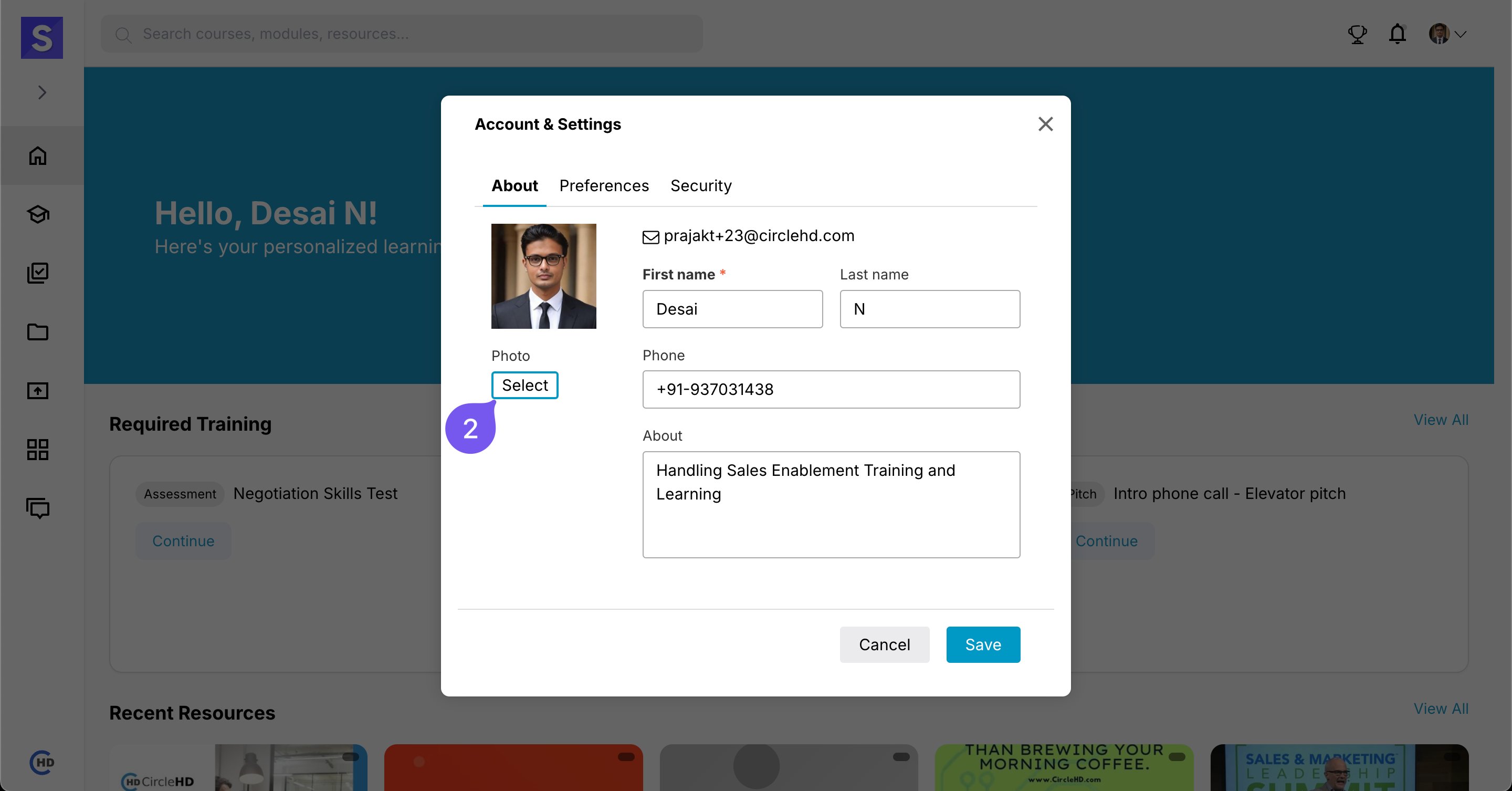
# Step 2: Add a Profile Picture
- Click the Upload button to add or change your profile picture.
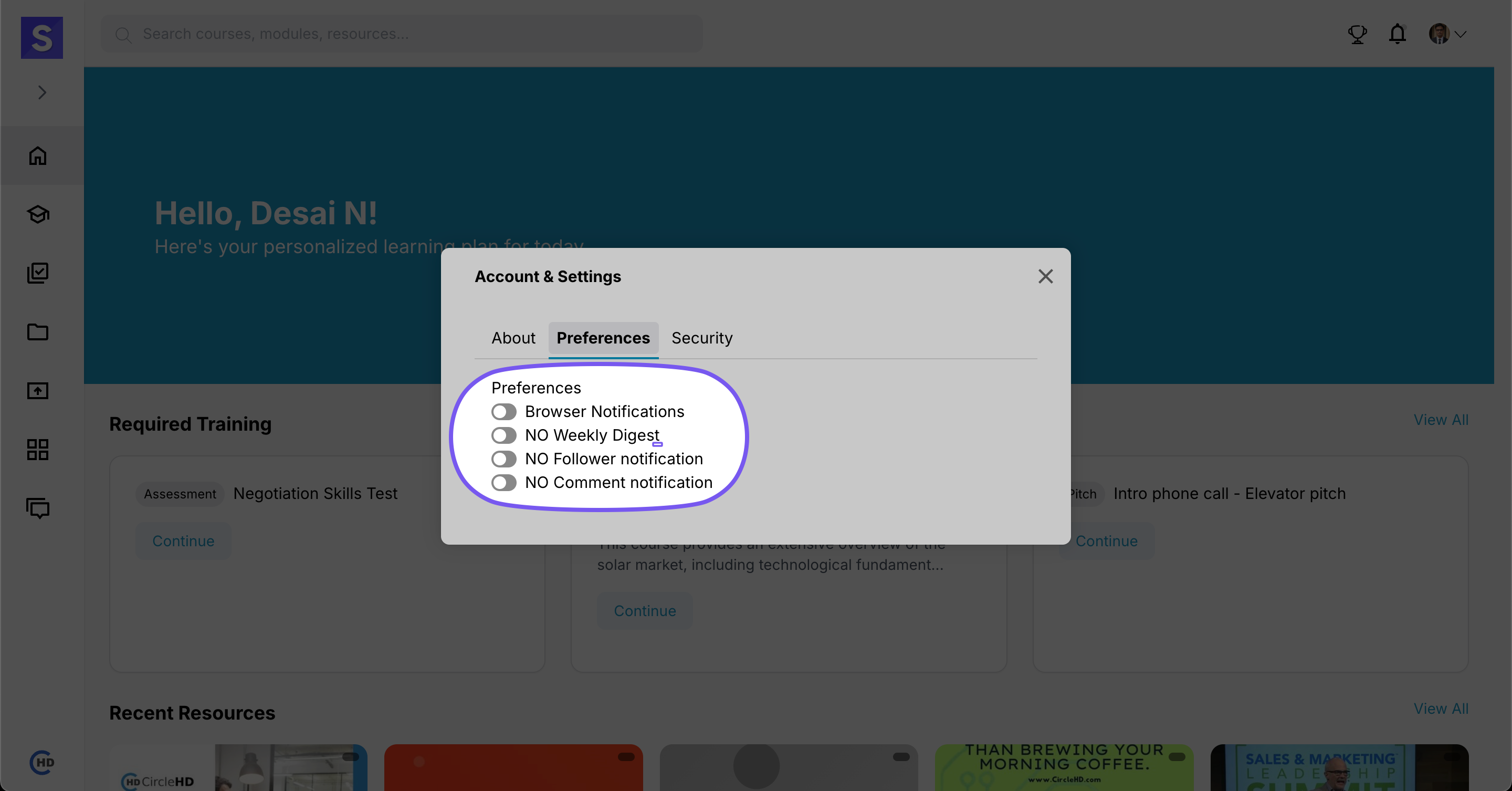
# Step 3: Update Preferences
- Customize your profile settings based on your needs.
- Adjust language, notifications, and other preferences.
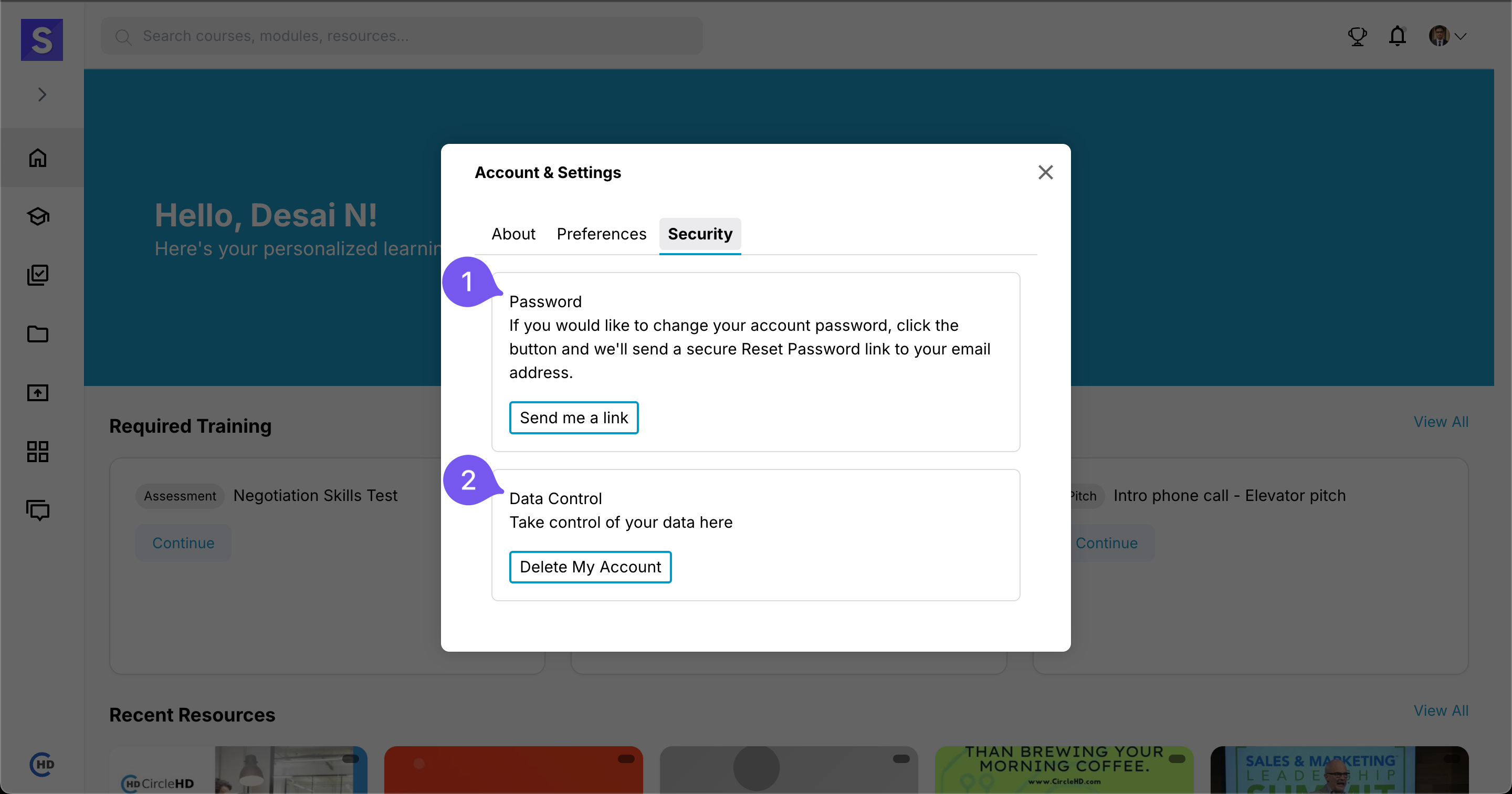
# Step 4: Enhance Security
- Strengthen your account by updating security settings.
- Enable two-factor authentication (if available) for added protection.