
# Adding Content Using the Record Button
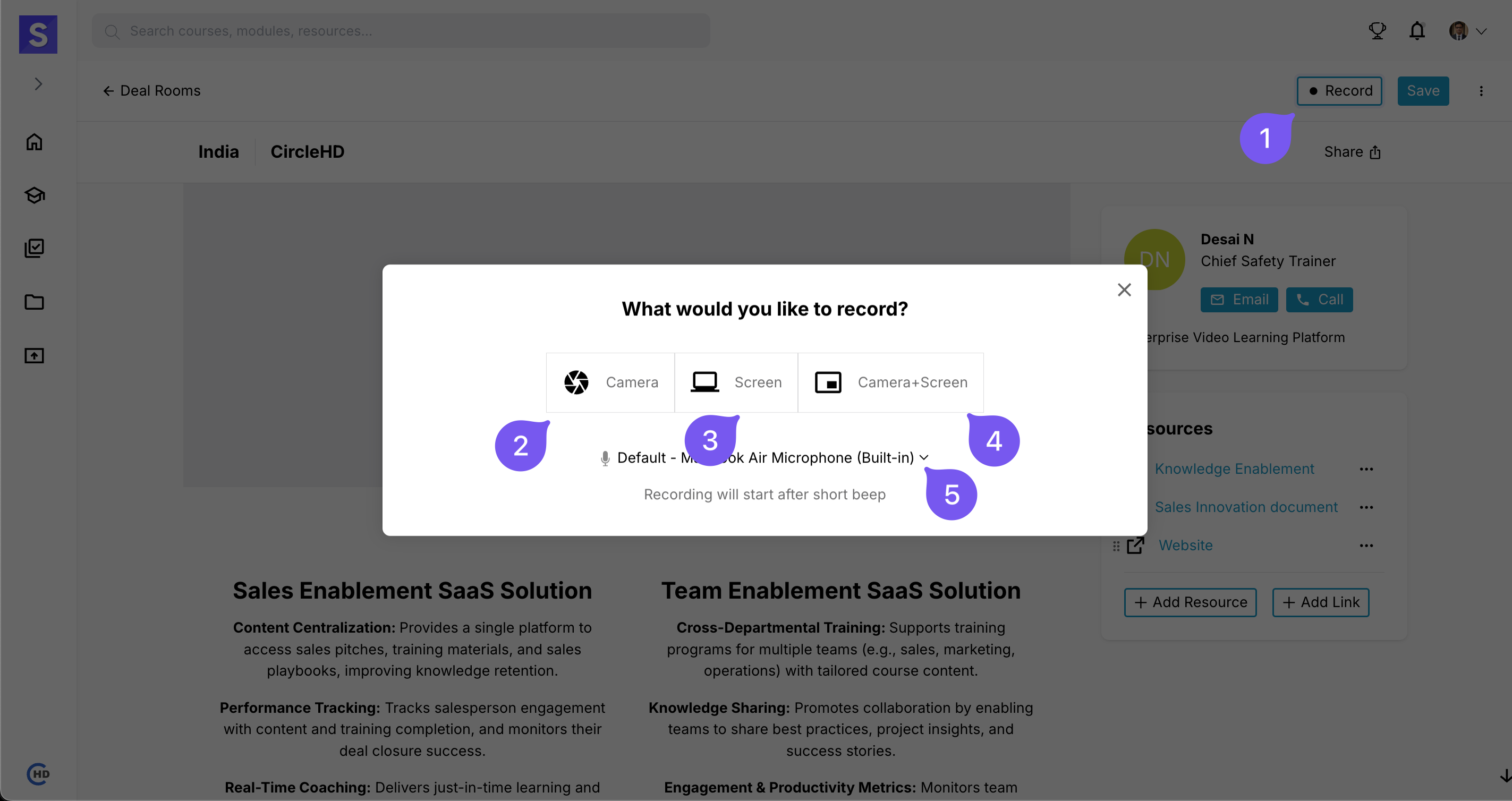
- Click on the Record button to start recording.
- Choose the preferred recording type:
- Camera – Record using your webcam.
- Screen – Capture your screen.
- Camera + Screen – Record both your screen and webcam simultaneously.
- Microphone – Enabled by default for audio capture.
Note: Ensure microphone and camera permissions are granted for recording.