
# Managing Created DealRooms
Easily manage your DealRooms by tracking engagement, controlling visibility, and performing key actions.
# Overview
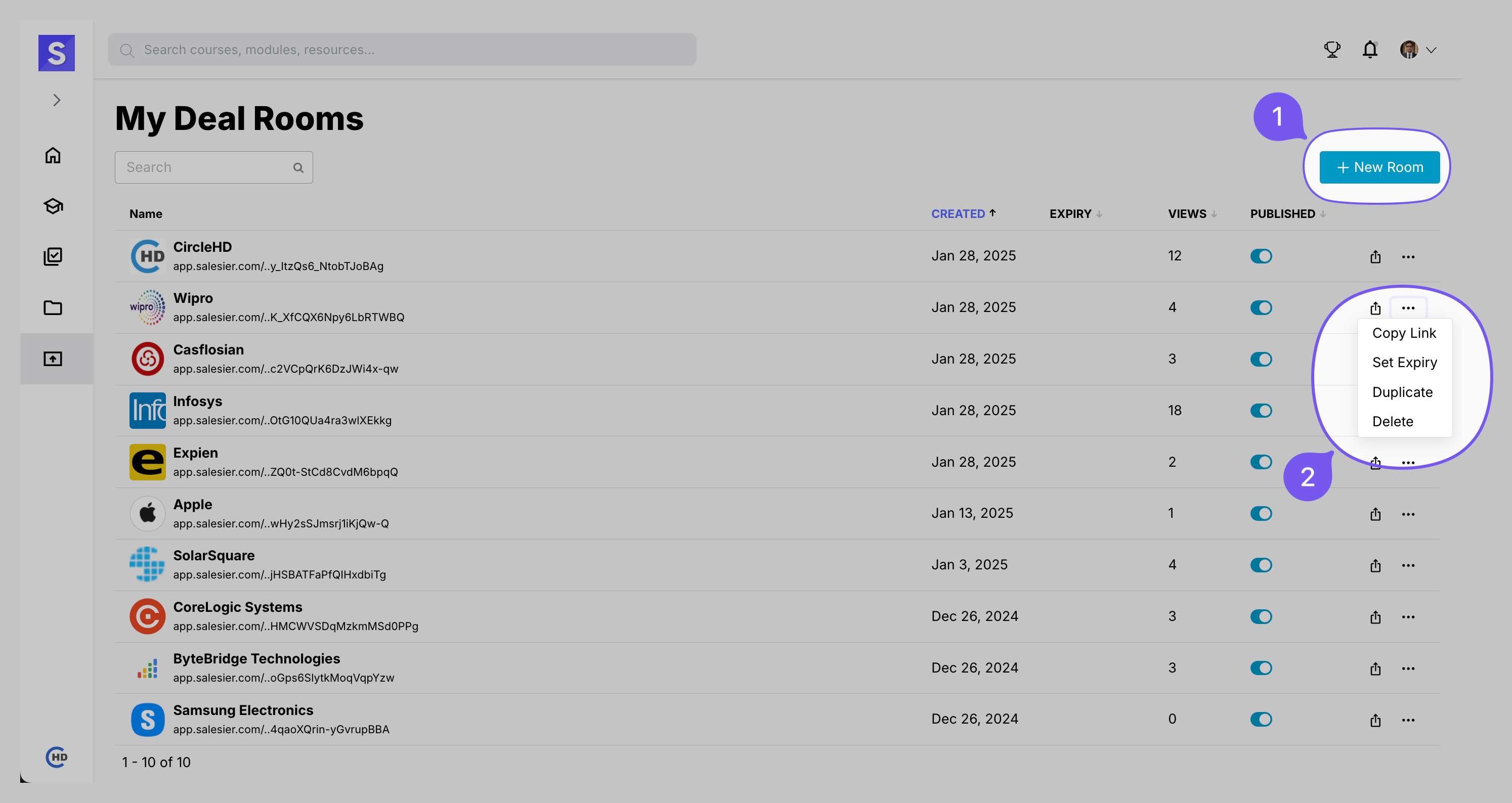
🔹 Track Views – Monitor engagement by clicking on the VIEWS tab.
🔹 Toggle Publish/Unpublish – Control visibility with a single click.
🔹 Use the Three-Dots Menu (⋮) for More Actions:
| Action | Description |
|---|---|
| Copy Link | Generate and copy a shareable link |
| Set Expiry | Define an expiration date to limit access |
| Duplicate | Create a copy of the DealRoom |
| Delete | Permanently remove the DealRoom |
# Checking DealRoom Views
Gain insights into user engagement by tracking how many people have accessed your DealRoom.

✅ Click on the VIEWS tab to instantly see engagement details.
✅ A summary of user views will appear on the screen.