
# Adding Content Using the Record Button
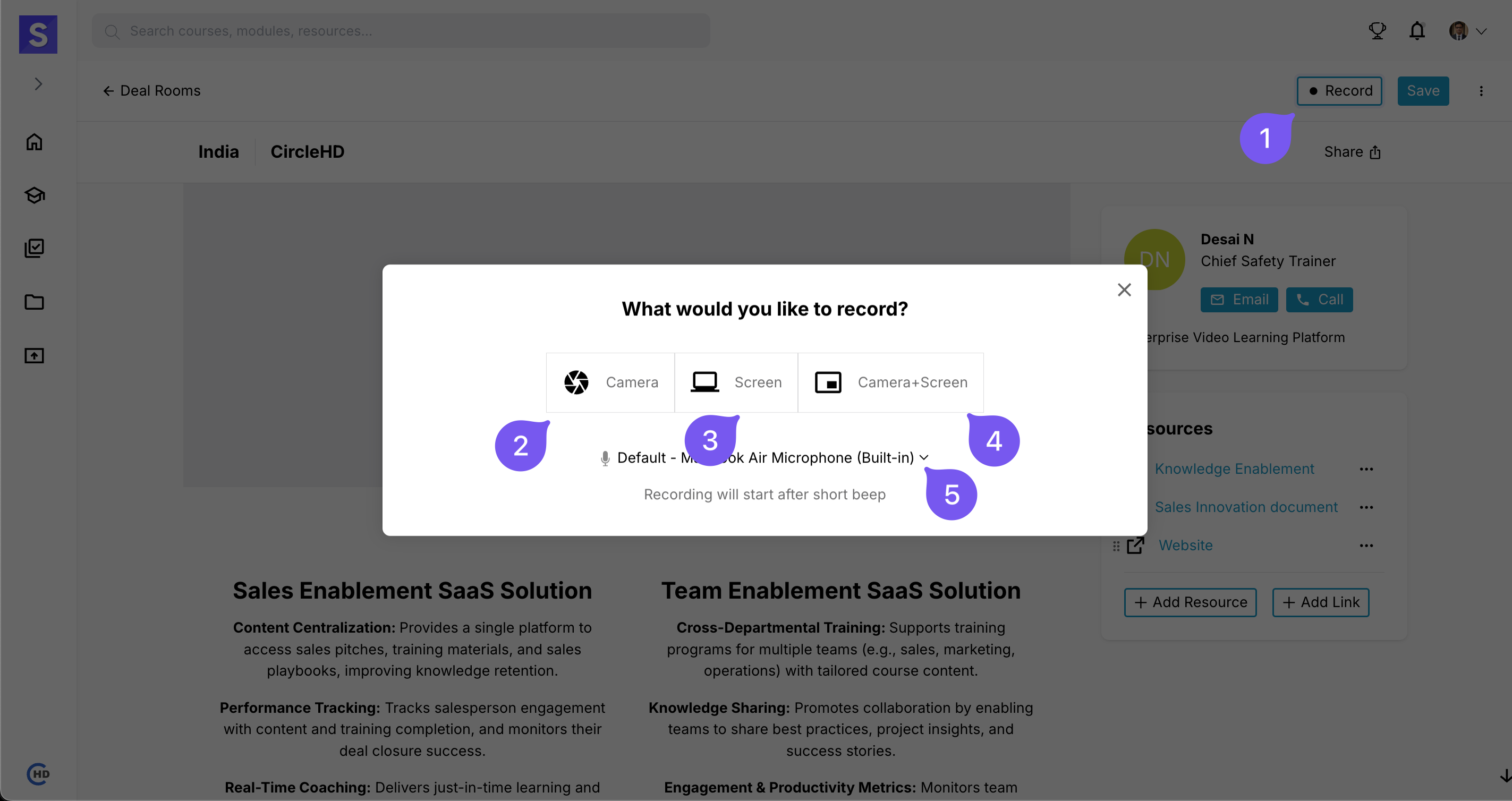
Easily capture and add recordings to your DealRoom using the Record button.
# How to Record Content?
- Click the Record button.
- Choose a recording type:
- Camera → Record using your webcam.
- Screen → Capture your screen activities.
- Camera + Screen → Record both your screen and webcam simultaneously.
- Microphone Usage: The microphone is enabled by default to capture audio.
- Once recorded, your content will be automatically saved in the DealRoom for further use.