
# Publishing the DealRoom
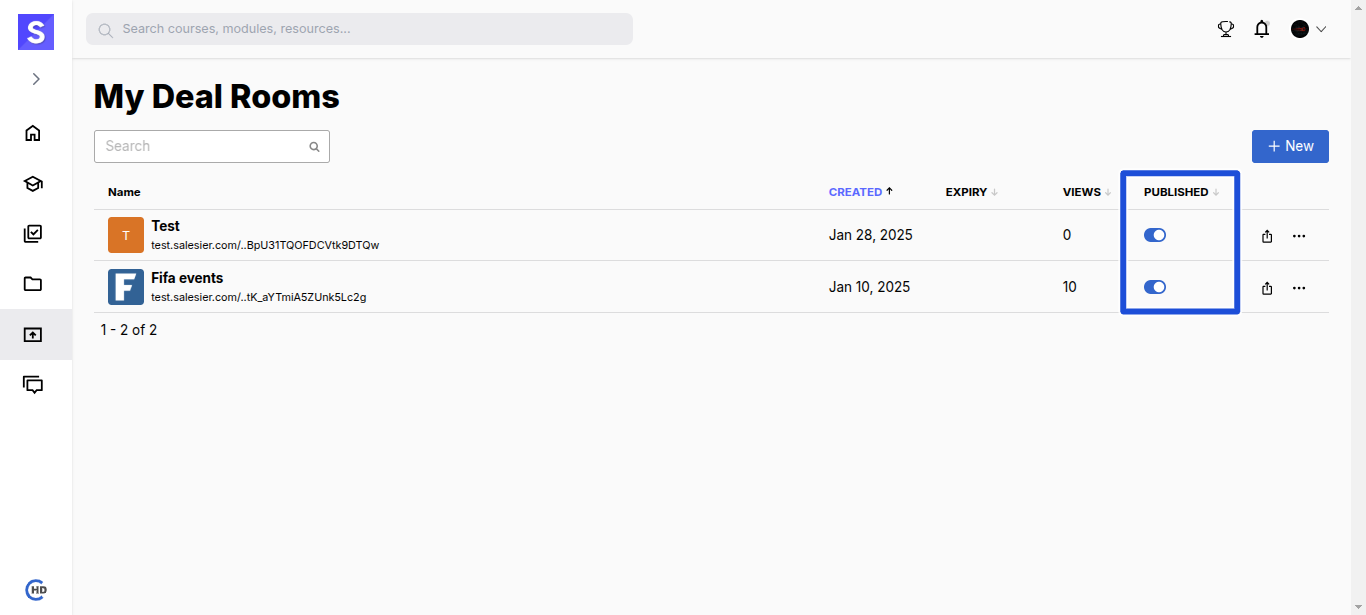
Easily control the visibility of your DealRoom by toggling its Published state.
# How to Publish/Unpublish a DealRoom?
- Navigate to the PUBLISHED tab.
- Use the toggle button to switch between Published and Unpublished states.
# Publishing States
| State | Effect |
|---|---|
| Unpublished (Default) | The DealRoom is private, and the share link remains inactive. External users cannot access it. |
| Published | The DealRoom is live, and the share link becomes active, allowing external users to view and interact. |