
# 🧩 Overview
You can sign in to CircleHD using:
- Email + Passcode (OTP)
- Microsoft Single Sign-On (SSO)
- Google Sign-In
Easily access your CircleHD account by following these steps.
# Step 1: Visit the Portal
# 🌐 Option 1: Sign in via Email (OTP-Based)
- Go to <subscription_name>.circlehd.app
- Enter your registered email ID.
- Agree to the DPDP Act consent checkbox.
- Click the Continue button.
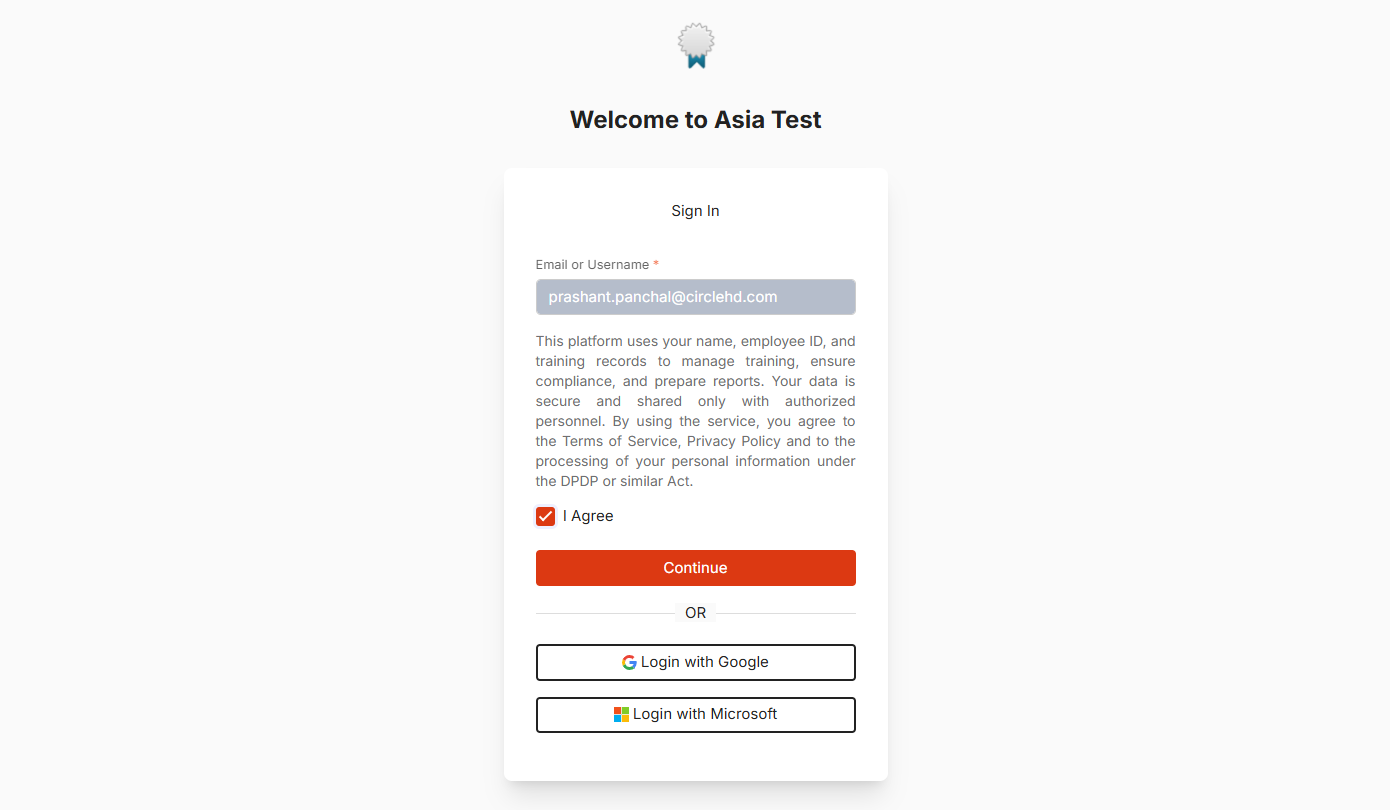
# Step 2: Enter the Passcode
- Check your registered email for a passcode.
- Enter the passcode in the provided field.
- Click Continue to authenticate your account.
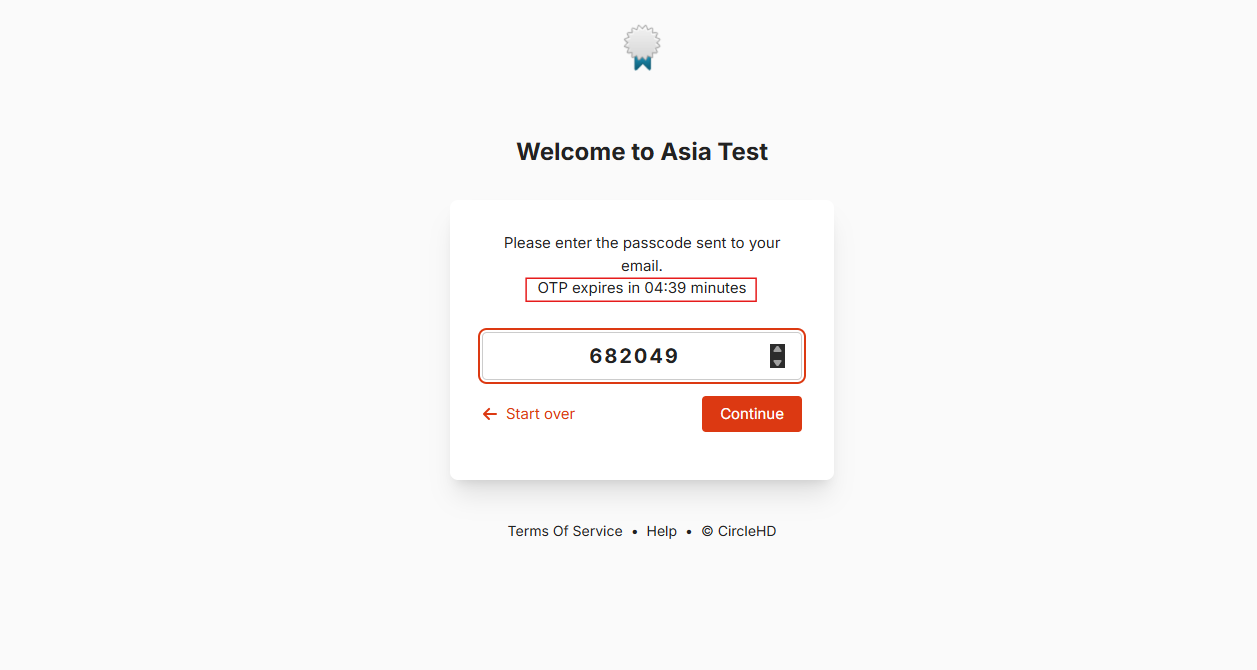
Note: Your passcode will expire in 5 minutes. Make sure to enter it before the timer runs out.
# 🔐 Option 2: Sign in with Microsoft (SSO)
- Go to <subscription_name>.circlehd.app
- Enter your Microsoft (Office 365) email ID
- Agree to the DPDP Act consent checkbox.
- Click “Login with Microsoft”.
- You will be redirected to your Learner homepage
Note: Single Sign-On (SSO) is available only when it is properly configured and integrated with the LMS for your organization.
# Troubleshooting Tips
✅ Ensure your email is entered correctly.
✅ Check for typos or extra spaces.
✅ If you didn't receive a passcode, check your spam/junk folder.
✅ Forgot your password? Click the Forgot Password link to reset it.
# Need Help?
🔹Email (India Support): support@circlehd.com
🔹 Email (US Support): support@india.circlehd.com
Now you're all set to sign in and start using CircleHD! 🚀