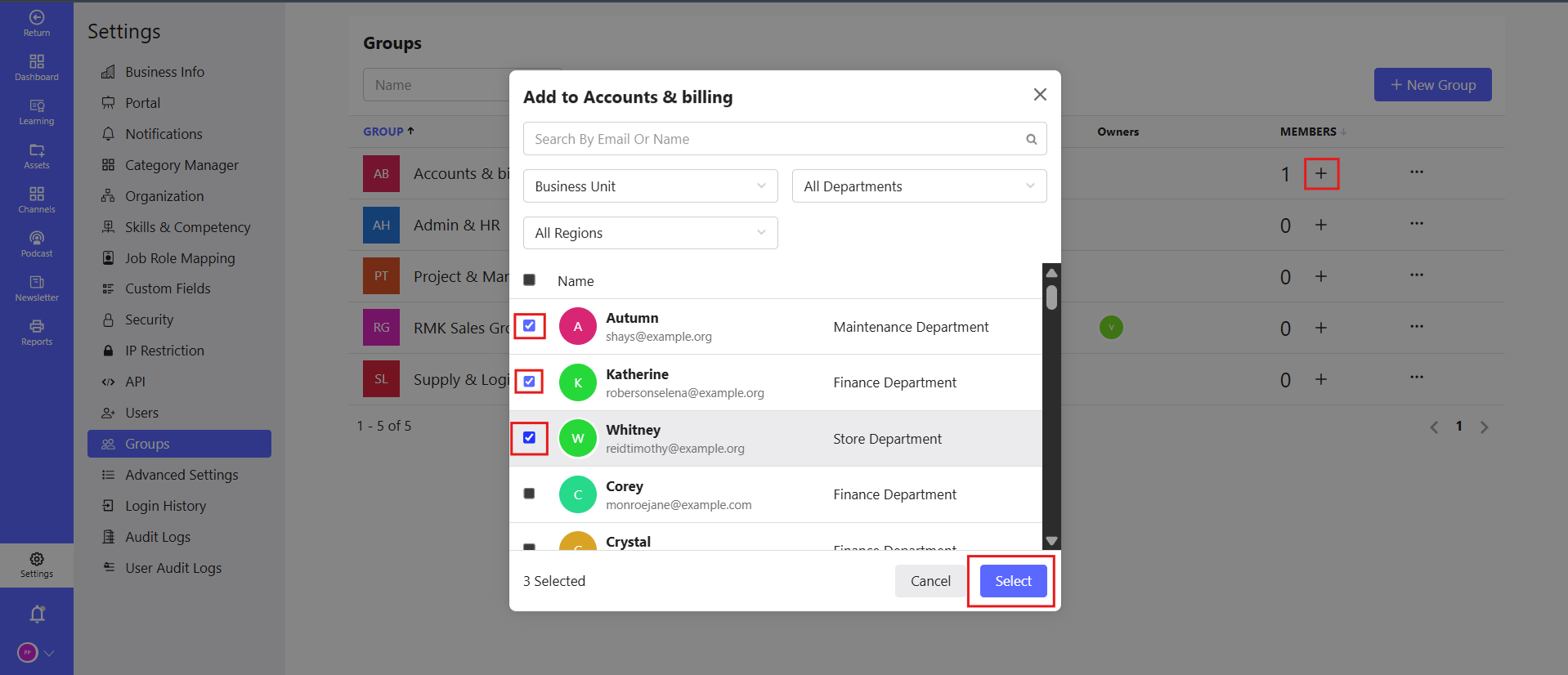
# Assign Group – (Applicable for All Modules)
# Overview
The Assign Group feature allows admins to assign a module (Course, Assessment, Path or other learning module ) to a specific group of learners instead of assigning individually. This helps in bulk assignment and better learner management.
# Steps to Assign Group
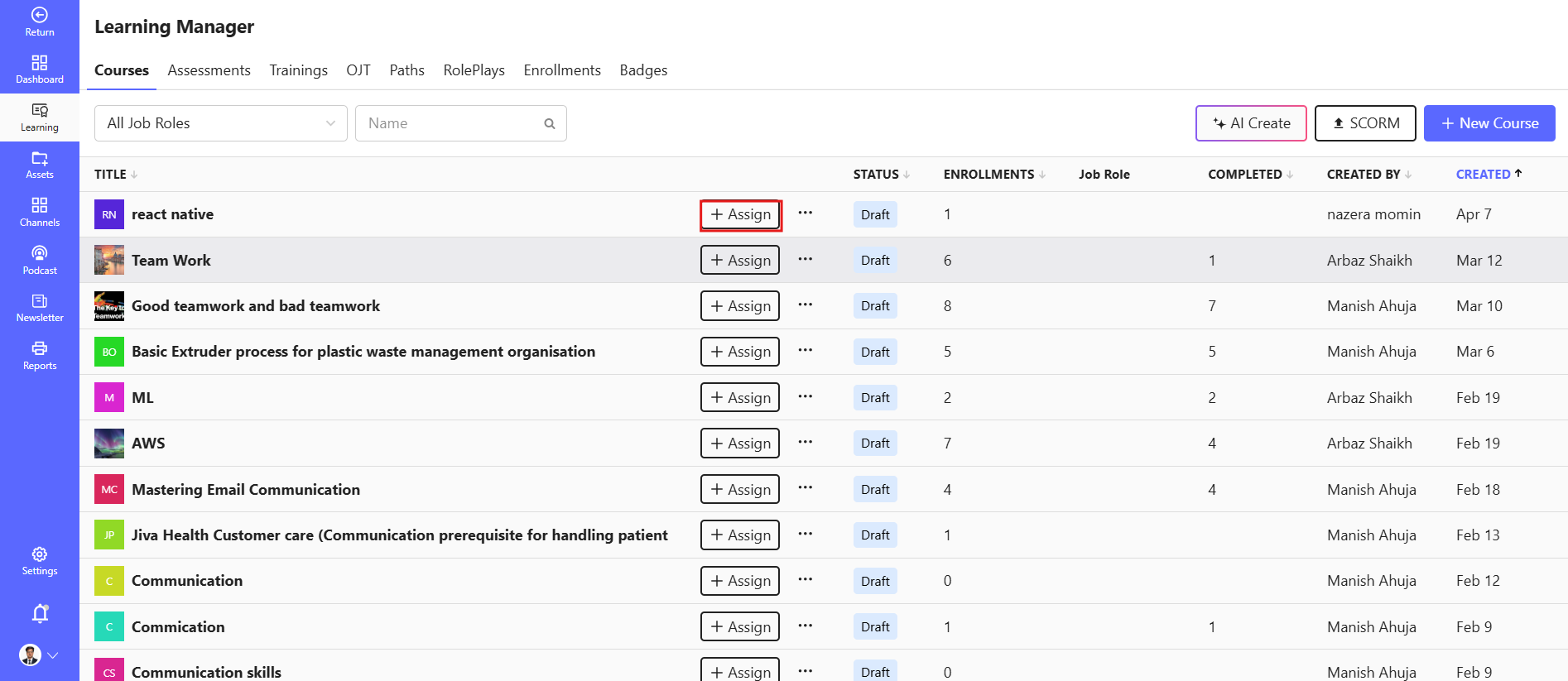
# Step 1: Select Module
- Open the module (Course / Assessment / path / ILT )
- Click on Assign
# Step 2: Choose Group Option
- Select Assign to Group
- A list of available groups will be displayed
- Choose one or multiple groups
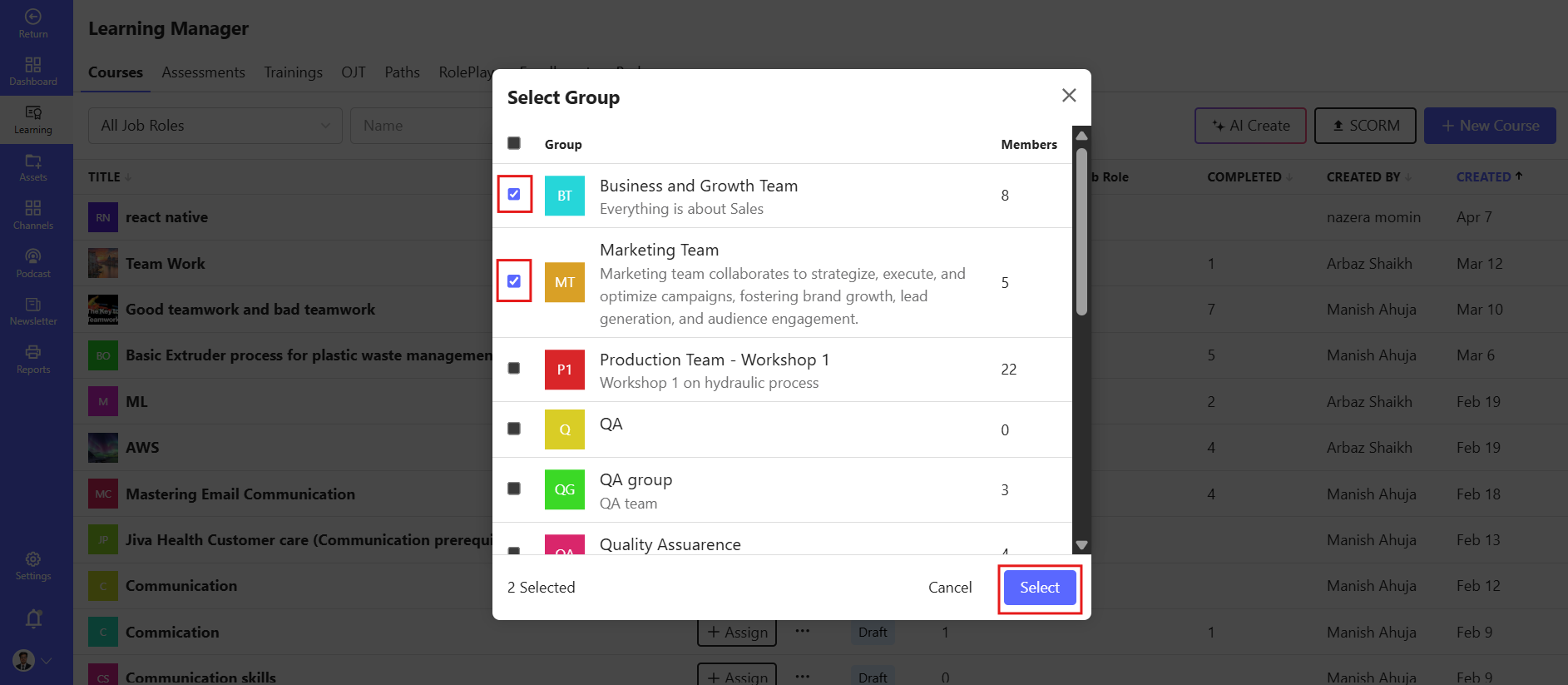
# Step 3: Select Group
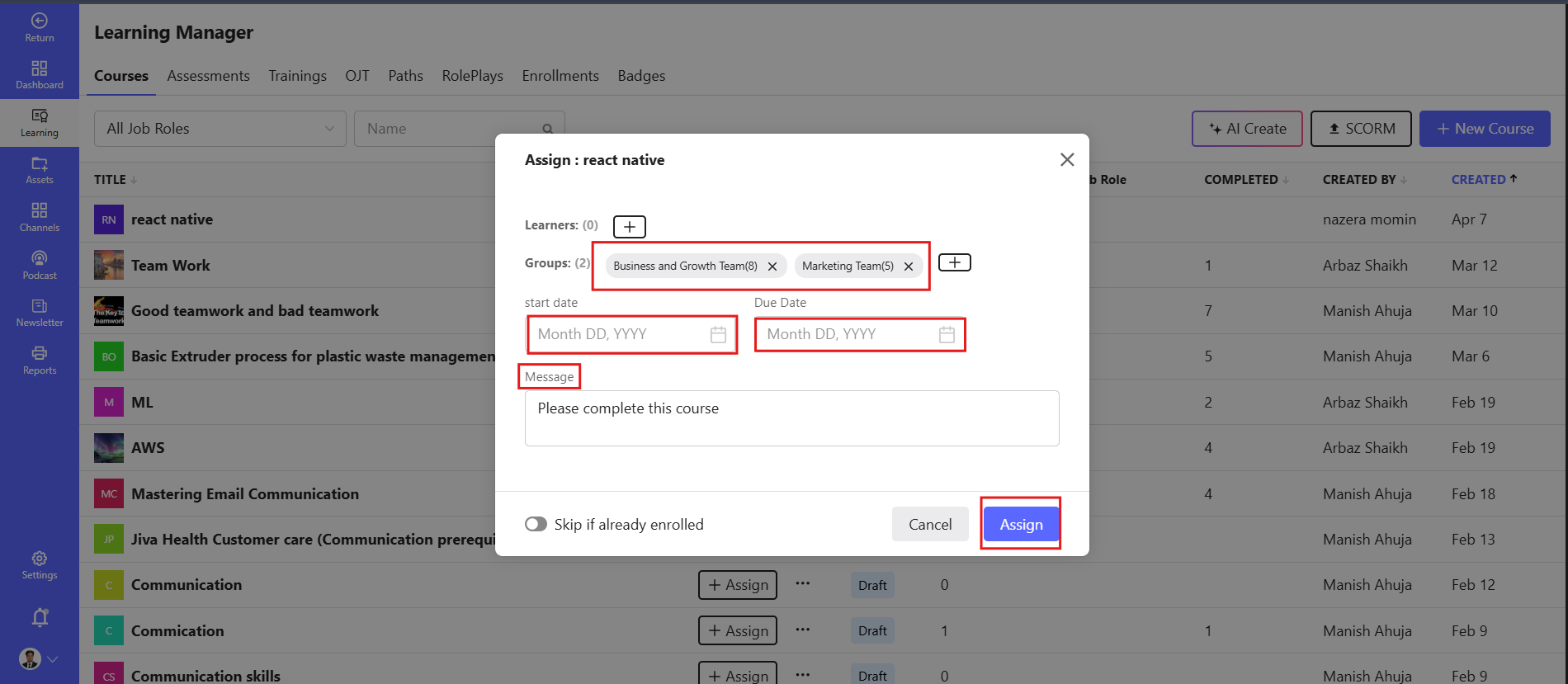
- Start Date & Due Date
- Click on Assign / Save
- System will assign module to all learners in the selected group
# Key Features
- Bulk assignment to multiple users
- Saves time vs manual assignment
- Supports all modules
# Important Notes
- Ensure the group is already created before assigning
- Learners must be active users
- Permissions required to assign modules
- Assignment rules same for all module type