
# Create a New Channel
The Channel feature allows administrators to create and manage channels within the platform. Channels can be used to organize and showcase different learning content such as Courses, Assets, Learning Paths, Roleplays, and ILT Trainings.
# Steps:
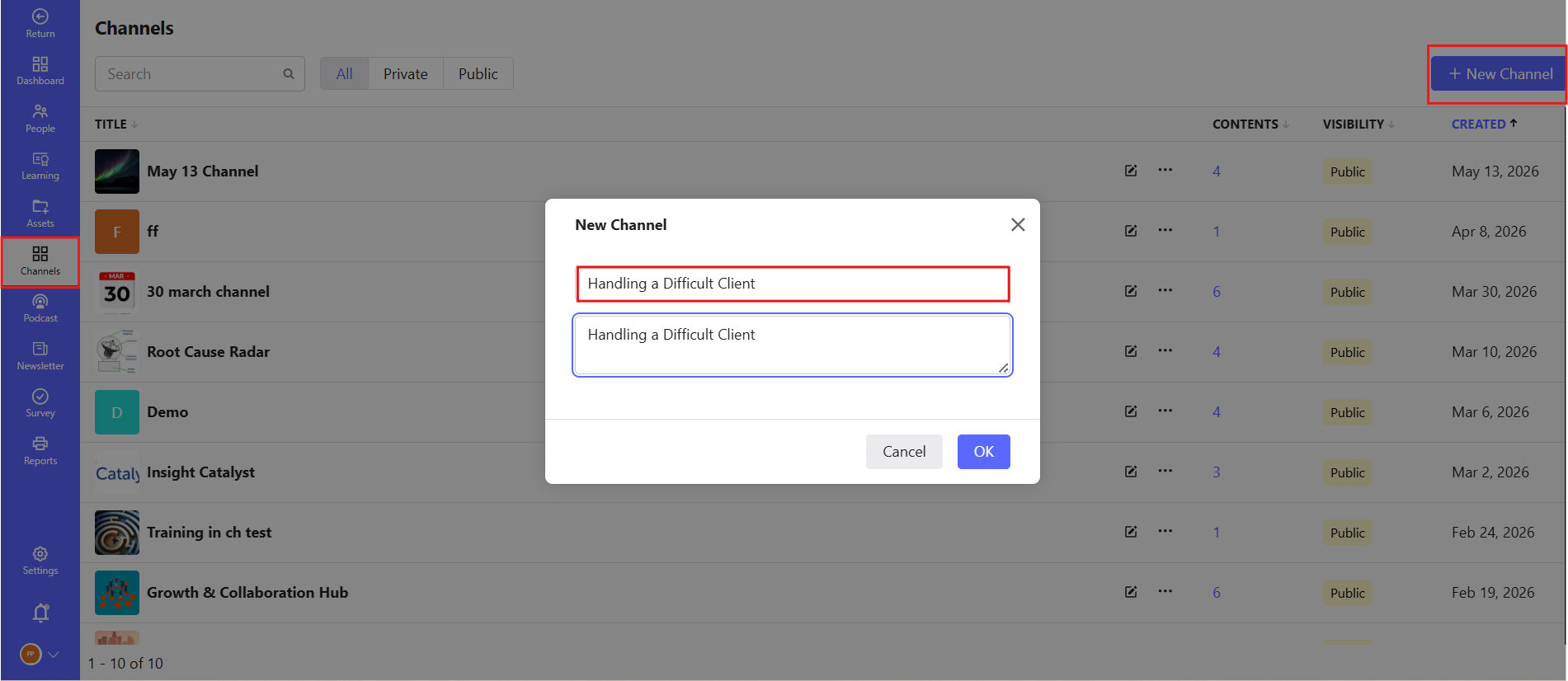
- Login to the Admin Panel.
- Navigate to the left-side menu.
- Select the Channel feature.
- A new page will open displaying the list of available channels.
- Click on the Create Channel option.
- Enter the following details:
- Channel Name
- Description
- Click on the Save button to create the channel.
# Configure Channel Details
After selecting the created channel, administrators can manage and customize the channel settings.
# Available Features
Administrators can:
- Add Courses
- Add Assets
- Add Learning Paths
- Add Roleplays
- Add ILT Trainings