Delete Channel
Prerequisites
- Ensure you have the necessary permissions to delete channels.
- Be aware that deleting a channel is permanent and cannot be undone.
Steps to Delete a Channel
- Login to the Admin Panel.
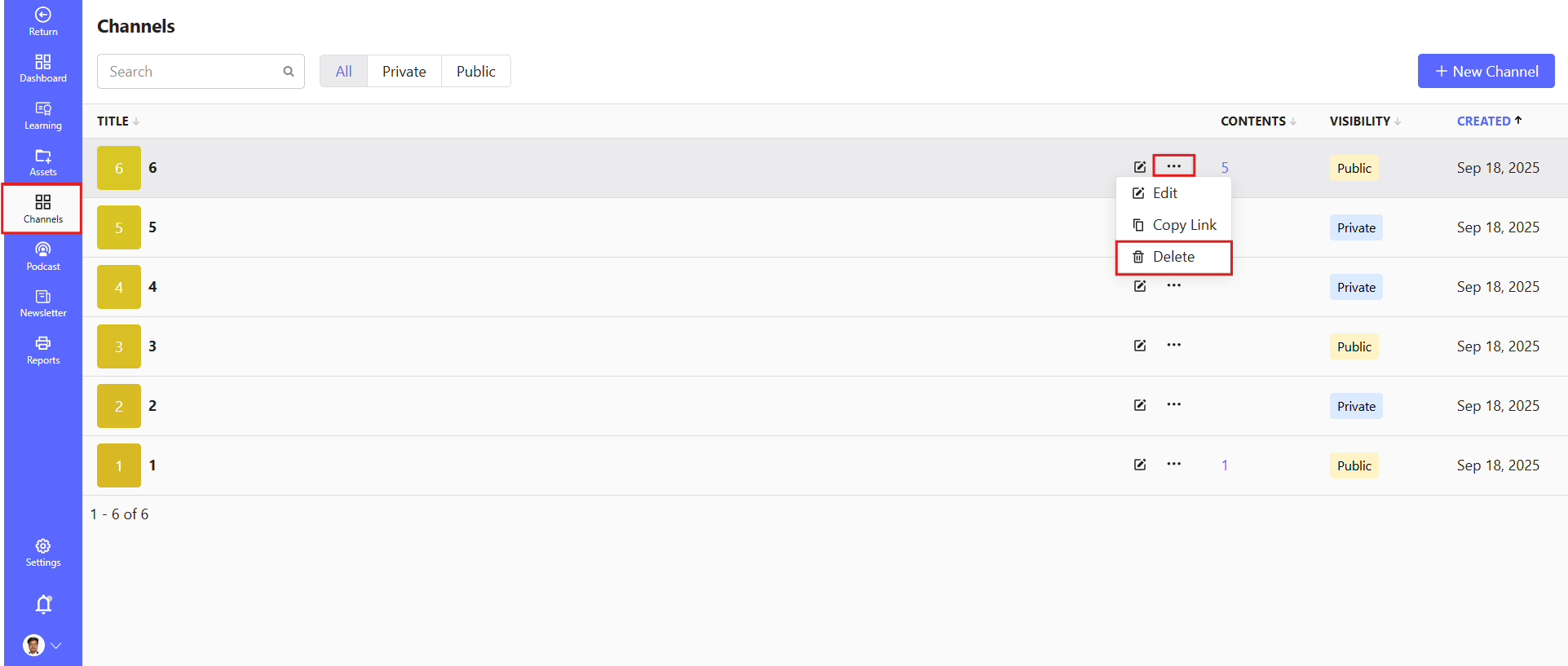
- Navigate to the Channel feature from the left-side menu.
- Locate the required channel.
- Click on the Three-Dot Menu beside the channel.
- Select the Delete option.
- Confirm the deletion action.
The selected channel will be removed from the system.
⚠️Important Considerations
- Deleting a channel will remove all associated messages, files, and integrations.
- Members will no longer have access to the deleted channel.
- Consider archiving the channel instead if you want to preserve its content.
