
# Delete a Newsletter
The Delete Newsletter feature allows administrators to permanently remove newsletters from the LMS. This is useful when content is outdated, incorrect, or no longer required.
# When to Use Delete Option
- 🗑️ Remove outdated newsletters
- ❌ Delete incorrect or duplicate content
- 🔄 Clean up unused or irrelevant data
- 📉 Maintain organized content in the system
# Steps to Delete
- Login to the LMS Admin Panel
- Go to Administration
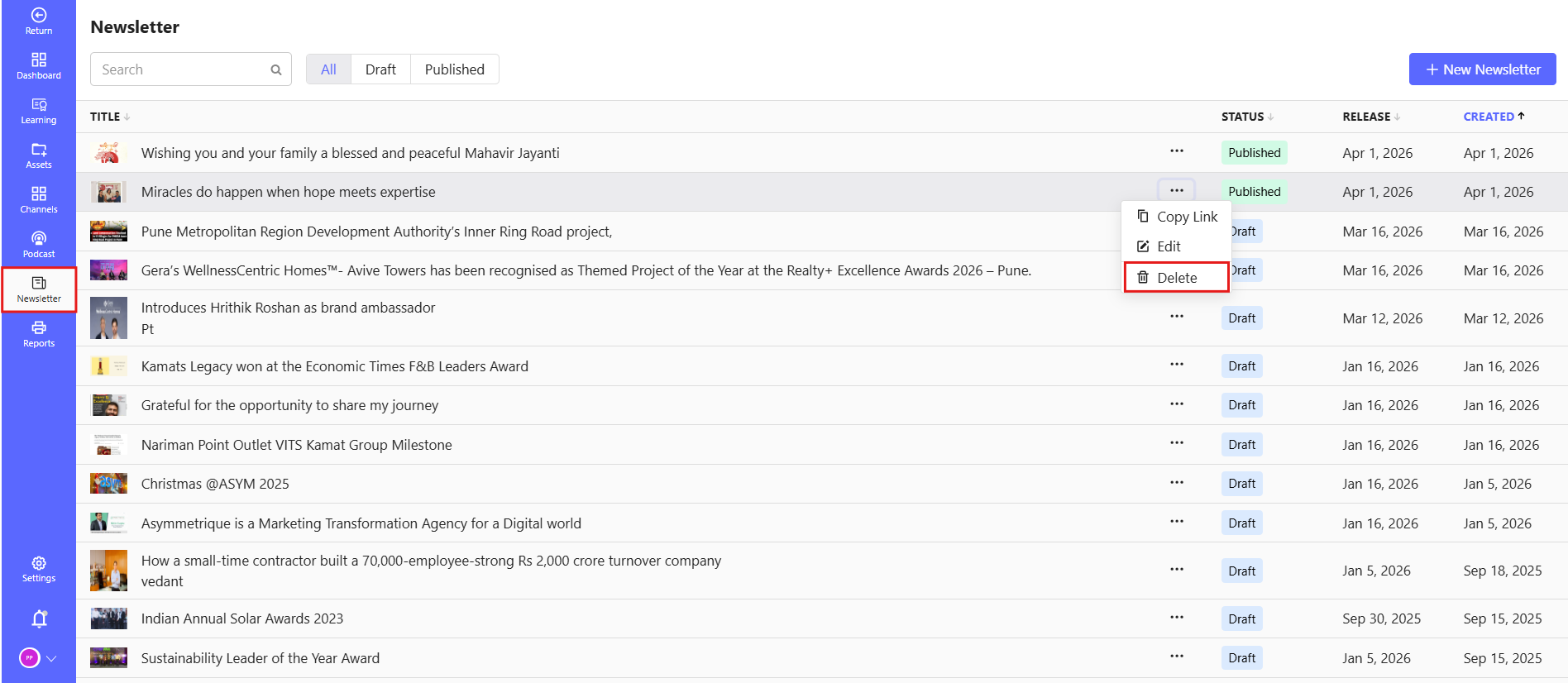
- Click on Newsletter from the left-side menu
- Browse or search for the newsletter you want to delete
- Click on the Delete (🗑️) icon using three dot next to the selected newsletter
# Key Notes
⚠️ Deletion is usually permanent and cannot be undone
- Ensure you are deleting the correct newsletter
- Deleted newsletters will no longer be visible to users
# Tips
- Double-check before deleting to avoid accidental loss of important content.
- Consider archiving instead of deleting if the newsletter might be useful in the future.