
# Create a Newsletter
The Create Newsletter feature allows administrators to publish important updates, announcements, and learning content for users within the LMS. It helps keep employees informed and engaged through structured communication.
# 🔹 Benefits of Newsletter
- Improved Communication – Share important updates instantly
- Knowledge Sharing – Deliver learning content and insights
- Better Engagement – Keep employees connected and informed
- Centralized Information – All updates in one place
- Scheduled Publishing – Plan content in advance
# Steps to Create
- Navigate to the Newsletter section.
- On the Newsletter page, locate the “New Newsletter” option at the top-right corner
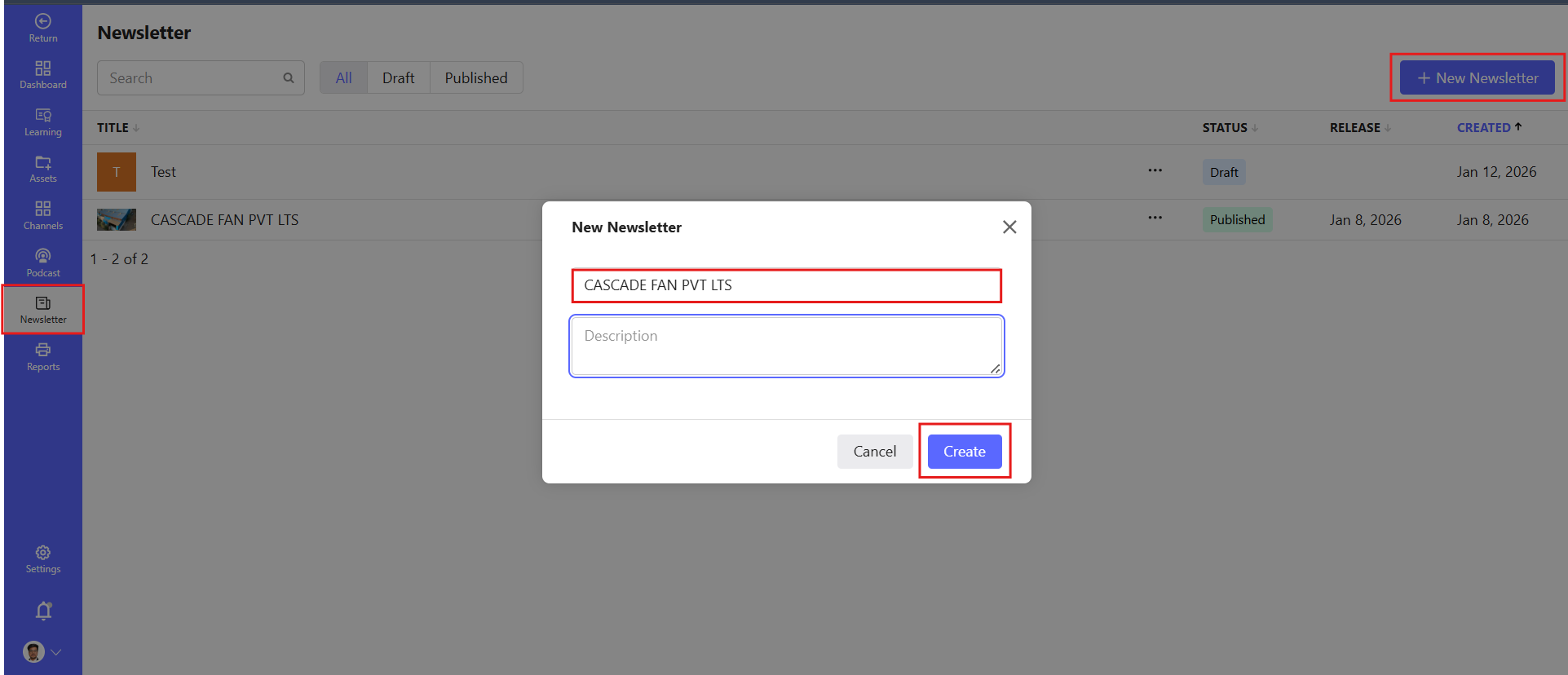
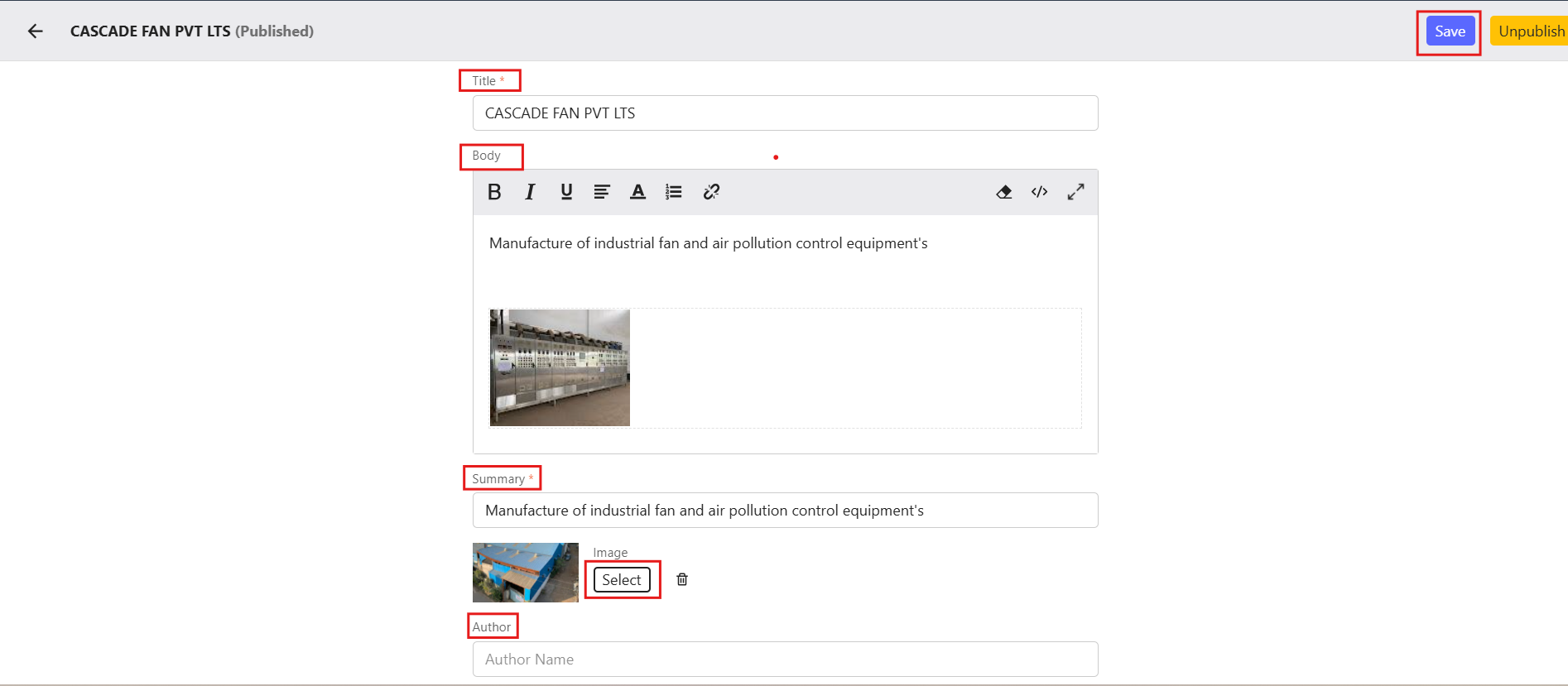
Fill in the following details:
- Title: Enter the title of the newsletter. (Required)
- Summary: Provide a brief summary of the newsletter. (Required)
- Body: Add the main content of the newsletter using the text editor.
- Image: Upload an image for the newsletter (optional but recommended).
- Author: Specify the author's name.
- Publishing Date: Select the date when the newsletter will be published.
- Categories: Assign categories for better organization.
Add images within the content body
Upload a featured/popup image for first-page display
Once all fields are filled, click Save to save as a draft or Publish to make it live.
# Key Notes
- Ensure content is clear and engaging
- Use relevant images to improve readability
- Select the correct publish date for timely communication
- Choose proper categories for better organization