
# Edit a Newsletter
The Edit Newsletter feature allows administrators to update existing newsletters. You can modify content, change images, update publish dates, or correct any information after creation.
# When to Use Edit Option
- To correct errors in content or title
- To update images or add new visuals
- To reschedule the publish date
- To modify category or author details
- To improve or refresh existing content
# Steps to Edit
- Login to the LMS Admin Panel & Go to Administration
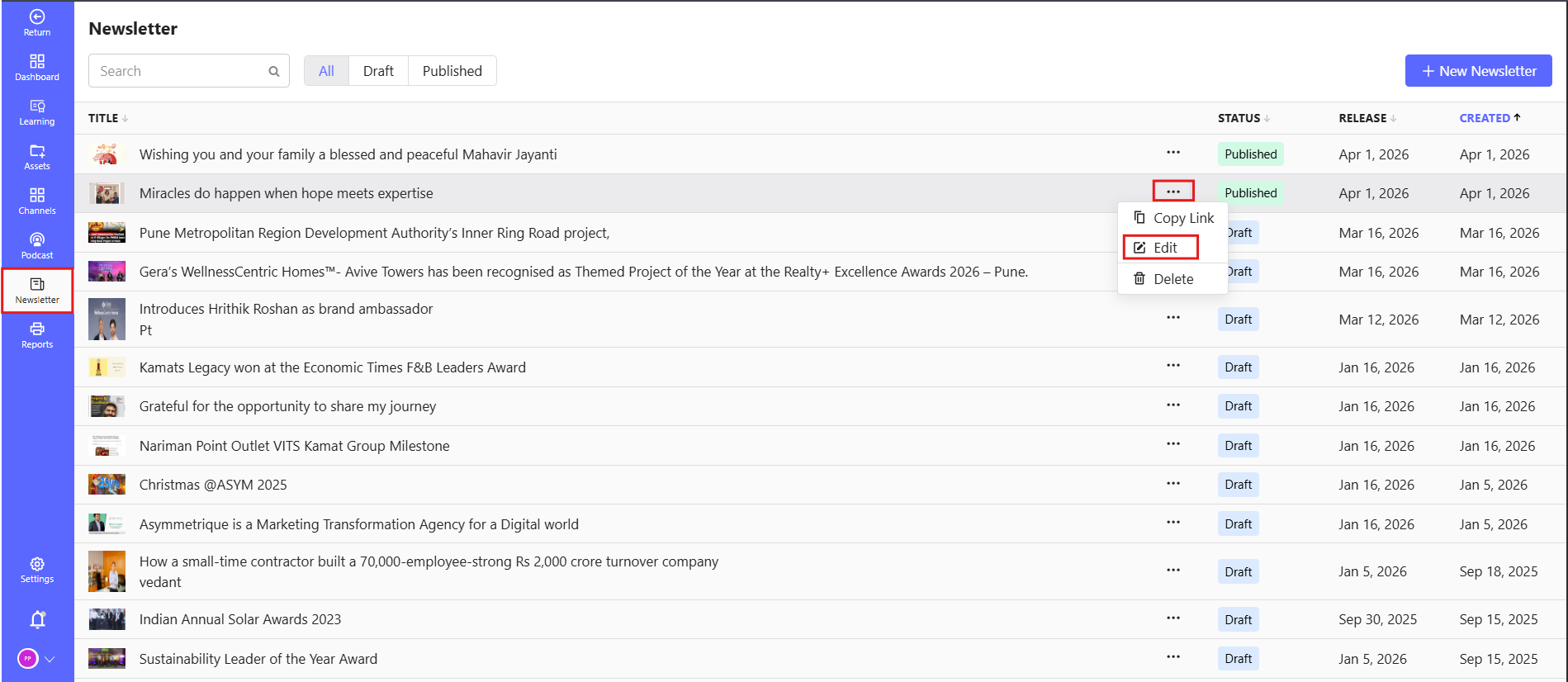
- Click on Newsletter from the left-side menu
- In the newsletter list, locate the newsletter you want to edit
- Click on the Edit (✏️) icon or Edit option
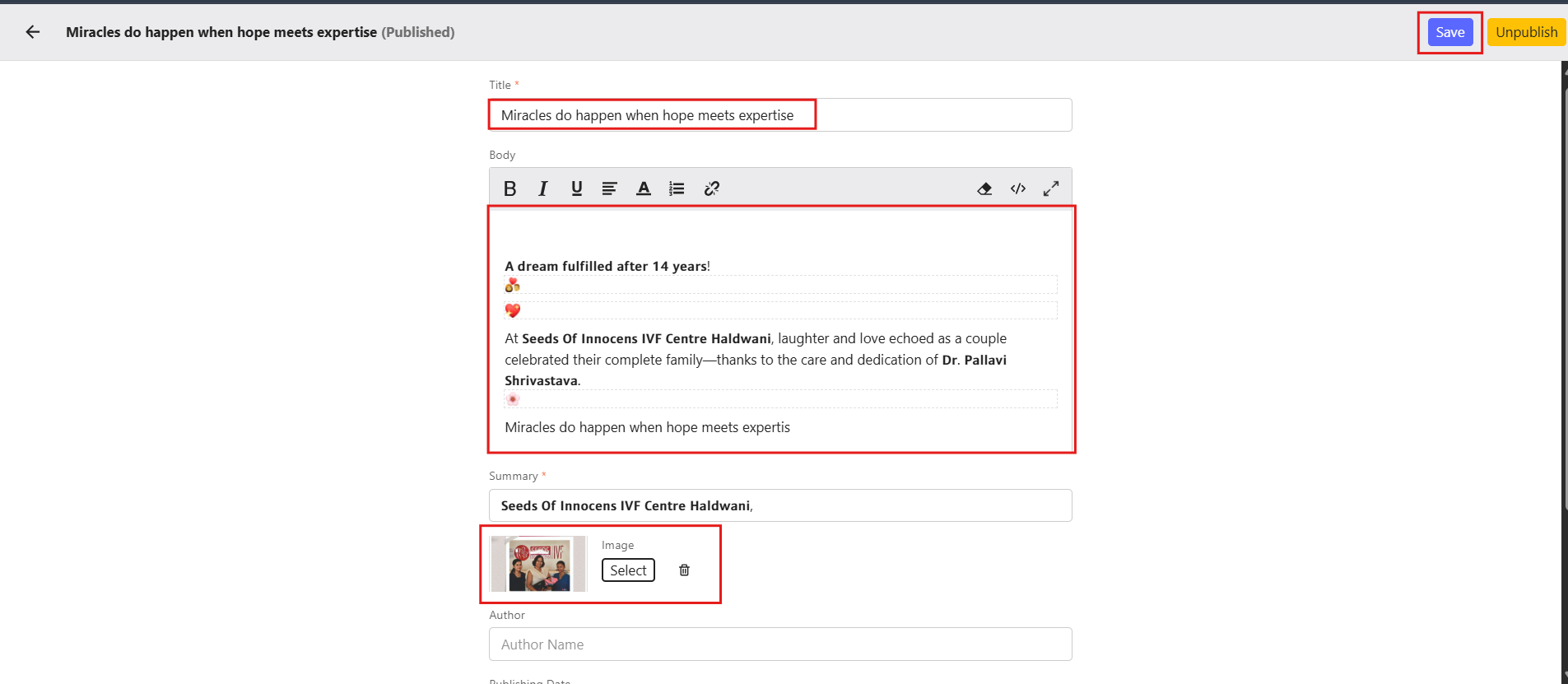
- Click Save to update the newsletter or Publish to apply the changes to the live version.
# You can update the following fields:
- Title – Modify the newsletter title
- Content Body – Edit or add new content and images
- Summary – Update the short description
- Publish Date – Change the schedule if required
- Category – Reassign category
- Author Name – Update author details
# Tips
- Regularly update newsletters to keep information relevant and up-to-date.
- Preview your edits before publishing.