
# How to Create a New Episode?
The Episode section allows administrators to add and manage podcast episodes under a podcast show. Follow the steps below to create a new episode.
# ➕ Steps to Add an Episode:
- Open the required podcast show.
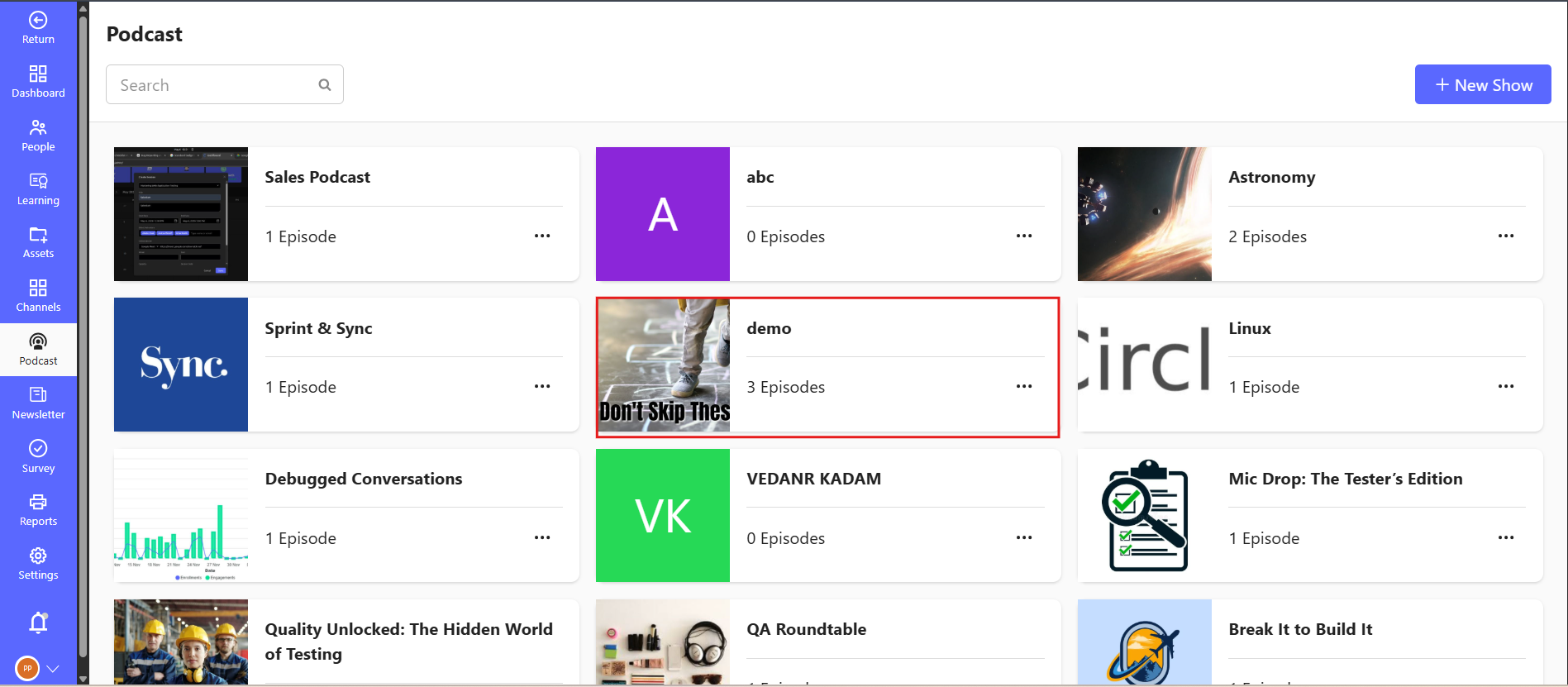
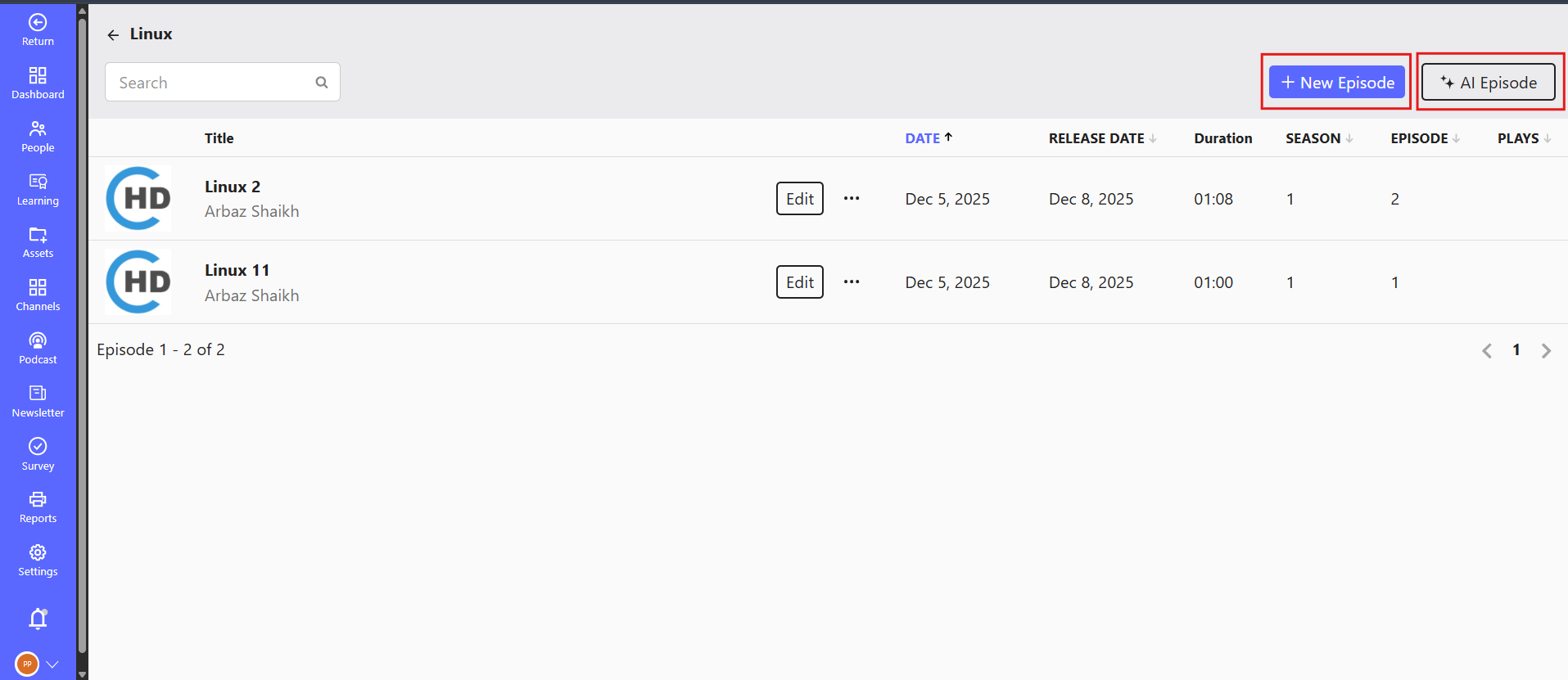
- Click on the New Episode button at the top-right corner.
- Fill in the following details:
- Title: A concise and clear episode name.
- Description: A short summary of what the episode covers.
- Tags: Relevant topics (e.g., JavaScript, Data Structures, Clean Code).
- Audio File: Upload your audio content (MP3 recommended).
- Thumbnail: (Optional) Add a visual thumbnail for the episode.
- Transcript: (Optional) Add transcript text to improve accessibility.
# ✅ Publish Options
After filling in the details:
- Click Publish to make the episode available to users.
- Click Save as Draft to continue editing and publish later.
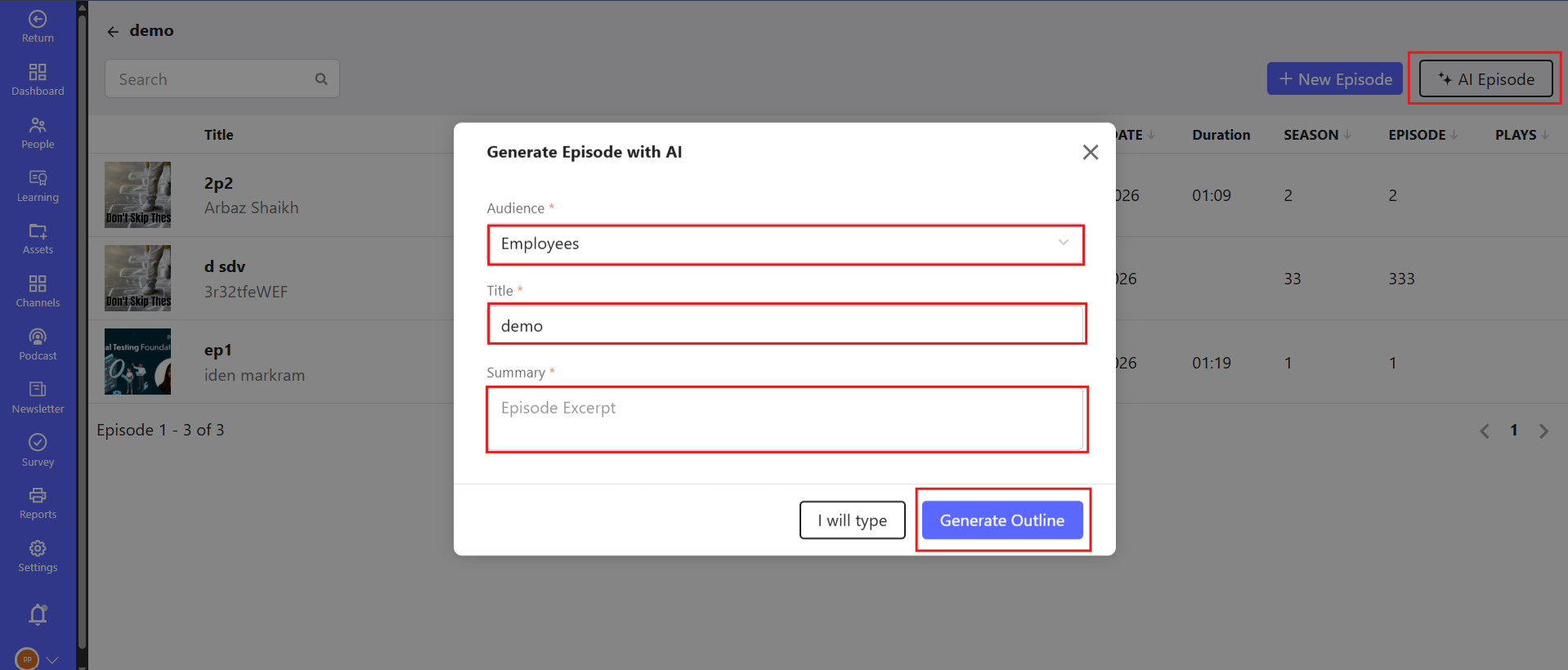
# 🤖 AI Episode Option
Use the AI Episode feature to auto-generate an episode script or summary using our built-in AI assistant. This is ideal for:
- Creating topic overviews
- Generating quick summaries
- Filling in placeholder content
# 📂 Episode Management
Once added, episodes will appear in the list below with options to:
- Edit
- Delete
- Publish/Unpublish
- View Engagement Metrics
Start adding valuable content to inspire and educate your listeners!
Note: There are currently no episodes in this show. Click on New Episode to get started!