
# Adding a New User Manually
The Add User option allows Super Admins to create and invite users individually by entering their email address and assigning the appropriate access permissions. To add a new user, follow these steps:

- Log in to CircleHD using a Super Admin account.
- Navigate to Settings.
- Select Users from the left-side panel.
- Click Add User.
- Select the Email option.
- Enter the email address of the user you want to add.
- Select the required user permissions:
- Admin – Provides Admin access.
- Super Admin – Provides Super Admin access.
- If neither option is selected, the user receives standard User access.
- Enable the Invitation Email option if you want to send an invitation to the user.
- Click Invite to complete the process.
# Permission Logic
| Admin | Super Admin | Access |
|---|---|---|
| Yes | Yes | Super Admin |
| Yes | No | Admin |
| No | No | User |
Note: Select Super Admin permission only for users who require full administrative access to the platform.
# Importing Users in Bulk Through CSV
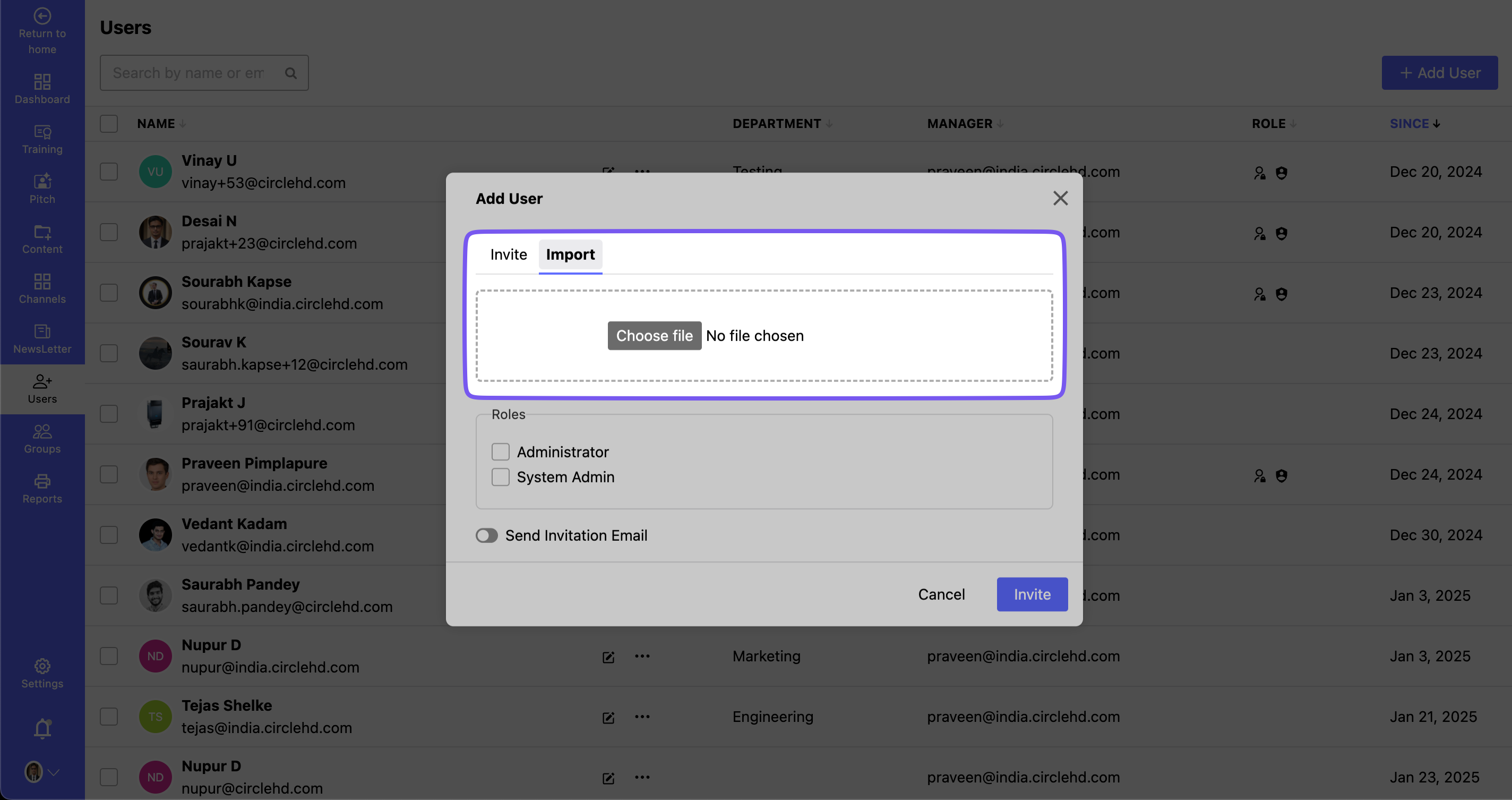
The Import Users option allows Super Admins to create multiple users in bulk by uploading a CSV file. This is useful when a large number of users need to be added to CircleHD at the same time.
# Prerequisites
Before importing users, make sure:
- You are logged in with a Super Admin account.
- You have prepared a CSV file containing the required user information.
- The CSV file contains the required user attributes.
- Business Unit, Department, and Job Role , Email information is correctly configured in the system.
# Steps to Import Users
- Log in to CircleHD using a Super Admin account.
- Navigate to Settings.
- Select Users from the left-side panel.
- Click Add User.
- Select the Import option.
- Click Choose File.
- Select the CSV file from your device.
- Upload the file.
- Provide the required user information and permissions as supported by the import file.
- Select the appropriate Admin and Super Admin permissions.
- Enable the Invitation Email option if you want to send invitation emails to the imported users.
- Click Invite to complete the import process.
# Required User Attributes
The CSV file should contain the following mandatory user information:
| Sr.No | Attribute | Description |
|---|---|---|
| 1 | User Email | Email address of the user. |
| 2 | First Name | First name of the user. |
| 3 | Last Name | Last name of the user. |
| 4 | Business Unit | Business Unit assigned to the user. |
| 5 | Department | Department assigned to the user. |
| 6 | Job Role | Job Role assigned to the user. |
Important: CircleHD does not provide a standard downloadable CSV template. Administrators can upload their own CSV file, provided it contains the required user information in the supported format.
Note: Carefully verify Admin and Super Admin permissions before importing users, as these permissions determine the level of access granted to each user.