
# Users Section
The Users section in CircleHD allows administrators to manage user accounts efficiently.
# 
# User Management Actions
Add a New User
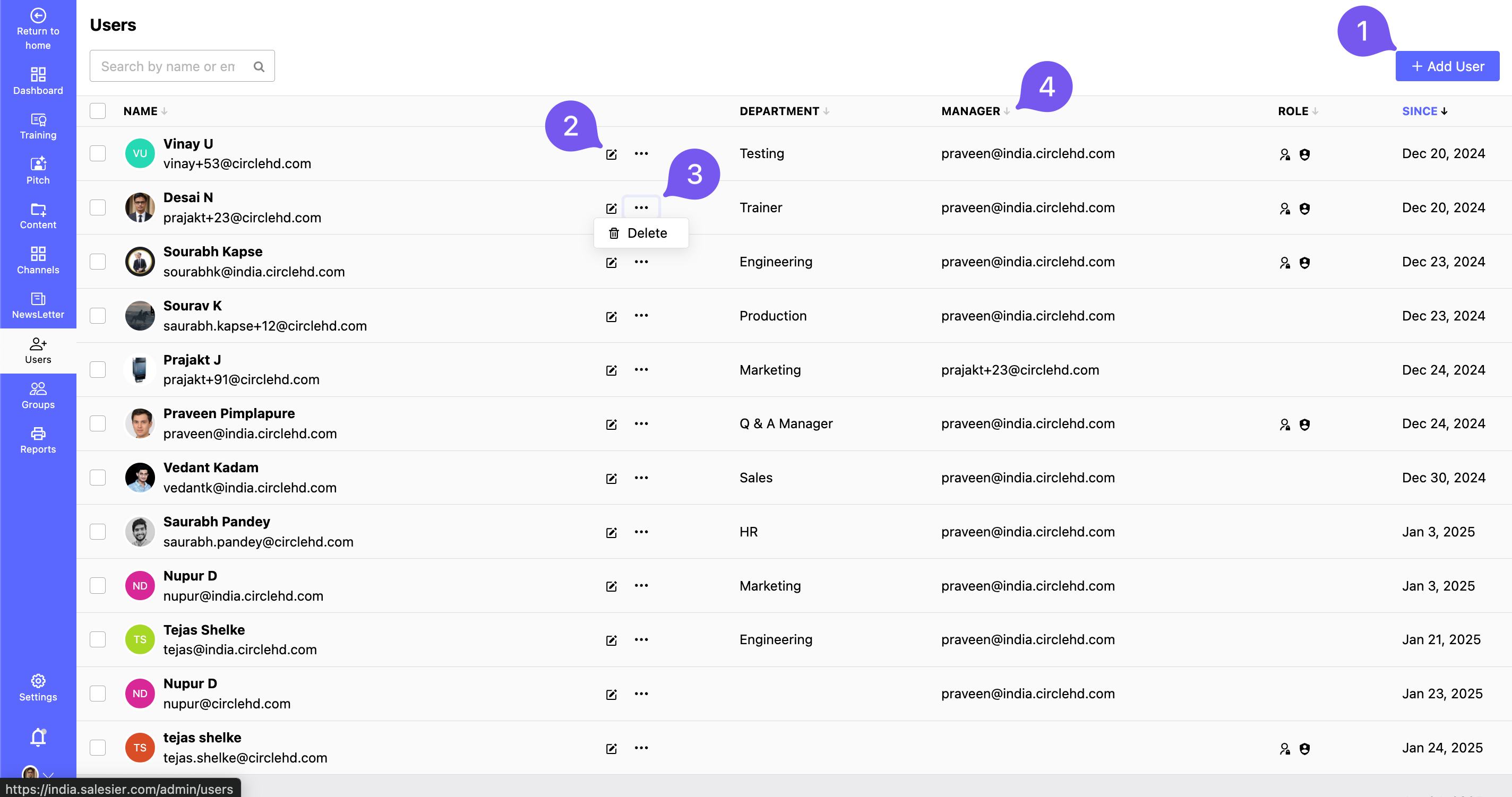
- Click the + Add User button to invite or register a new user.
Edit User Details
- Click the Edit button next to a user to update their information, role, or access permissions.
Delete a User
- Click the three dots next to a user and select Delete to remove them from the system.
View Manager Details
- Check the assigned manager for a particular user to understand reporting relationships.
This section helps admins efficiently manage team members and their access within the platform. 🚀