
# How to Manage Content in the Assets?
- The Assets allows you to manage, share, and organize your content efficiently.
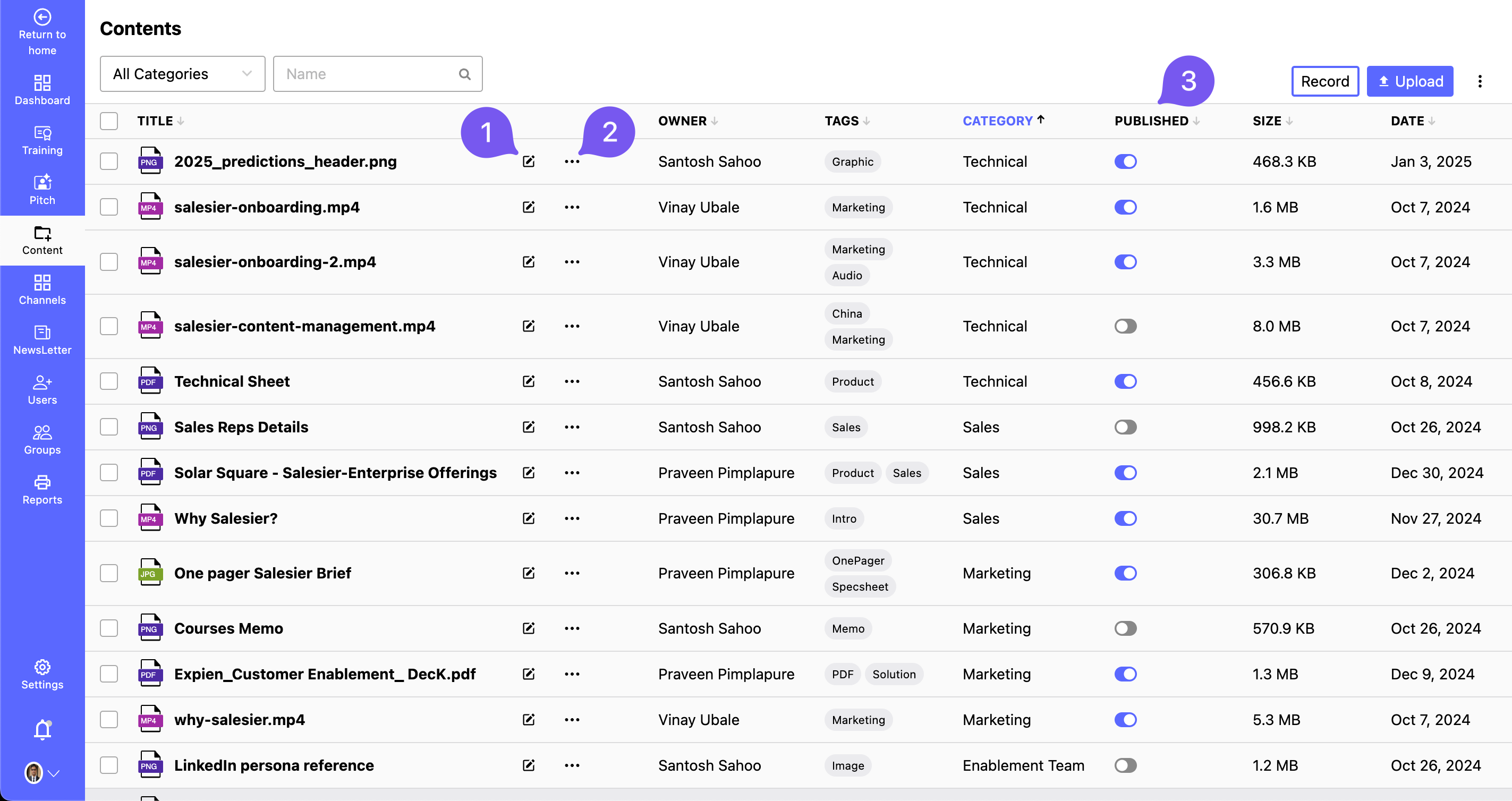
Edit Content:
- Click on the content title to open and modify it.
- Alternatively, click the Edit option in the action menu.
Perform Actions on Content:
Click the Action Button (three dots) next to the content. Choose from the drop-down menu:
- Share: Share the content with others via a link or direct access.
- Download: Save a copy of the content to your device.
- Delete: Permanently remove the content from the library.
Publish or Unpublish Content:
- Toggle between Published and Unpublished states using the Publish/Unpublish button.
- Published State: The content is visible in the library for non-admin users.
- Unpublished State: The content remains hidden from non-admin users but accessible to admins.