
# How to Download Content?
- Easily download content from the Assets by following these steps:
# Step-by-Step Guide
- Step 1: Open the Assets:
Navigate to the Assets where your files are stored.
- Step 2: Select the Desired Content:
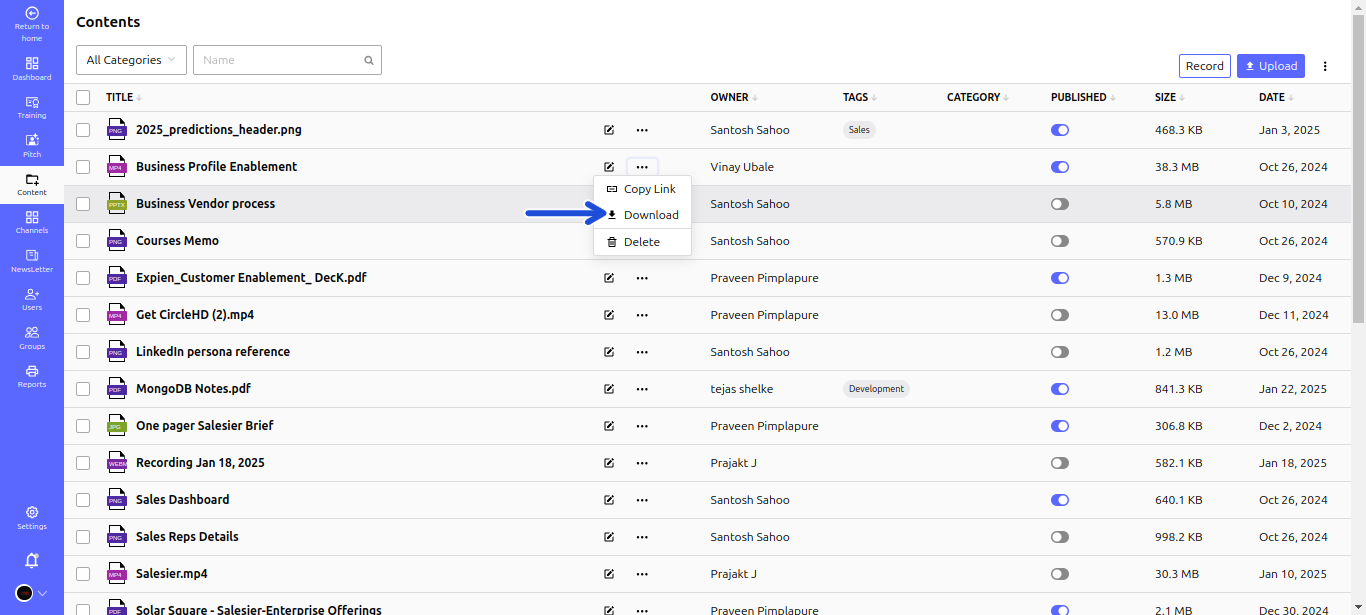
- Locate the content you want to download.
- Click the Three Dots (⋮) next to the content to open the action menu.
- Step 3: Download the File:
- Click the Download button from the dropdown menu.
# The file will be saved to your device's default download location.