How to Edit Content?
- Easily modify and update existing content in the Assets by following these steps:
Step-by-Step Guide
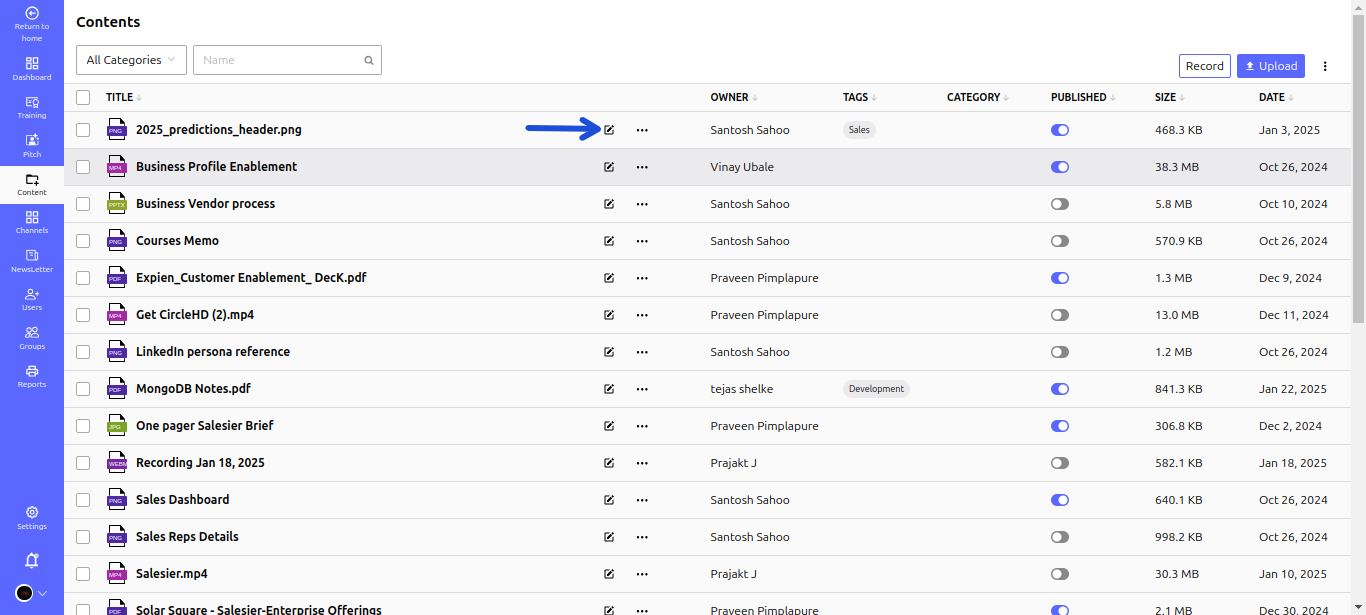
- Step 1: Open the Assets:
- Navigate to the Assets and locate the content you wish to edit.
- Step 2: Access the Edit Mode:
- Click the Edit button (pencil icon) next to the selected content.

- Step 3: Make Necessary Updates:
- Modify the Title to reflect any changes.
- Update the Summary to provide a clearer description.
- Change the Thumbnail for better visualization.
- Adjust the Category to keep content well-organized.
- Edit the Content itself to add or refine information.
- Step 4: Save Your Changes:
- Click the Save button to apply the modifications.
