
# How to Share Content?
- Easily share content with others by following these steps:
# Step-by-Step Guide to Sharing Content
Step 1: Open the Assets:
- Navigate to the Assets where your files are stored.
Step 2: Select the Content to Share:
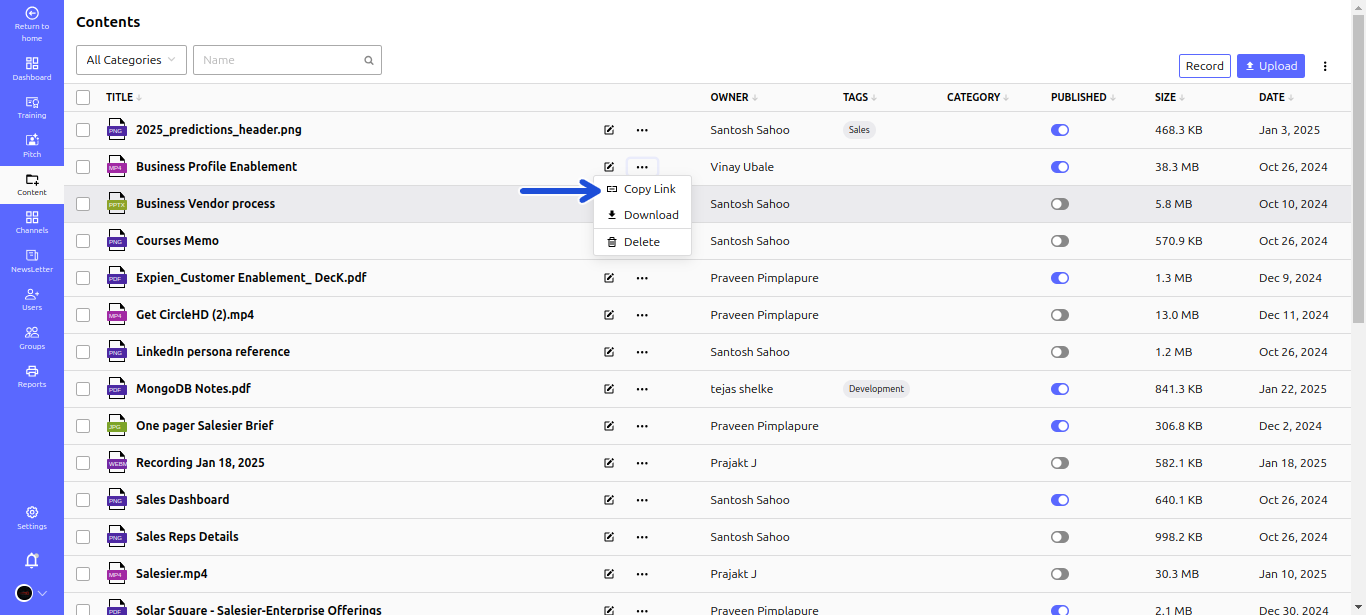
- Locate the content you want to share.
- Click the Three Dots (⋮) button next to it to open the action menu.
Step 3: Copy the Shareable Link:
- Click the Copy Link button to generate and copy the content’s shareable link.
Step 4: Share the Link:
- Paste and send the copied link to the intended recipient via email, chat, or any communication platform.
Your content is now accessible to others through the shared link!