
# How to Upload Content?
- Easily upload new content to the CircleHD Assets by following these steps:

# Step-by-Step Guide to Uploading Content
- Step 1: Open the Assets:
- Navigate to Assets and click the Upload button.
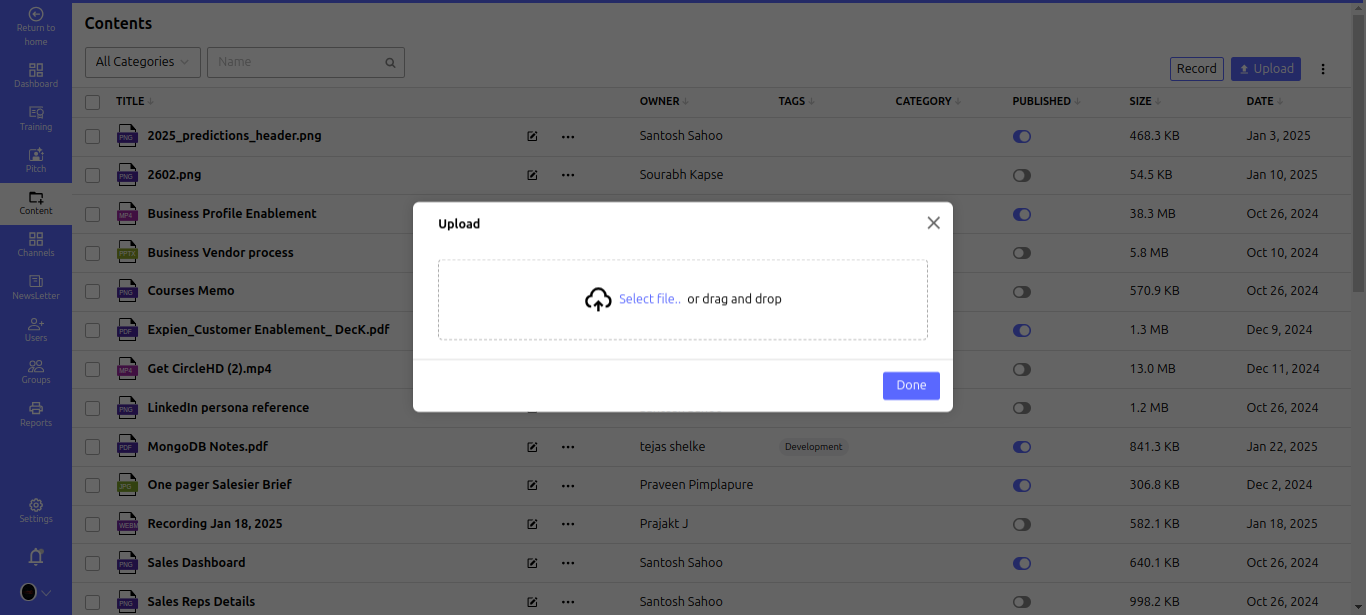
Step 2: Select the File to Upload:
- Click Browse to locate and select a file from your device.
- Alternatively, drag and drop the file into the upload area.
Step 3: Complete the Upload:
- Once the file is selected, click Done to upload it successfully.
Your content is now stored in the Assets, ready for access, sharing, or editing!