
# How to Create a New OJT Program?
The On-The-Job Training (OJT) module enables admins to build hands-on, scenario-based learning programs that replicate real-world tasks. These programs combine sessions, quizzes, and resources to foster experiential learning and track individual progress effectively.
# ➕ Steps to Create a New OJT Program
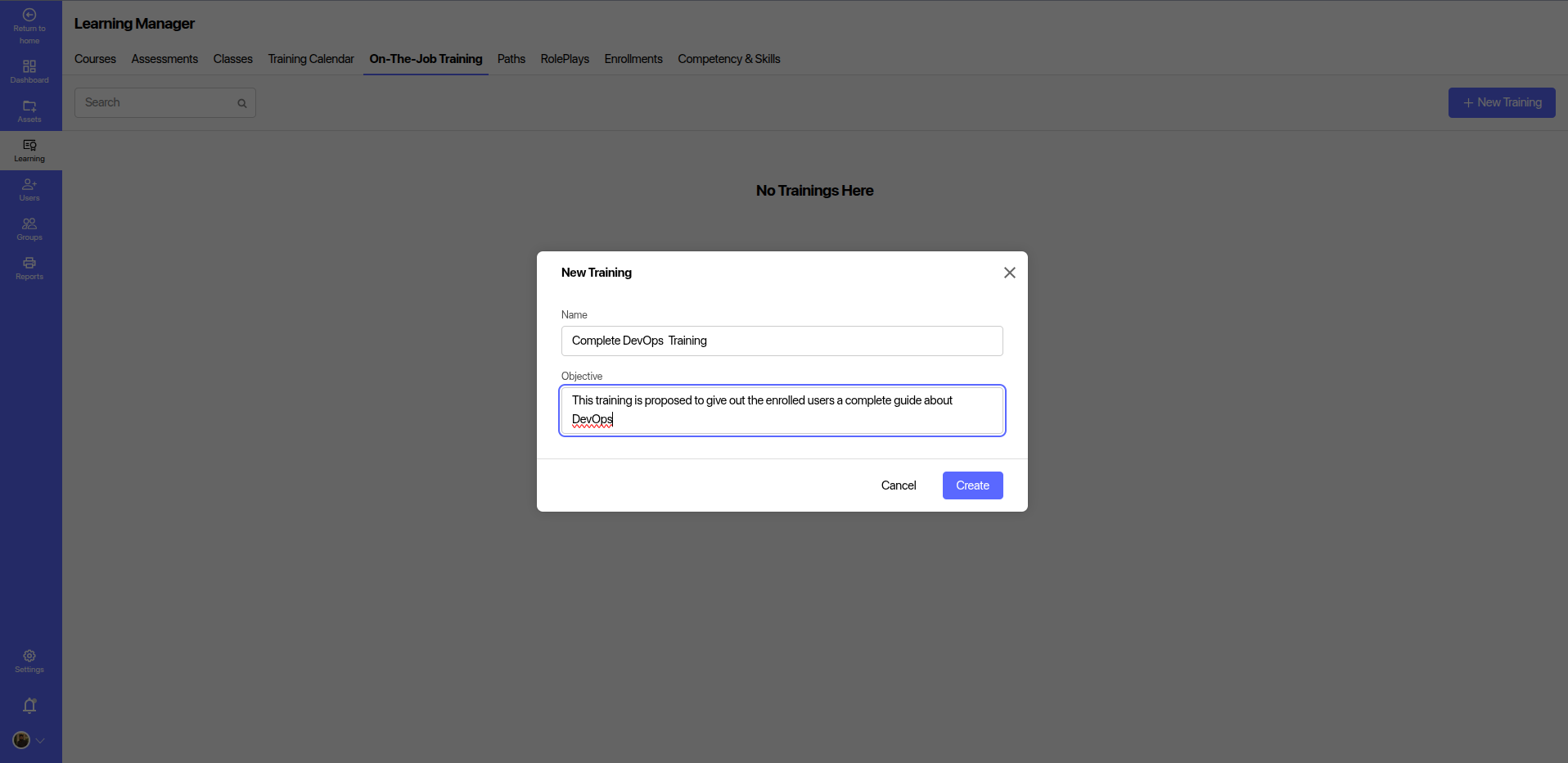
- Navigate to the On-The-Job Training section within the LMS.
- Click the + New Training button in the top-right corner.
- Enter the Title of the OJT program (e.g., Complete DevOps Training).
- Write a clear Objective explaining the purpose and intended outcomes.
- Click Create to initialize the training shell.
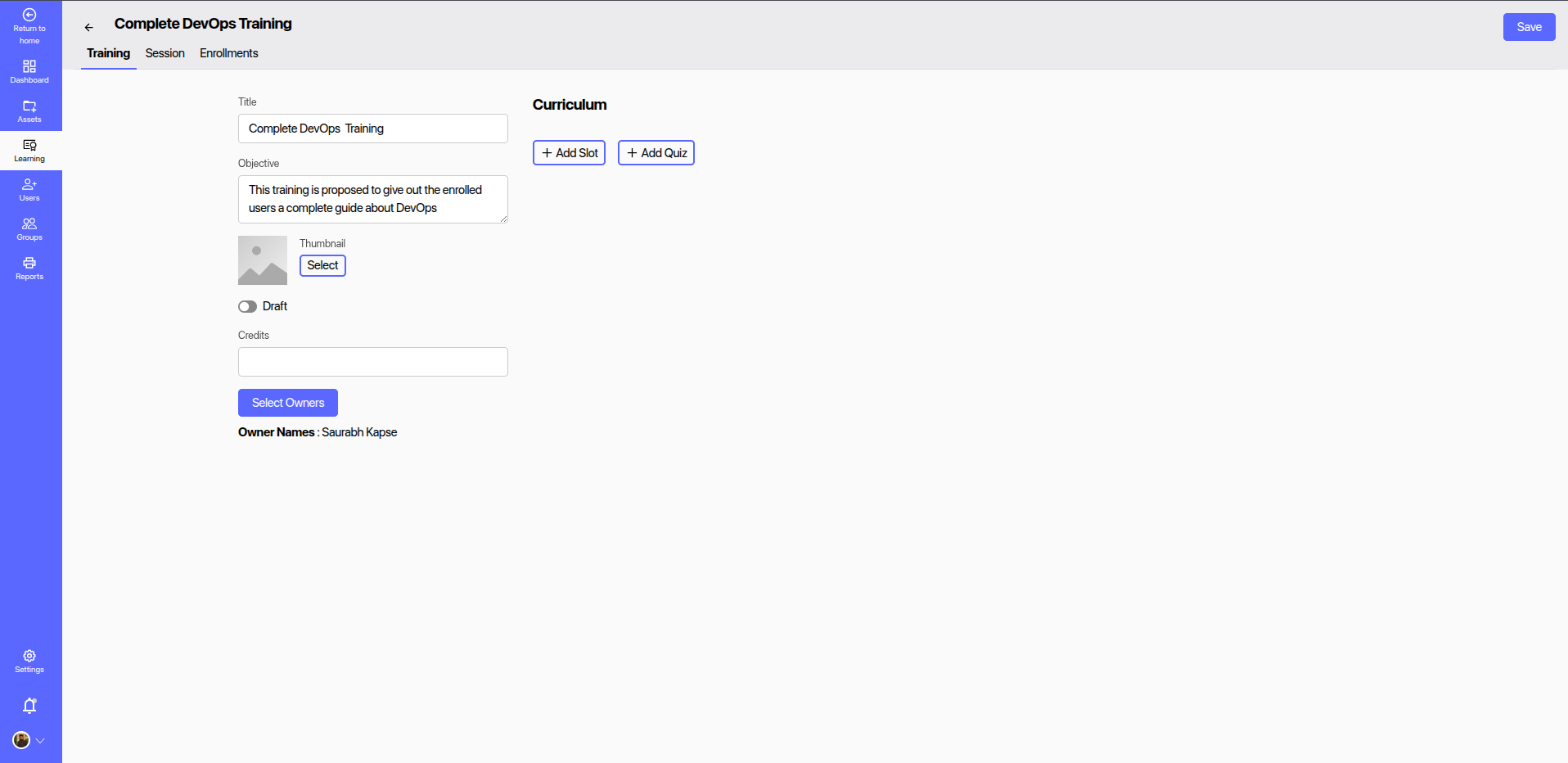
- Open the newly created training to configure additional details like sessions, quizzes, ownership, and credit points.
# 📘 After Creating the Training
Once your OJT training shell is created, you can begin populating it with sessions and quizzes:
# ➕ Add a Session
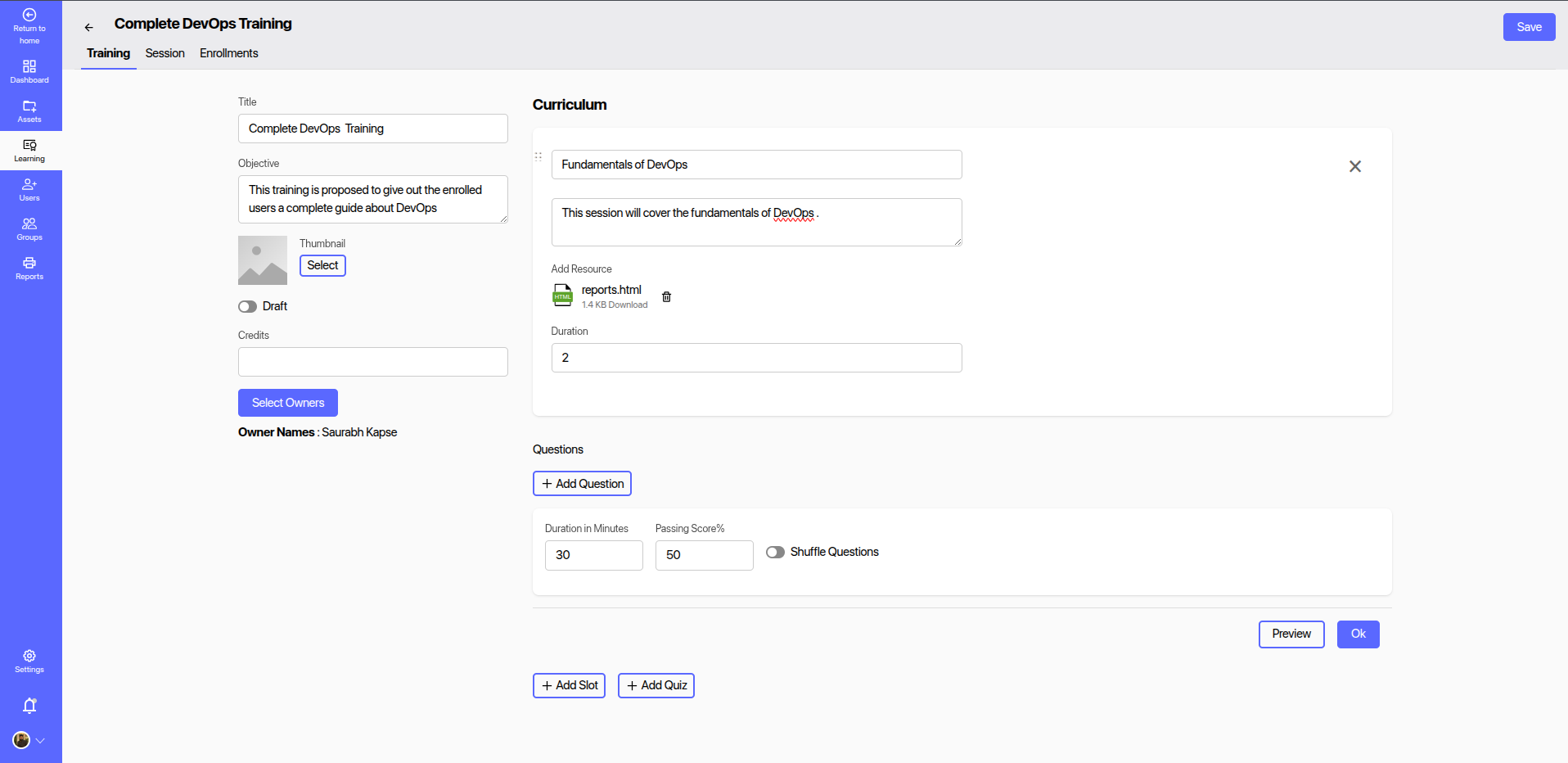
- Define a session title (e.g., Fundamentals of DevOps).
- Write a brief description of what the session will cover.
- Upload resources like HTML, PDFs, or videos relevant to the session.
- Set an estimated duration in hours.
# ❓ Add a Quiz
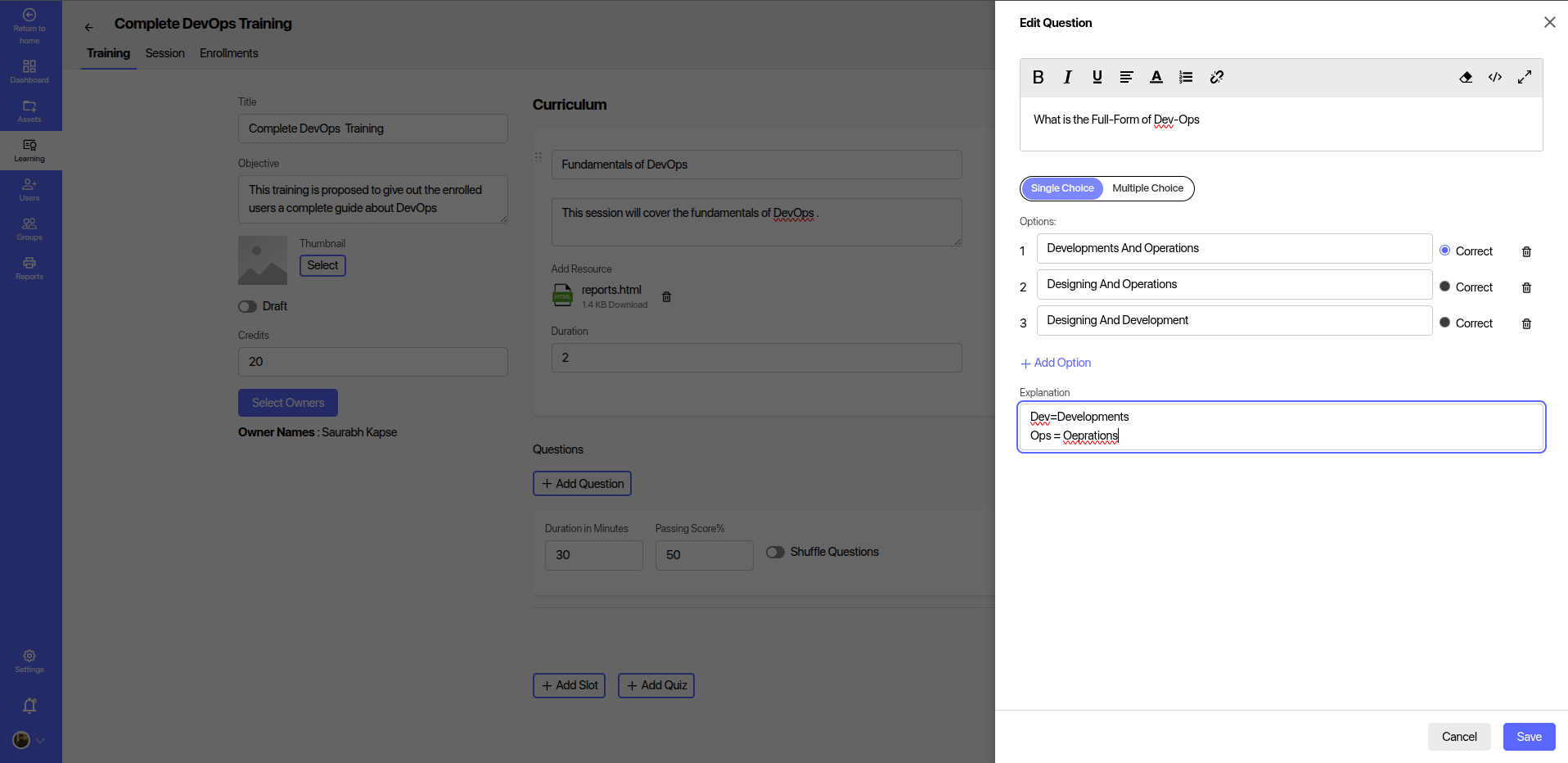
- Choose question type: single or multiple choice.
- Add options and mark the correct answer(s).
- Include an explanation to help learners understand the correct answer.
- Set a time limit and passing score.
- Optionally, enable question shuffle.
# ✅ Typical Workflow
- Create Training – e.g., Complete DevOps Training.
- Add Sessions – Define key topics like Fundamentals of DevOps.
- Attach Resources – Upload relevant files or content.
- Add Quiz – Include interactive questions with answers.
- Publish Training – Finalize and assign it to learners.
- Track Progress – Monitor learner completion and quiz scores.
# 🎯 Benefits
- Structured and practical learning based on job roles.
- Supports blended learning through content + assessments.
- Tracks progress and completion metrics for each user.
- Enhances skill development through real-world application.