
# On-The-Job Training (OJT)
The On-The-Job Training module allows administrators to create, manage, and track practical, real-world training programs that are conducted within the work environment. These are typically role-specific and intended to upskill employees by immersing them in actual job tasks under supervision.
# Features
- 📝 Training Creation: Create training with title, description, credits, and owner details.
- 📁 Curriculum Management: Add sessions, quizzes, and resources to structure the training.
- 🧑🏫 Session Management: Define session objectives, add downloadable materials, and set expected duration.
- ❓ Quiz Integration: Add questions (single/multiple choice) with correct options and detailed explanations.
- 📊 Progress Tracking: Track total sessions, enrollments, completions, and publish status.
# 🎯 Purpose
This module is ideal for:
- Delivering hands-on learning experiences
- Enabling new hires to ramp up quickly
- Supporting cross-functional skill development
- Facilitating continuous learning on live projects
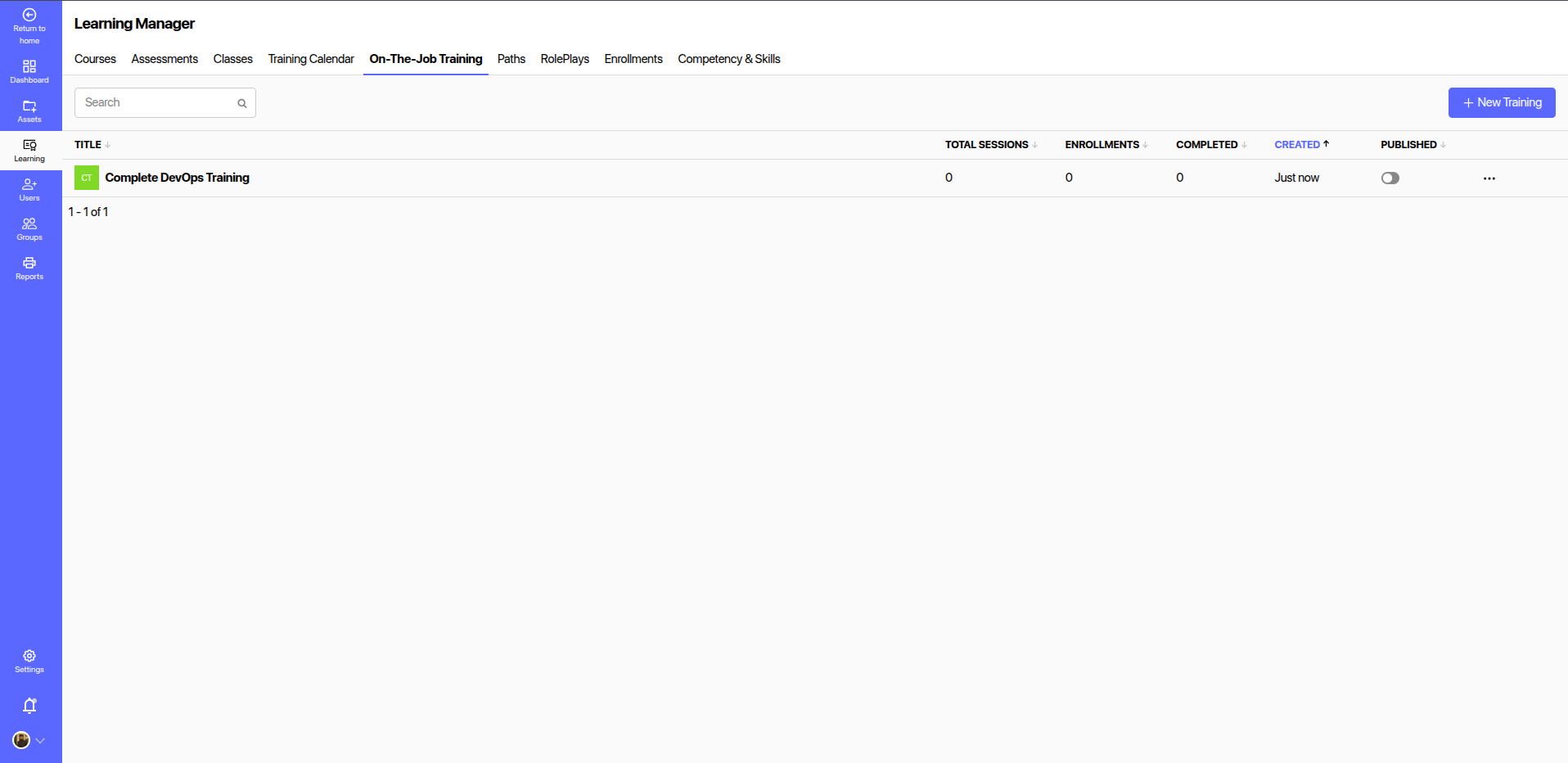
Once created, the training entry will appear in the list below, showing the following fields:
| Field | Description |
|---|---|
| Title | Name of the OJT program |
| Total Sessions | Number of training sessions under the program |
| Enrollments | Number of users enrolled |
| Completed | Number of users who have completed the training |
| Created | Timestamp of when the program was created |
| Published | Indicates if the program is visible to users (toggle to publish/unpublish) |
# 📊 Monitoring & Reporting
Admins can track enrollment, completion status, and session delivery progress for each OJT. The module is linked with reports that can provide more detailed performance insights per user or department.
# 💡 Tips for Effective OJT Setup
- Use clear titles and objectives.
- Break complex programs into multiple sessions.
- Track enrollments and completions regularly.
- Use it in conjunction with Paths or RolePlays for blended learning.
# 🔐 Access Control
Only admins and learning managers can create or modify OJT programs. Learners can view and enroll only after a program is published.
Let me know if you'd like to add steps for assigning sessions, managing feedback, or integrating OJT with certification workflows.