
# Roleplay
The Roleplay module enables admins to manage and monitor AI-powered roleplay scenarios that help users simulate real-life conversations for training and skill development. This section allows for the creation, assignment, and tracking of roleplay scenarios across the platform.
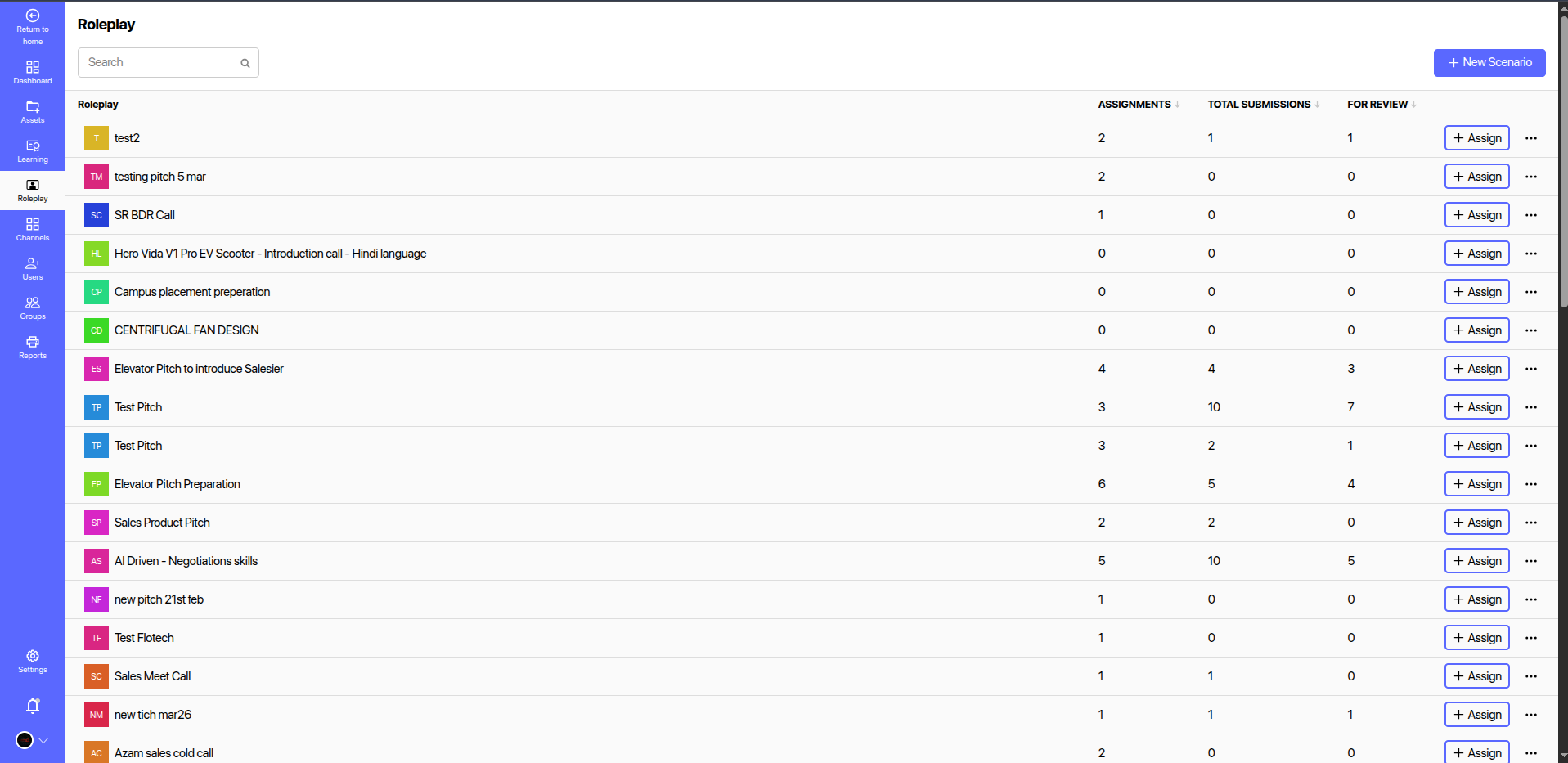
# 📋 Overview
The Roleplay Admin Page provides the following core functionalities:
- View Existing Roleplays: Displays a list of all created roleplay scenarios with details.
- Create New Scenarios: Use the + New Scenario button to add and configure new roleplay activities.
- Assign Roleplays: Assign existing roleplays to individual users or teams.
- Track Participation: Monitor the number of assignments, submissions, and items pending review for each roleplay.
# 🧾 Roleplay Table Columns
| Column Name | Description |
|---|---|
| Roleplay | Name or title of the roleplay scenario. |
| Assignments | Number of times this roleplay has been assigned to users. |
| Total Submissions | Number of user submissions received for this roleplay. |
| For Review | Number of submissions awaiting admin review or feedback. |
| Actions | Buttons for assigning scenarios and accessing more options (edit/delete). |
| + Assign | Using this Assign button you can assign the Roleplay to the User(s)/Group |
# 🛠️ Features
- AI Evaluation: Submissions can be automatically reviewed by AI or manually evaluated by admins.
- Scenario Customization: Each roleplay can include custom scripts, prompts, and evaluation criteria.
- Skill-based Simulation: Supports various training needs such as Sales Calls, Product Pitches, Negotiation Skills, and more.
# 📈 Use Cases
- Sales Training
- Customer Support Simulation
- Campus Placement Preparation
- Technical Product Introductions
- Soft Skills Enhancement
# 🔐 Access Control
Only users with Admin or Trainer roles can access and manage the Roleplay admin panel. End users can only view and attempt roleplays assigned to them.
# 📊 Analytics Integration
Roleplay submissions and performance data can be accessed via the Reports section for further insights into learner progress, skill gaps, and engagement levels.