
# Assessments Report
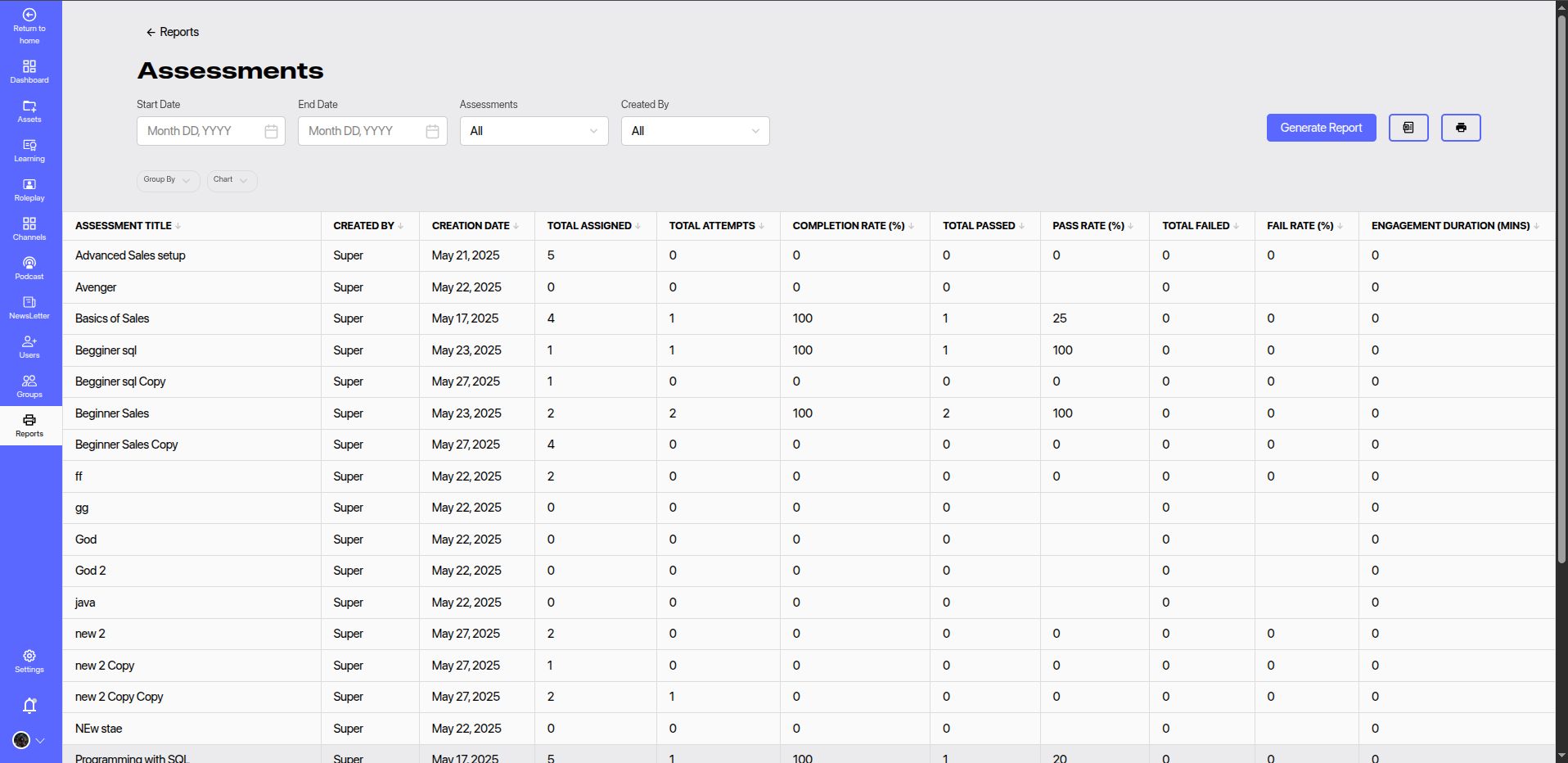
The Assessments Report provides detailed analytics on all assessments created and assigned within the platform. It helps administrators evaluate learner participation, completion, and performance in assessments.
# 🔍 Report Filters
You can use the following filters to narrow down the data:
- Start Date & End Date: Filter data based on the assessment assignment or activity dates.
- Assessments: View statistics for all assessments or select specific ones.
- Created By: Filter assessments based on the creator.
Click Generate Report to apply the selected filters and refresh the report data.
# 📊 Report Columns
The report contains the following columns:
| Column | Description |
|---|---|
| Assessment Title | The title of the assessment. |
| Created By | Name of the user who created the assessment. |
| Creation Date | The date the assessment was created. |
| Total Assigned | Number of users the assessment was assigned to. |
| Total Attempts | Number of users who attempted the assessment. |
| Completion Rate (%) | Percentage of assigned users who completed the assessment. |
| Total Passed | Number of users who passed the assessment. |
| Pass Rate (%) | Percentage of users who passed among those who attempted. |
| Total Failed | Number of users who failed the assessment. |
| Fail Rate (%) | Percentage of users who failed among those who attempted. |
| Engagement Duration (mins) | Time spent on the assessment by learners (in minutes). |
# 📈 Features
- Group By / Chart View: Visualize data grouped by assessment creator, pass/fail status, or other parameters.
- Export & Print Options: Download the report or print it for records and sharing.
- Pagination Support: Navigate across multiple records efficiently.
# 📌 Usage Tips
- Track completion and pass rates to assess assessment difficulty and learner preparedness.
- Identify assessments with low attempts or high failure rates for potential revision or training reinforcement.
- Use engagement duration to monitor learner focus and time investment on assessments.