
# Skill Gap Report
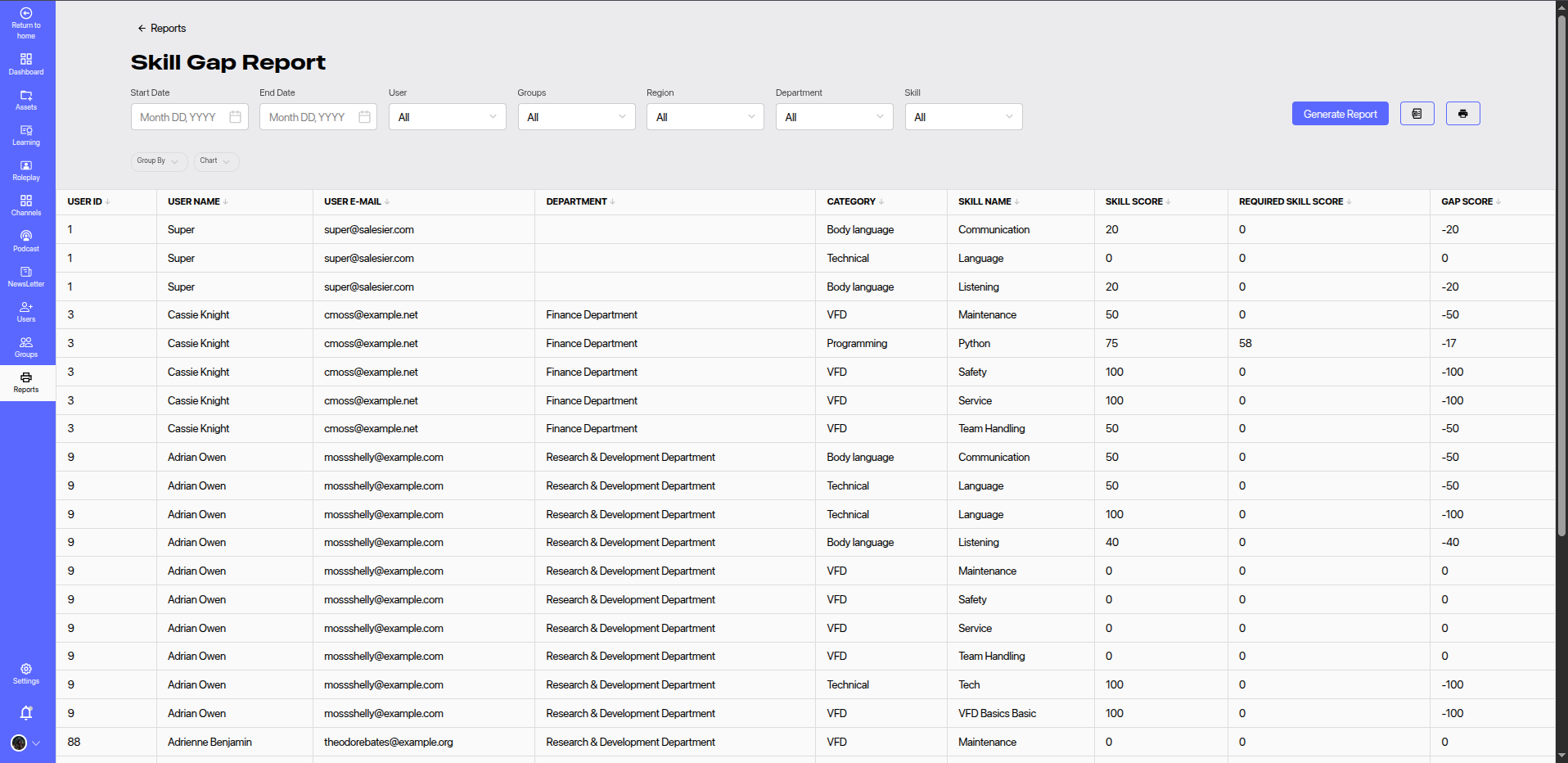
The Skill Gap Report provides a comprehensive overview of employee skill levels in comparison to expected benchmarks. This helps identify areas where training or development is required.
# 🔍 Filters
Use the following filters to narrow down the results:
- Start Date & End Date: Specify a time period for skill assessments.
- User: Filter data by individual user.
- Groups: Segment results by assigned groups.
- Region: Filter by regional assignment.
- Department: Narrow results by department.
- Skill: Select specific skills to analyze gaps.
Click Generate Report to apply the filters and update the results.
# 📊 Report Columns
| Column | Description |
|---|---|
| User ID | Unique identifier of the user. |
| User Name | Full name of the user. |
| User E-mail | Email address of the user. |
| Department | Department where the user is assigned. |
| Category | Skill category (e.g., Technical, Body Language). |
| Skill Name | Specific skill under evaluation. |
| Skill Score | Current score achieved by the user for the skill. |
| Required Skill Score | Expected benchmark score for the role or department. |
| Gap Score | Difference between actual and required score. Positive values indicate a skill gap. |
Positive value in the Gap Score indicates that the user needs that skill to meet the required benchmark. A negative value means the user has a higher skill level than required.
# 🧠 Use Cases
- Training Need Identification: Pinpoint areas where users lack expected proficiency.
- Performance Planning: Inform learning path and upskilling strategy.
- Department-Level Insights: Compare skill strengths and weaknesses across departments or regions.
- Talent Readiness: Measure workforce readiness for specific projects or initiatives.
# 📈 Recommendations
- Regularly update required skill benchmarks based on evolving business needs.
- Use gap scores to create personalized learning plans.
- Track improvements over time by comparing reports from different periods.