
# Paths Report
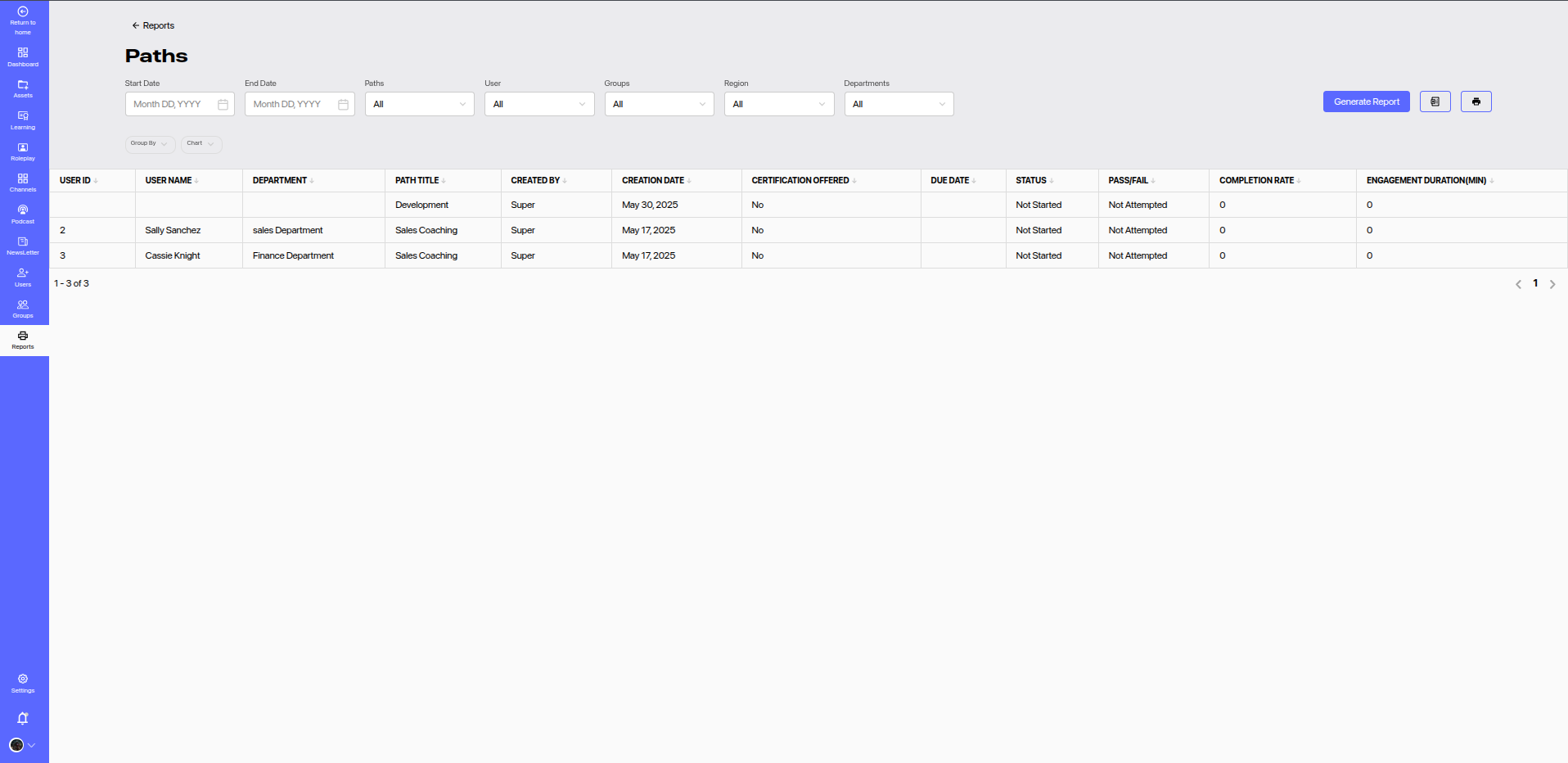
The Paths Report provides a detailed view of user enrollment and progress across various learning paths assigned in the platform. This report helps in monitoring structured learning journeys and identifying progress bottlenecks.
# 🔍 Report Filters
This report allows multiple filters to help you customize the data view:
- Start Date & End Date: Filter based on the path creation or due date.
- Paths: Select specific learning paths to monitor.
- User: View path details for specific users.
- Groups: Narrow data down by group affiliations.
- Region: Regional filtering for localized analysis.
- Departments: Filter users based on their department.
Click the Generate Report button to apply filters and view results.
# 📊 Report Columns
| Column | Description |
|---|---|
| User ID | Unique identifier of the learner. |
| User Name | Full name of the user. |
| Department | User's department within the organization. |
| Path Title | Title of the learning path. |
| Created By | Admin or user who created the path. |
| Creation Date | Date when the path was created. |
| Certification Offered | Indicates if a certificate is issued upon completion. |
| Due Date | Deadline for the path completion (if set). |
| Status | Current progress status (Not Started, In Progress, Completed). |
| Pass/Fail | Shows result if path includes assessments. |
| Completion Rate | Percentage of the path completed. |
| Engagement Duration (min) | Total time spent on the path content. |
# ✅ Features
- Track Learning Journey: See who is progressing and who needs nudges.
- Completion Insights: Identify training bottlenecks early.
- Zero Engagement Flags: Highlight users with no activity for follow-up.
- Export & Print Support: Generate records for offline review or compliance.
# 📌 Usage Recommendations
- Use this report to manage compliance-based training paths.
- Spot underutilized or underperforming paths.
- Evaluate the effectiveness of structured learning initiatives.