
# User Engagement Report
The User Engagement Report offers a comprehensive overview of each user's participation across learning modules. It is designed to help track content consumption, measure learning effectiveness, and monitor user-level media contributions.
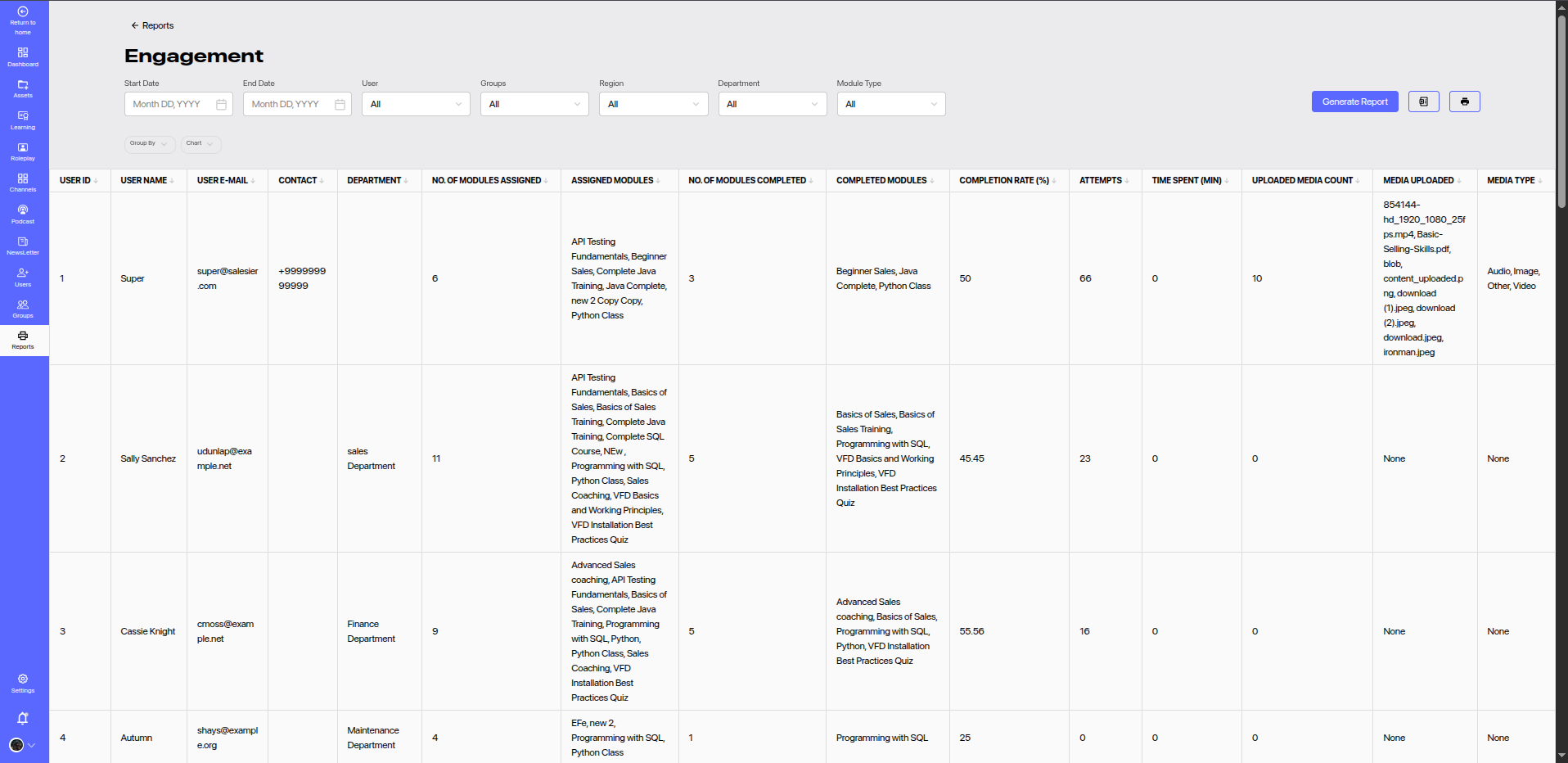
# 🔎 Filters
Customize your view using the following filters:
- Start Date & End Date: Filter engagement based on activity dates.
- User: Narrow results down to a specific user.
- Groups: Filter by user group affiliation.
- Region: View engagement from specific geographical locations.
- Department: Focus on departmental user engagement.
- Module Type: Filter by learning content types (e.g., courses, assessments, assets, etc.).
Click Generate Report to fetch filtered data.
# 📋 Report Columns
| Column | Description |
|---|---|
| User ID | Unique identifier for the user. |
| User Name | Full name of the learner. |
| Email address registered with the platform. | |
| Contact | User’s contact number. |
| Department | Department the user belongs to. |
| No. of Modules Assigned | Total modules assigned to the user. |
| Assigned Modules | List of assigned module titles. |
| No. of Modules Completed | Count of completed modules. |
| Completed Modules | List of successfully completed module titles. |
| Completion Rate (%) | Percentage of modules completed. |
| Attempts | Total number of attempts made across modules. |
| Time Spent (Min) | Total time spent on all modules (in minutes). |
| Uploaded Media Count | Number of media files uploaded by the user. |
| Media Uploaded | File names or identifiers of uploaded media content. |
| Media Type | Type of uploaded media (e.g., Audio, Image, Video, Other). |
# ✅ Key Features
- Track Completion Trends: Identify active and inactive learners.
- Measure Effort: Compare attempts vs completion rate.
- Spot Media Contributors: See who is contributing resources.
- Analyze Learning Load: View assigned vs completed distribution.
# 📌 Usage Tips
- Engagement Scorecard: Use this report to evaluate employee learning participation.
- Talent Development: Identify high performers and disengaged learners.
- Audit Media Sharing: Monitor media uploads for compliance and relevance.