
# Trainings (ILT) Report
The Trainings (ILT) report provides detailed insights into Instructor-Led Trainings (ILT) including session metadata, instructor details, enrollment, attendance, and cost. This report supports tracking and analyzing the effectiveness of each live training conducted within the platform.
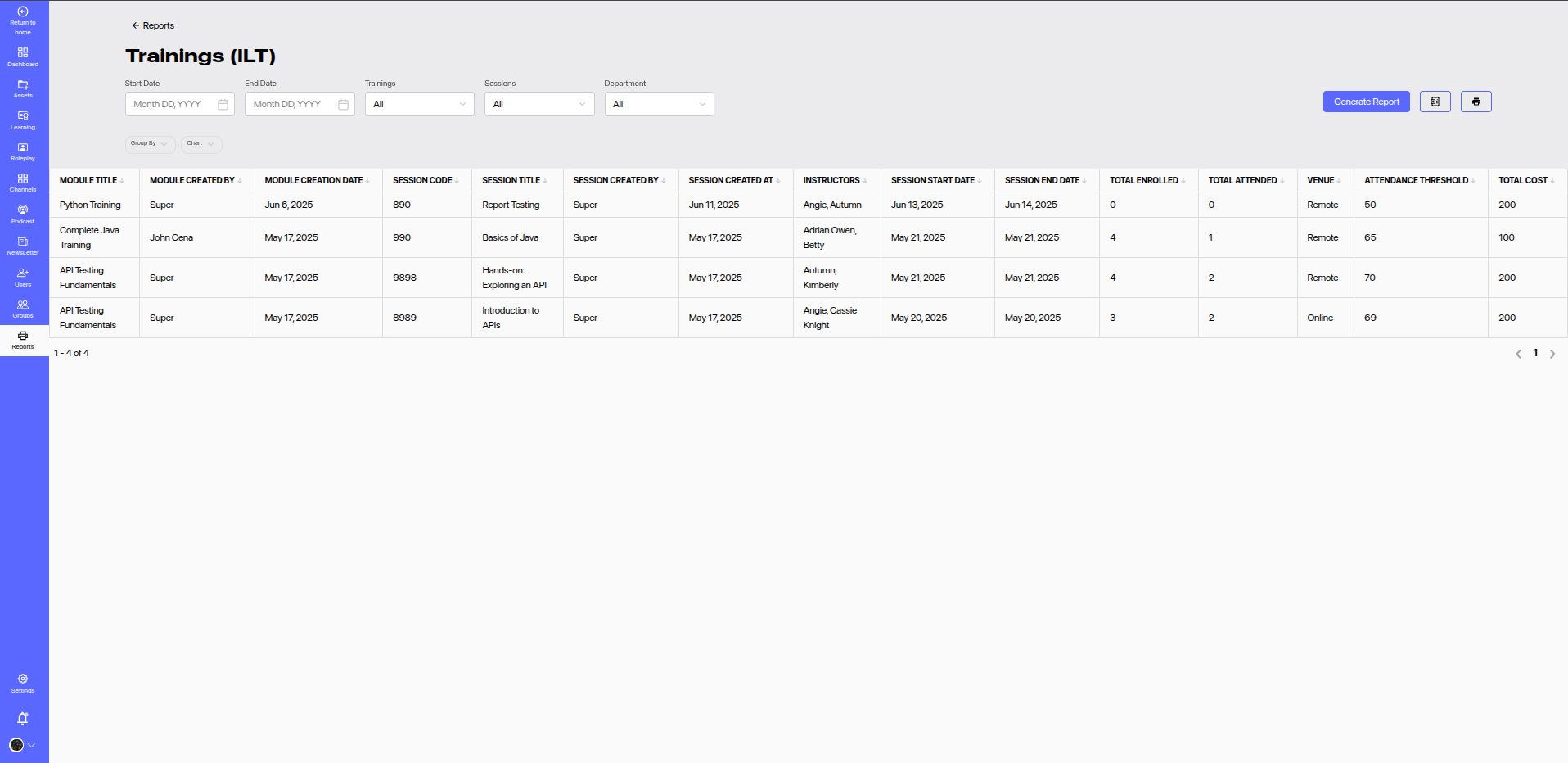
# 🔍 Report Filters
You can filter the report data using the following fields:
- Start Date & End Date: Filter sessions based on their start or end dates.
- Trainings: Filter by specific training modules.
- Sessions: View data for specific sessions.
- Department: Narrow results to specific departments.
Click Generate Report to refresh the data according to the selected filters.
# 📊 Report Columns
| Column | Description |
|---|---|
| Module Title | Title of the training module. |
| Module Created By | Creator of the training module. |
| Module Creation Date | Date on which the module was created. |
| Session Code | Unique code identifying the session. |
| Session Title | Title/description of the specific session. |
| Session Created By | Creator of the session. |
| Session Created At | Date when the session was created. |
| Instructors | List of instructors assigned to the session. |
| Session Start Date | Scheduled start date of the session. |
| Session End Date | Scheduled end date of the session. |
| Total Enrolled | Number of users enrolled in the session. |
| Total Attended | Number of users who actually attended. |
| Venue | Location or format of the session (e.g., Remote, Online, In-Person). |
| Attendance Threshold | Minimum attendance percentage required for completion. |
| Total Cost | Cost associated with conducting the session. |
# 📈 Features
- Grouping and Charts: Group by various criteria and visualize data using charts.
- Export/Print Options: Download or print the report for documentation or sharing.
- Pagination: Easily navigate through large sets of records.
# 📌 Usage Tips
- Track session popularity and instructor performance using enrollment and attendance stats.
- Use cost data to evaluate training ROI.
- Monitor compliance with attendance thresholds to ensure learners are completing sessions satisfactorily.