
# Podcasts Report
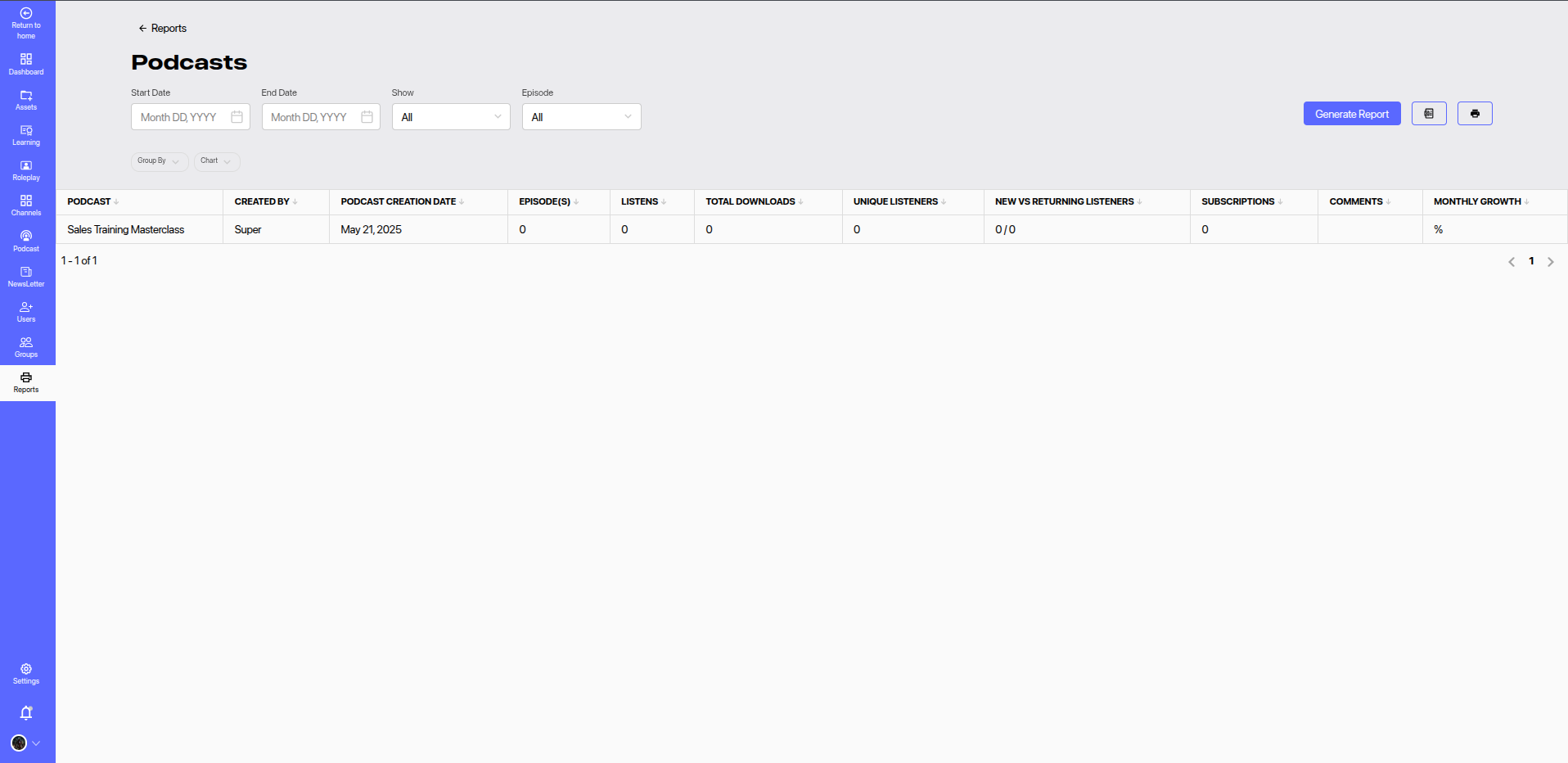
The Podcasts Report provides analytics and engagement insights for all published podcasts in the platform. This report helps content creators, admins, and learning managers evaluate the reach, popularity, and user interaction with podcast content.
# 🔍 Filters
Use the available filters to refine the data displayed:
- Start Date & End Date: Set a date range to analyze podcast performance.
- Show: Filter by a specific podcast show.
- Episode: Drill down to a specific episode for detailed metrics.
Click Generate Report to view updated metrics based on the selected filters.
# 📊 Report Columns
| Column | Description |
|---|---|
| Podcast | Title of the podcast show. |
| Created By | The creator or owner of the podcast. |
| Podcast Creation Date | Date when the podcast was added to the platform. |
| Episode(s) | Number of episodes published under the podcast. |
| Listens | Total number of plays across all episodes. |
| Total Downloads | Total episode downloads by users. |
| Unique Listeners | Count of distinct users who listened to at least one episode. |
| New vs Returning Listeners | Comparison of first-time listeners vs repeat listeners. |
| Subscriptions | Number of users who have subscribed to the podcast. |
| Comments | User comments or feedback received on podcast episodes. |
| Monthly Growth | Listener or subscription growth over the selected time period (in %). |
# 📈 Use Cases
- Content Effectiveness: Understand which podcasts are performing well based on listens and subscriptions.
- Audience Behavior: Identify user trends like return listeners and growth rate.
- Engagement Analysis: Monitor comments and subscriptions to measure audience involvement.
- Podcast Optimization: Use insights to refine content strategy, release schedules, or episode themes.
# 💡 Best Practices
- Promote popular episodes to increase visibility and engagement.
- Regularly monitor monthly growth and return listener ratios to gauge podcast stickiness.
- Use user feedback (comments) to improve content quality and relevance.