
# Assigning a Course
The Assign feature allows administrators to assign a course to one or more learners. Administrators can select learners individually or use organization-level filters, define the course Start Date and Due Date, and add a personalized message before assigning the course.
# Step-by-Step Guide
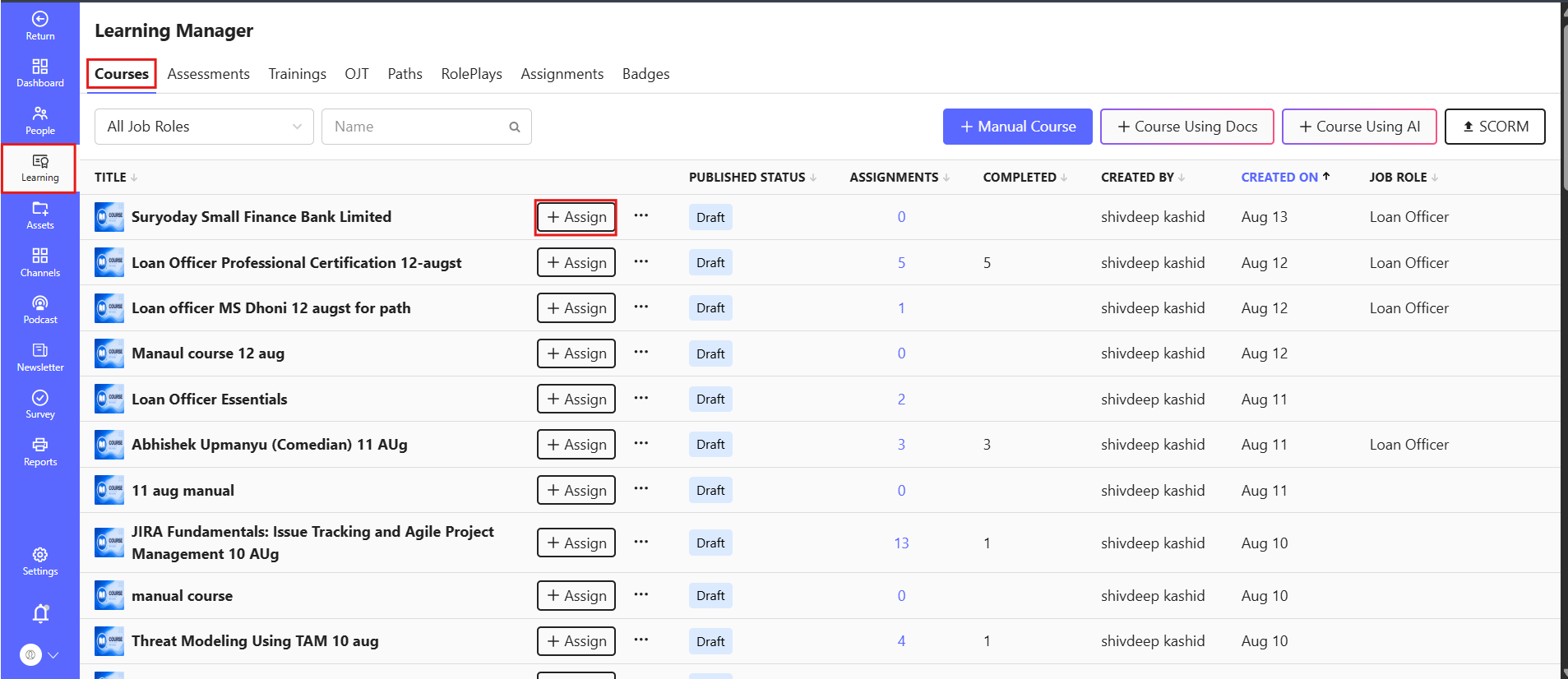
1️⃣ Navigate to the Courses module
Go to Learning from the main navigation.
The Learning section provides access to all major LMS modules. From here, select Courses.
2️⃣ Select the Assign option
From the Courses module, locate the course you want to assign.
Select the Assign checkbox/option for the required course.
A new assignment tab will open.
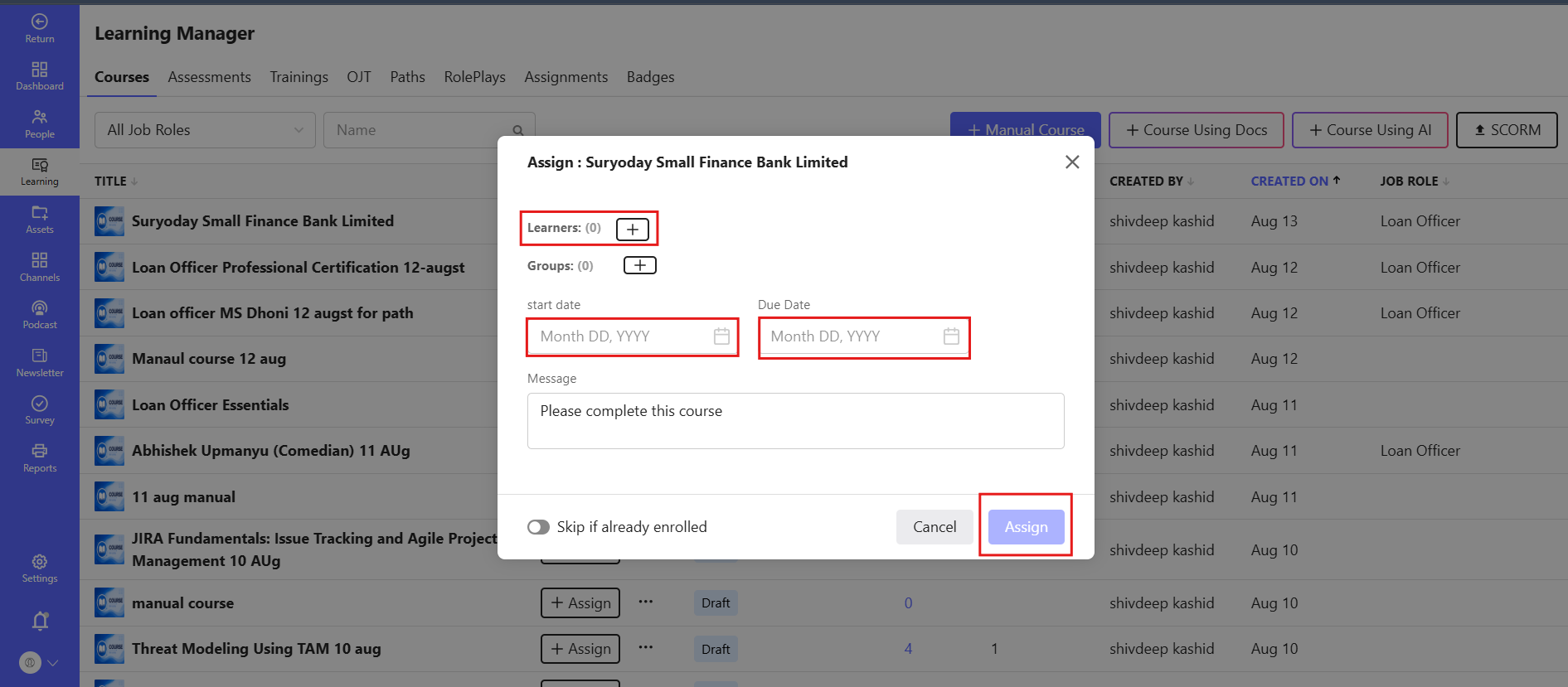
3️⃣ Select Learners
In the assignment tab, select Learner.
The employee list will be displayed, allowing you to select the users who should receive the course.
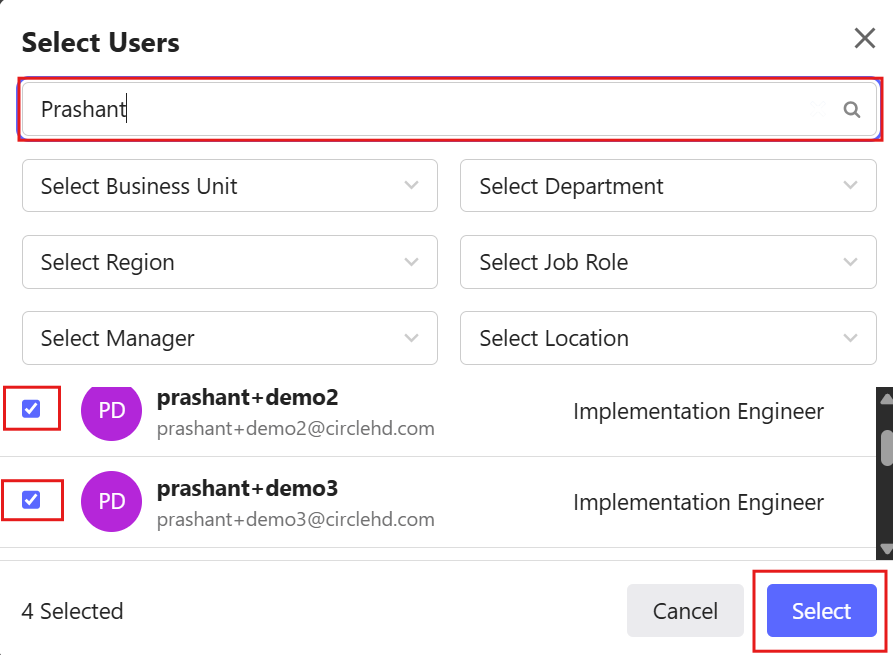
4️⃣ Select employees
You can select employees using either of the following methods:
Search: Search for a specific employee using the available search option.
Organization-level filters: Use the available organizational filters to identify and select employees based on the organization structure.
6️⃣ Set the Due Date
Specify the Due Date by which the learners are expected to complete the course.
Note: The Due Date can be configured based on the organization's training requirements.
7️⃣ Add a Message
Enter a message for the selected learners, if required.
This can be used to provide additional instructions, context, or information about the assigned course.
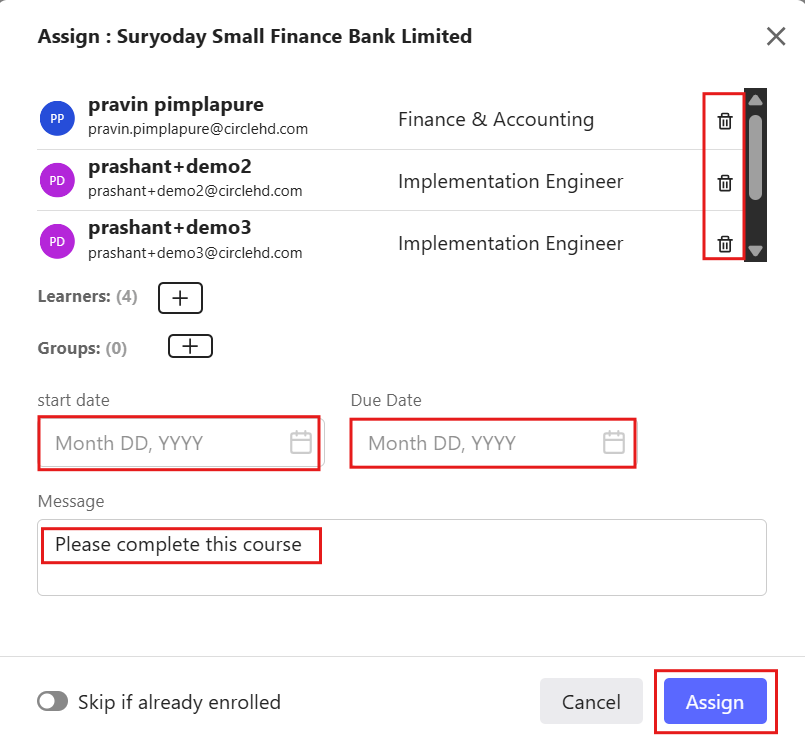
8️⃣ Assign the Course
After selecting the learners and configuring the assignment details, select the Assign checkbox/option to complete the assignment.
The course will be assigned to the selected learners with the configured Start Date, Due Date, and Message.
# Assignment Flow
- Learning → Courses → Assign → Learner → Select Employees → Start Date → Due Date → Message → Assign