
# Creating a Copy / Duplicate of a Course
Easily duplicate a course to reuse content without starting from scratch.
# Step-by-Step Instructions
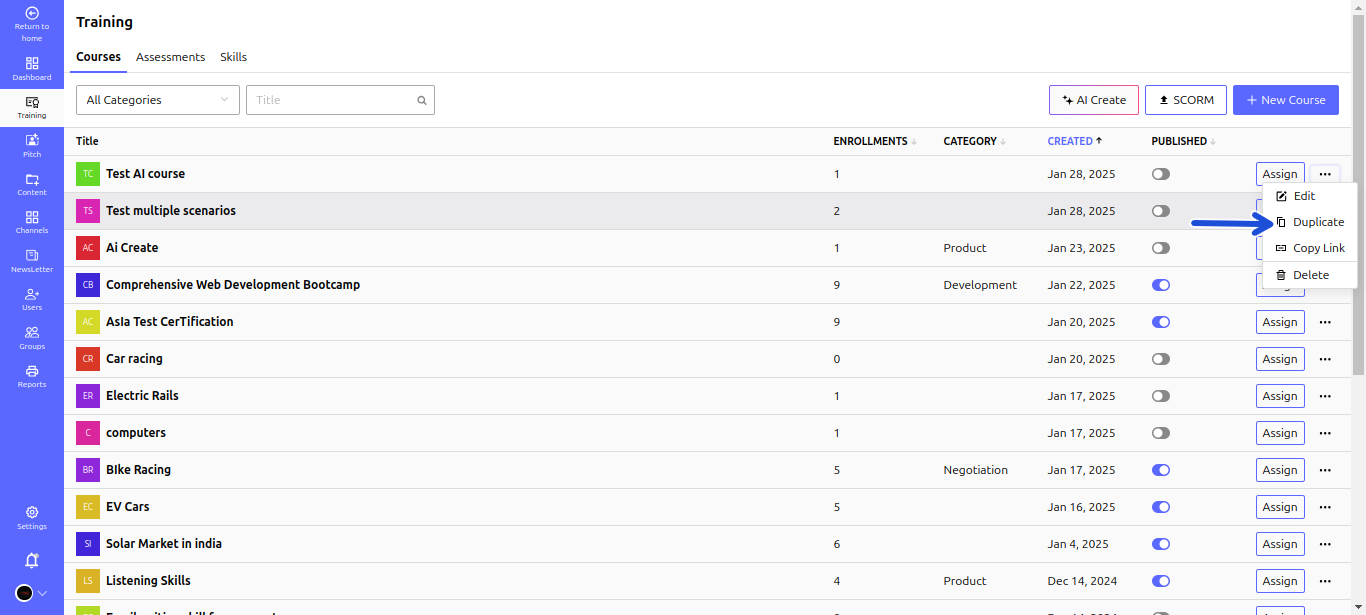
1️⃣ Navigate to Training > Courses to view and manage existing courses.
2️⃣ Locate the course you want to duplicate.
3️⃣ Click the three dots (⋮) next to the course title and select Duplicate from the dropdown menu.
# 💡 Key Benefits of Duplicating a Course
✅ Saves time – No need to recreate course content manually
✅ Ensures consistency – Maintain a structured course format
✅ Allows easy modifications – Customize the duplicated course as needed