
# Deleting a Course
Permanently remove a course from the system with these simple steps.
# Step-by-Step Guide
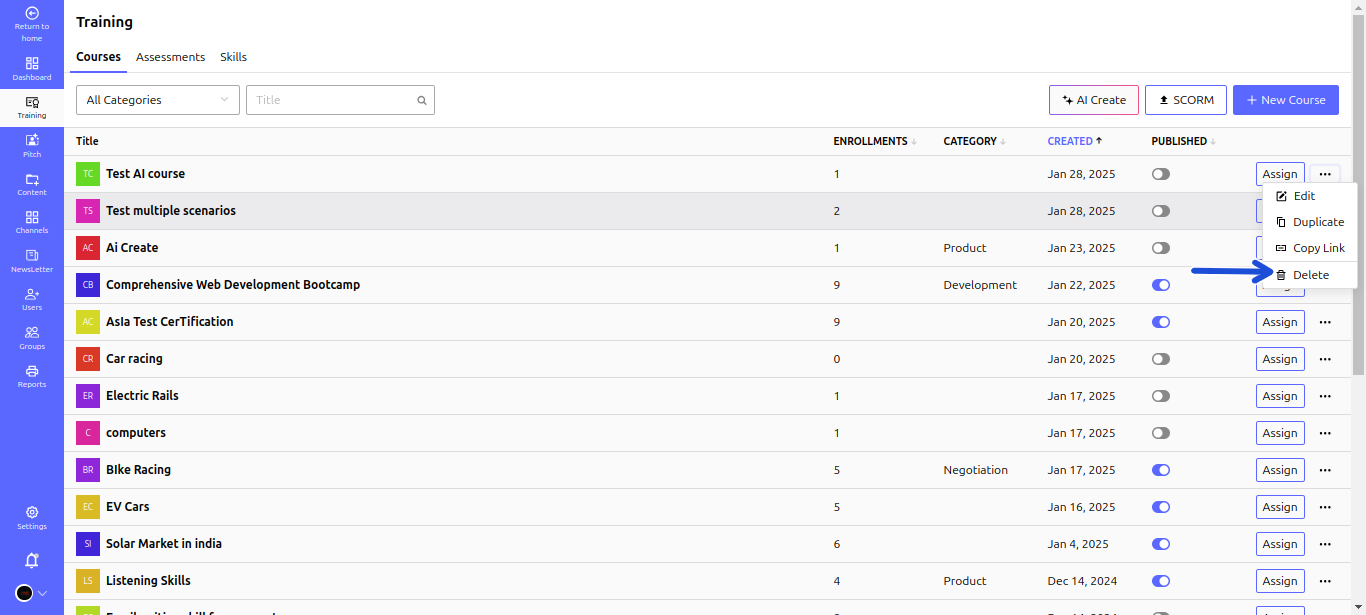
1️⃣ Go to Training > Courses.
2️⃣ Locate the course you wish to delete.
3️⃣ Click the three dots (⋮) next to the course title.
4️⃣ Select Delete from the dropdown menu.
5️⃣ Confirm deletion by clicking Yes in the pop-up window.
# ⚠️ Important Note
🛑 Deleted courses cannot be recovered. Ensure you no longer need the course before deleting it.