
# Editing the Course About Section
Easily modify course details, including the title, description, and thumbnail.
# Steps to Edit Course Information
# 1. Open the Course
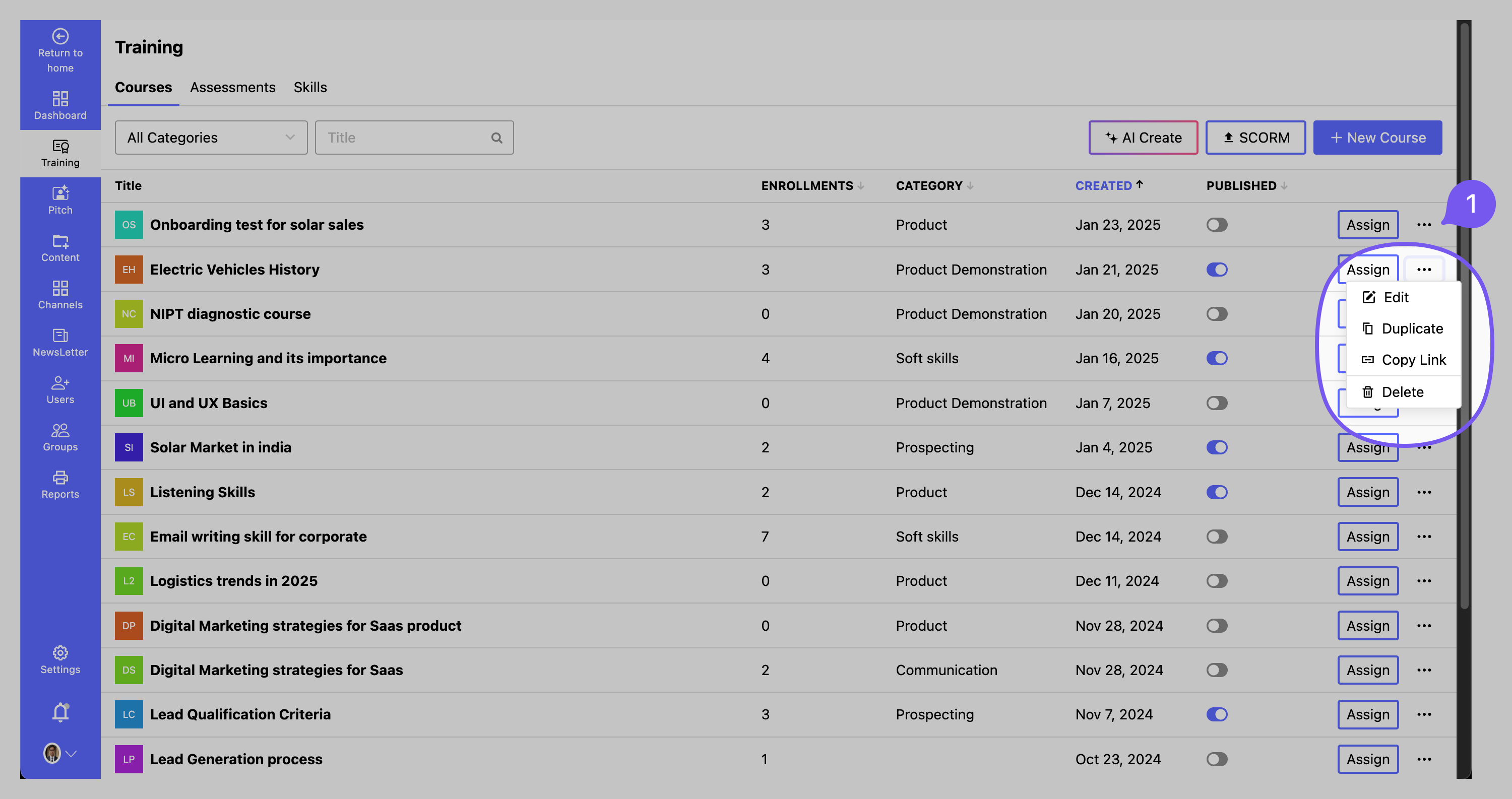
- Navigate to Training > Courses and select the course you want to edit.
- Click on the three dots next to the course title and select Edit.
# 2. Edit Course Details

# Manage Thumbnail
- Add Thumbnail: Click Upload Thumbnail and select an image file.
- Delete Thumbnail: Click the trash icon next to the existing thumbnail to remove it.
# Update Course Information
- Edit Title: Modify the course title.
- Edit Summary: Update the course summary.
- Edit Description: Modify the course description.
- Update Course Category: Assign or change the category of the course.
- Edit Certification Section: Update certification details if applicable.
✅ Click SAVE to apply changes.
🚀 Tip: Keep course details clear and engaging to enhance the learning experience!