
# Managing Lessons
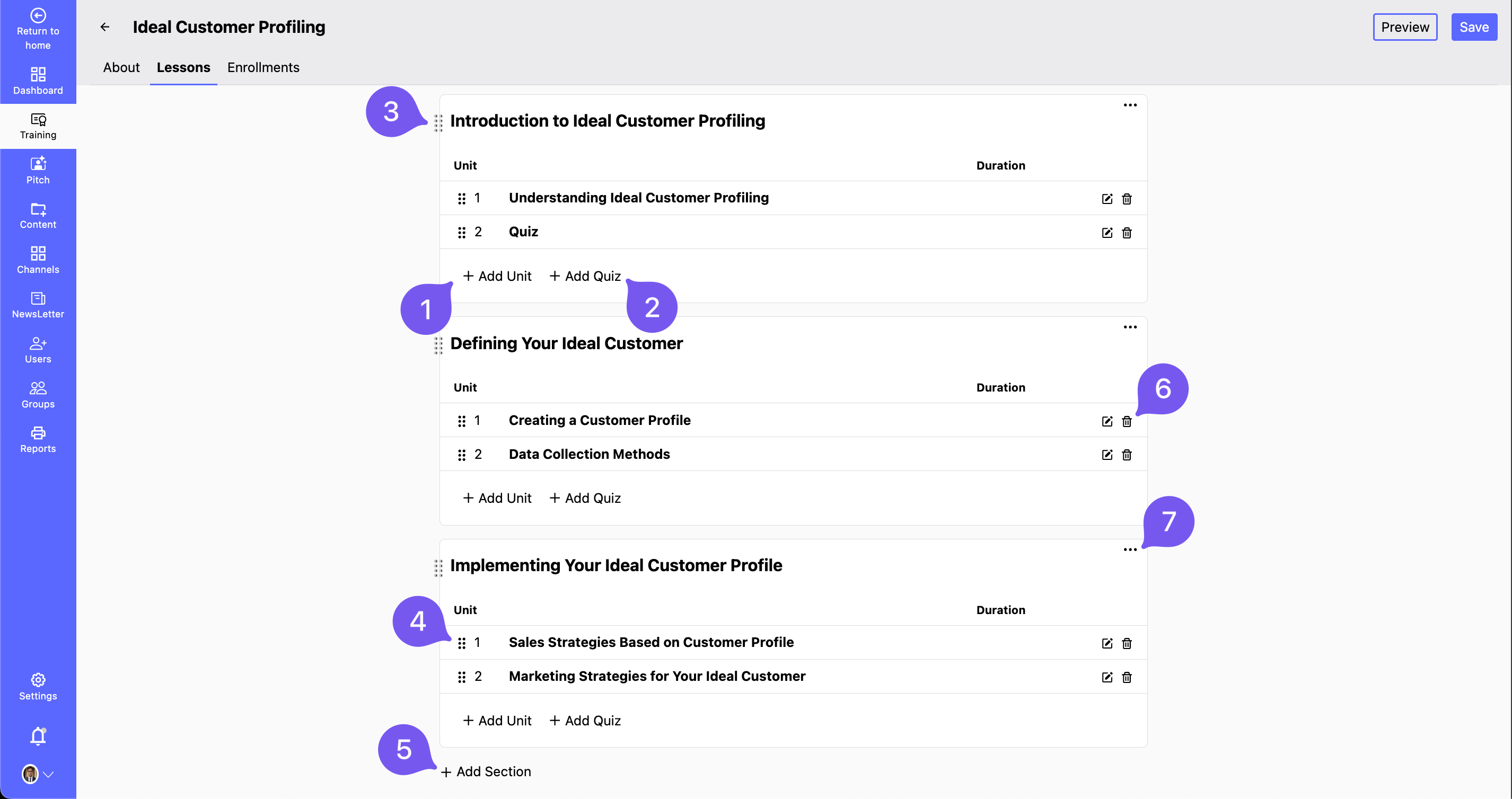
Effectively organize course lessons by adding units, quizzes, and sections. Use drag-and-drop for easy structuring.
# Lesson Management Options
✅ Click Add Unit to create a new unit.
✅ Click Add Quiz to include quizzes within a unit.
✅ Rearrange lessons & units using the drag-and-drop feature.
✅ Click Add Section to structure lessons further.
✅ Click the Trash icon to delete a unit.
✅ Click the three dots to rename or delete a lesson.
# Adding a Unit
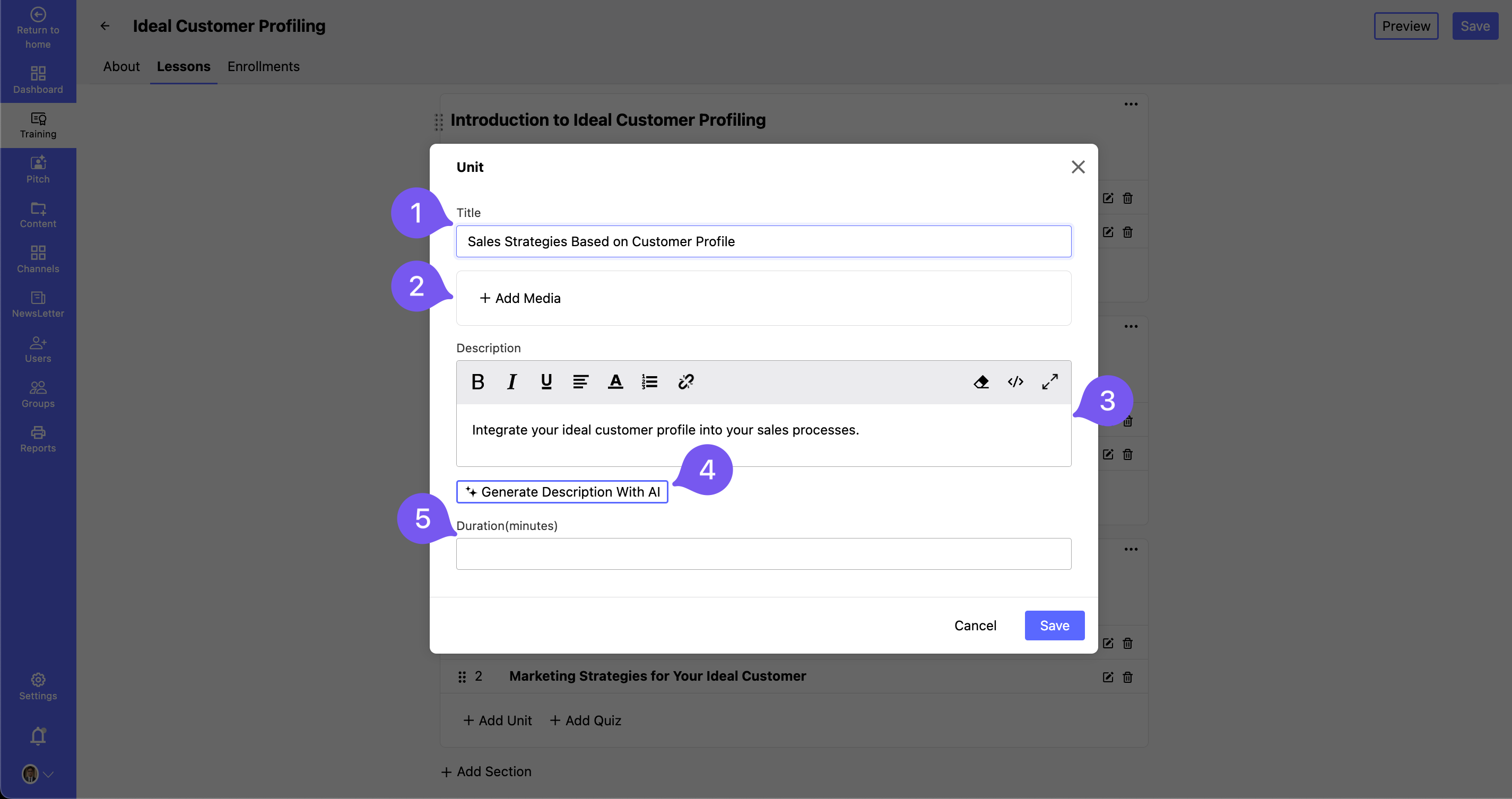
- Enter a Title for the unit.
- Click Add Media and choose the unit type (Video, Image, Text, File).
- Provide a Description of the unit.
- Use the AI Generate Description button for automated content.
- Set the Duration for the unit.
- Click Save to finalize.
# Adding a Quiz

- Click Add Quiz within a section.
- Click Add Question to insert a new question.
- Choose the question type (Multiple Choice / Single Choice).
- Add answer options and mark the correct choice(s).
- Provide an Explanation for the correct answer (optional).
- Click Save to store the quiz.
🚀 Tip: Regularly updating lessons keeps content fresh and engaging for learners!