
# Sharing a Course
Easily share a course with users by copying and sending a direct link.
# Steps to Share a Course
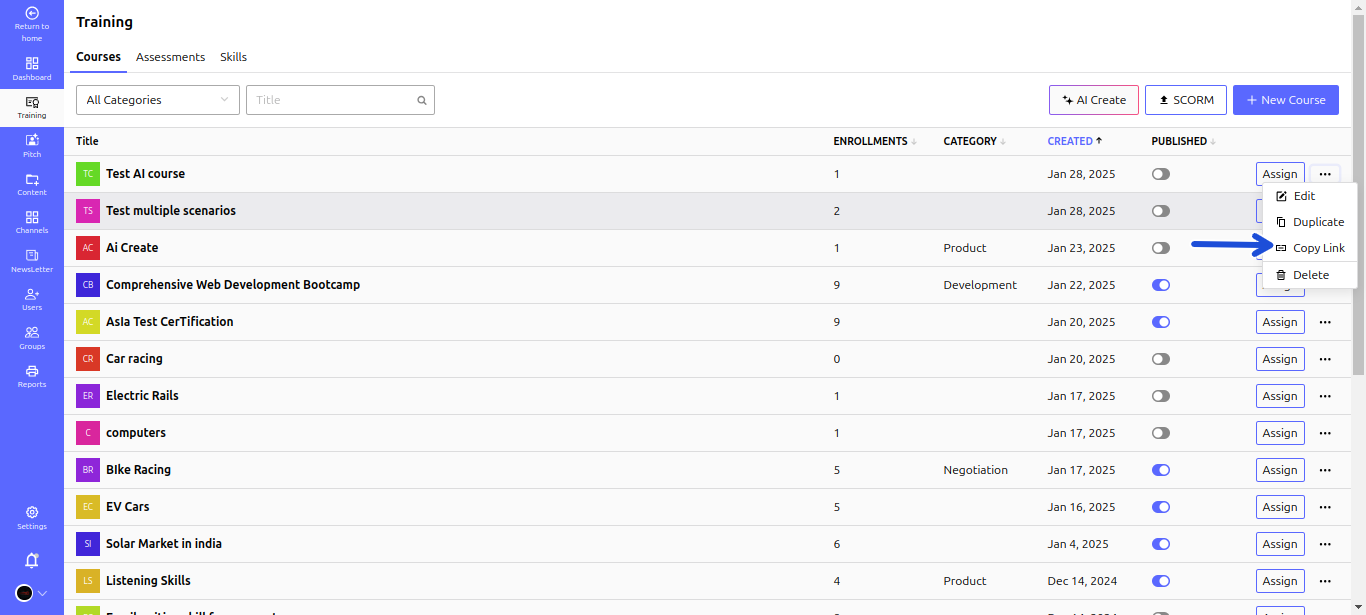
- Navigate to Training > Courses and find the course you want to share.
- Click on the three dots next to the course title.
- Select Copy Link from the dropdown menu.
- Share the link with the intended users to grant them access.
🚀 Tip: Ensure the course is published so users can access it!