
# Enrollment Details View
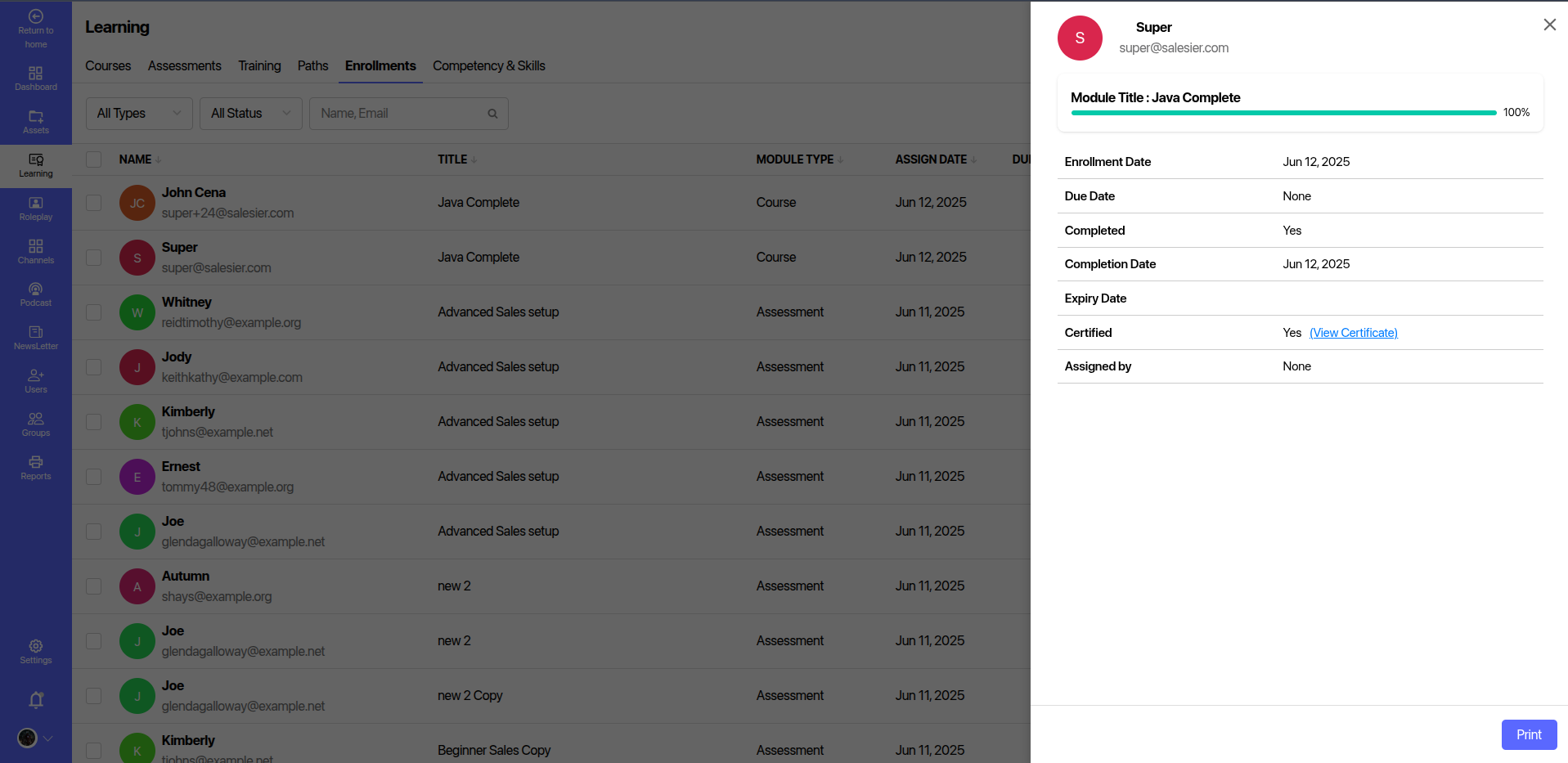
The Enrollment Details panel provides in-depth information about a user's progress and status in a specific module (course or assessment). This feature helps administrators and managers track learner achievements, certification, and engagement timelines.
# 📋 Key Fields Displayed
| Field | Description |
|---|---|
| Name | Full name and email of the user. |
| Module Title | Title of the course or assessment the user is enrolled in. |
| Progress Bar | Visual indication of completion percentage. |
| Enrollment Date | Date when the user was enrolled into the module. |
| Due Date | Deadline to complete the module (if applicable). |
| Completed | Indicates whether the module is marked complete. |
| Completion Date | Date when the module was completed. |
| Expiry Date | Validity date of the module or certification (if applicable). |
| Certified | Displays "Yes" if certification is granted, along with a link to the certificate. |
| Assigned By | Name of the assigner, if the module was manually assigned. |
# 🛠️ Functional Features
- Certificate Access: If certified, users or admins can click the View Certificate link to preview or download the certificate.
- Print Button: Allows easy printing of the enrollment details for documentation or reporting purposes.
# ✅ Usage Recommendations
- Monitor user progress for compliance and certification-based programs.
- Export or print data for audit or HR review.
- Encourage learners to complete modules by tracking overdue or inactive enrollments.
Note: This view is typically accessed by clicking on a user row in the "Enrollments" tab of the Learning module.