
# Editing the Deal Room
Easily modify your Deal Room to keep it up to date with the latest information.
# Step-by-Step Guide
1️⃣ Click on the Deal Room you want to edit.
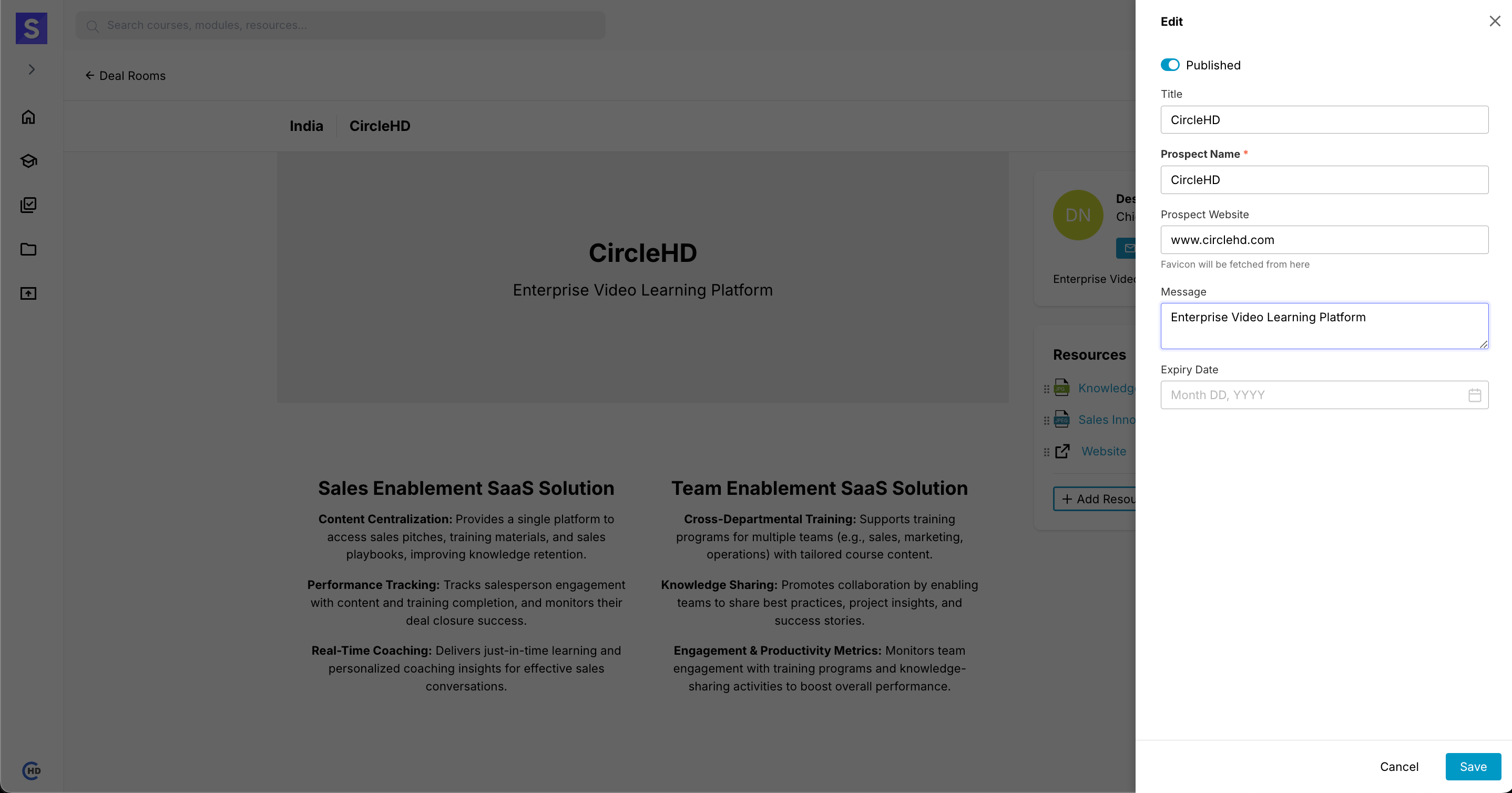
2️⃣ You can update the following fields:
| Field | Description |
|---|---|
| Title | Modify the Deal Room’s name |
| Prospect Name | Update the associated prospect |
| Prospect Website | The Deal Room will automatically fetch and apply the website's logo upon update |
| Message | Edit the Deal Room description |
| Expiry Date | Set an expiration date for access control |
📌 Click "Save" to apply changes.
# Managing Resources in a Deal Room
Once inside a Deal Room, you can add and organize important resources.
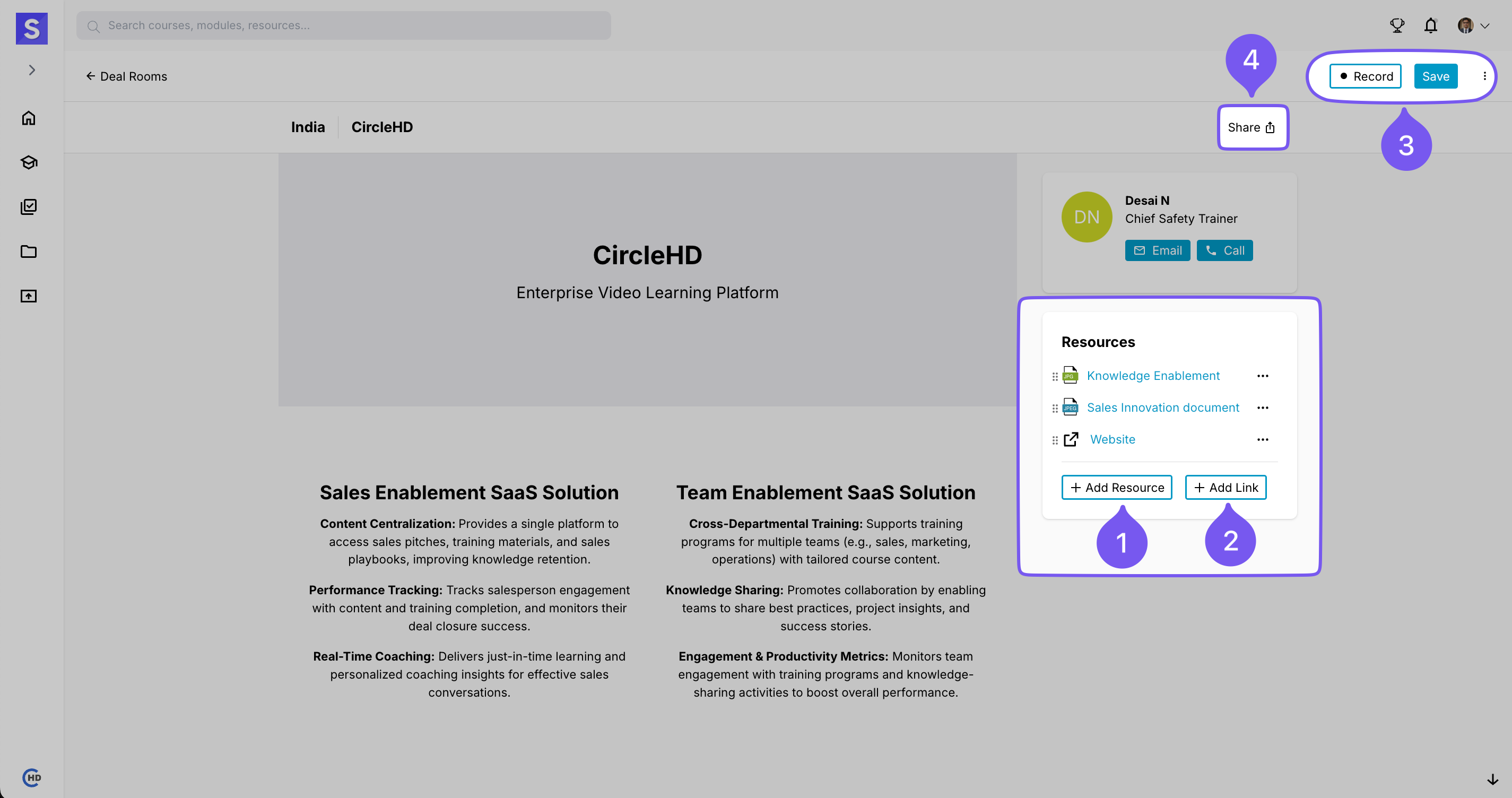
# Resource Management Options
✅ Add Resource – Upload essential files such as documents, presentations, or training materials.
✅ Add Link – Insert external links to relevant websites, knowledge bases, or additional learning materials.
# User Actions
🎥 Recording – Capture interactions or meetings for future reference.
💾 Saving – Ensure all updates and changes are stored properly.
📤 Sharing – Use the "Share" button to distribute Deal Room content with your team.
⚠ Only the Deal Room owner can make these changes.