
# IP Restriction Settings
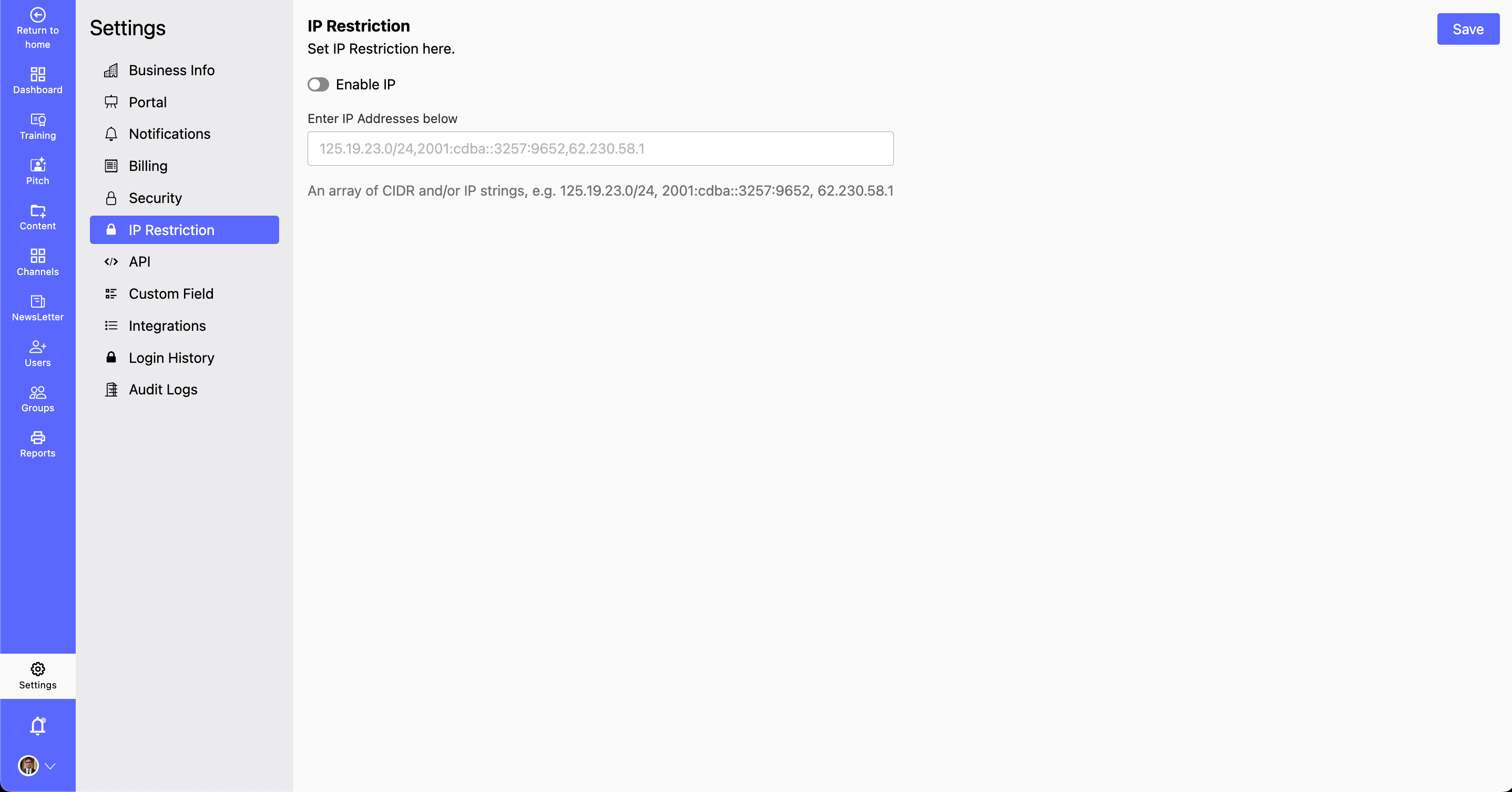
- The IP Restriction Settings section allows you to enhance security by controlling which IP addresses can access your system. By enabling IP restrictions, you can permit or block specific IPs or IP ranges, ensuring only authorized users can connect.
- Why Use IP Restrictions?
- Prevent unauthorized access by limiting system entry to approved networks. Enhance security by restricting access to trusted locations. Reduce the risk of cyber threats and unauthorized logins. By properly configuring IP restrictions, you can protect your system from unauthorized access and enhance overall security.
How to Configure IP Restrictions?
Step 1: Navigate to Settings > IP Restriction.
- You can Add Allowed or Blocked IPs:
Step 2: Click Add IP Address.
- Enter a specific IP address or define an IP range.
- You can choose to allow or block the IP address, by using the toggle Enable IP.
Step 3: Click Save button to apply the changes.
- Before saving, review the IP list to ensure accuracy.
- Then Click Save Changes to enforce the new restrictions.