
# Managing Your API Settings
The API Settings section allows administrators to manage API access, generate authentication keys, and enhance security through IP restrictions. This ensures that only authorized applications and users can interact with the system programmatically.
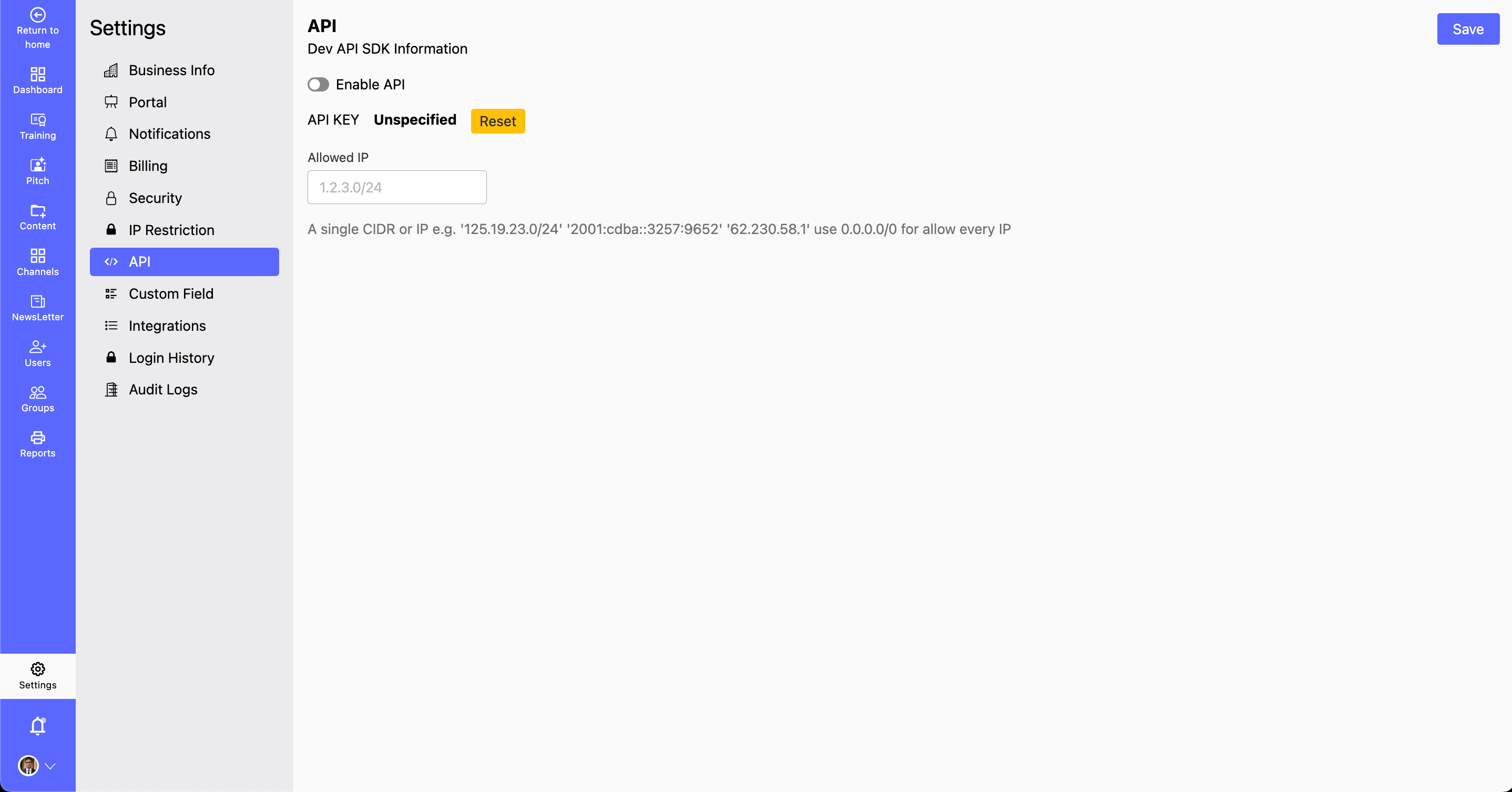
# Managing API Configurations
# Steps to Configure API Access:
Navigate to API Settings
- Go to Settings > API in the dashboard.
Enable or Disable API Access
- Enable API: Grants API access to applications and users.
- Disable API: Restricts all API interactions with the system.
Reset Your API Key for Secure Authentication
- Reset your API key periodically to enhance security and revoke access from unauthorized applications.
- Store API keys securely and avoid sharing them in public repositories or insecure locations.
Specify Allowed or Denied IP Addresses
- Allowed IP Addresses: Define specific IP addresses or ranges to restrict API access only to trusted sources.
- Deny IP Addresses: Block API access from particular IP addresses or ranges.
- Use CIDR notation for IP range restrictions (e.g.,
192.168.1.0/24).
Click 'Save Changes'
- Ensure all settings are correctly configured before saving.
# Security Best Practices
- Use Strong Authentication: If supported, enable OAuth or token-based authentication instead of static API keys.
- Rotate API Keys Regularly: Schedule periodic resets to minimize the risk of compromised credentials.
- Restrict API Access: Limit access by IP or use role-based authentication for different users.
- Monitor API Logs: Regularly check API logs for suspicious activity or unauthorized access attempts.
# Troubleshooting API Access Issues
# Issue: API Requests Are Failing
Possible Causes & Fixes:
- Ensure the API is enabled in settings.
- Verify that the correct API key is being used.
- Check if IP restrictions are blocking access.
- Ensure the API endpoint URL is correct.
# Issue: Unable to Reset API Key
Possible Causes & Fixes:
- Confirm that you have the necessary admin permissions.
- Refresh the page and try again.
- If the issue persists, contact technical support.
For additional assistance, please reach out to our Support Team.