
# Login History
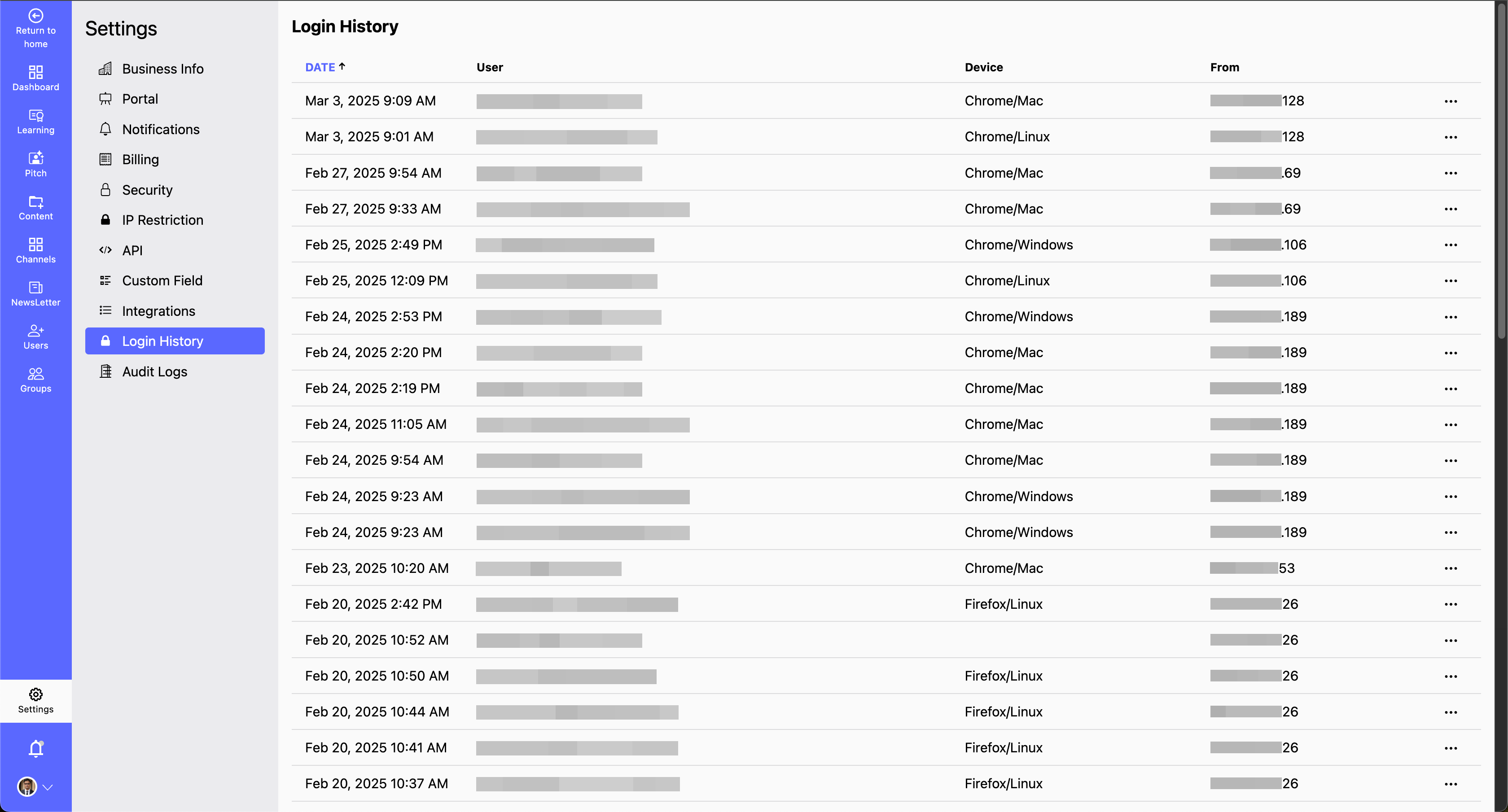
- The Login History section helps you track and monitor all login activities over time. You can view details such as login date and time, device used, and IP address, ensuring better security and account monitoring.
- Why Monitor Login History?
- Detect unauthorized access by reviewing login locations and timestamps. Enhance security awareness by keeping track of login activities. Troubleshoot login issues by identifying failed or unusual login attempts.
How to View Your Login History?
Step 1: Navigate to Settings > Login History.
Step 2: Review Login Details:
- You can View date and time of each login.
- Check the device and IP address used.
Step 3: Identify Suspicious Activity:
- Look for logins from unknown devices or locations.
- If unauthorized access is detected, update your password and enable multi-factor authentication (MFA) for added security.
# By regularly monitoring your login history, you can ensure your account remains secure and protected from unauthorized access.