
# Notification Settings
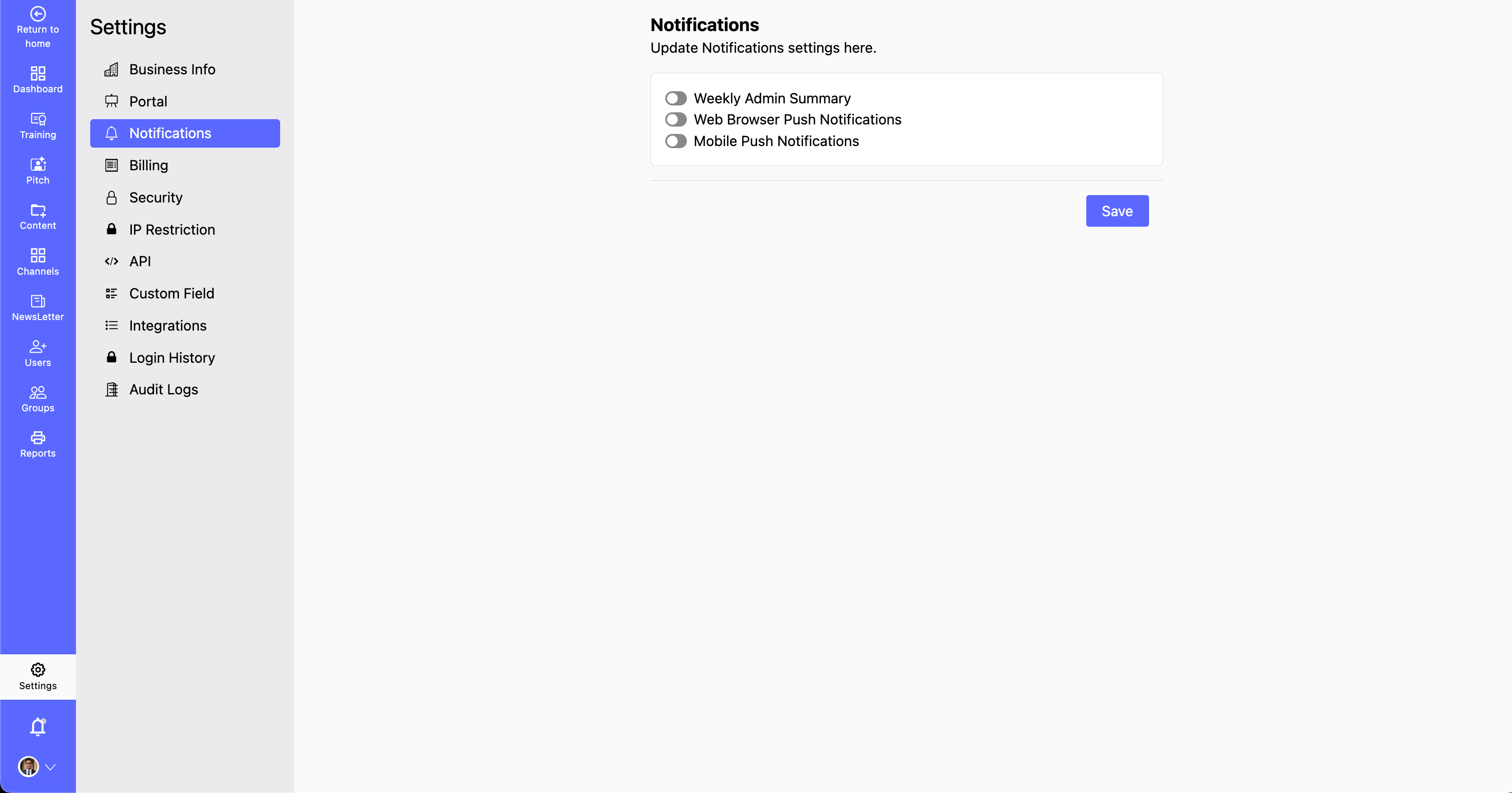
- The Notifications section allows you to customize how you receive important updates and alerts. You can manage notification preferences for weekly admin summaries, web browser push notifications, and mobile push notifications, ensuring you stay informed in a way that suits you best.
- Why Customize Notifications?
- Stay updated with important platform updates. Enable or disable notifications based on your preferences. Ensure you receive alerts through your preferred channels.
How to Configure Notification Preferences?
Step 1: Navigate to Settings > Notifications.
Step 2: Update Notification Preferences:
- You get three options here:
- Enable or disablethe Weekly Admin Summary for key insights.
- Turn on/off Web Browser Push Notifications for instant updates.
- Manage Mobile Push Notifications to receive alerts on the go.
Step 3: Save Changes:
- Review your selections to ensure they match your preferences.
- Click Save Changes to apply your updates.