
# Adding Questions to an Assessment
Easily create and structure assessments by adding relevant questions.
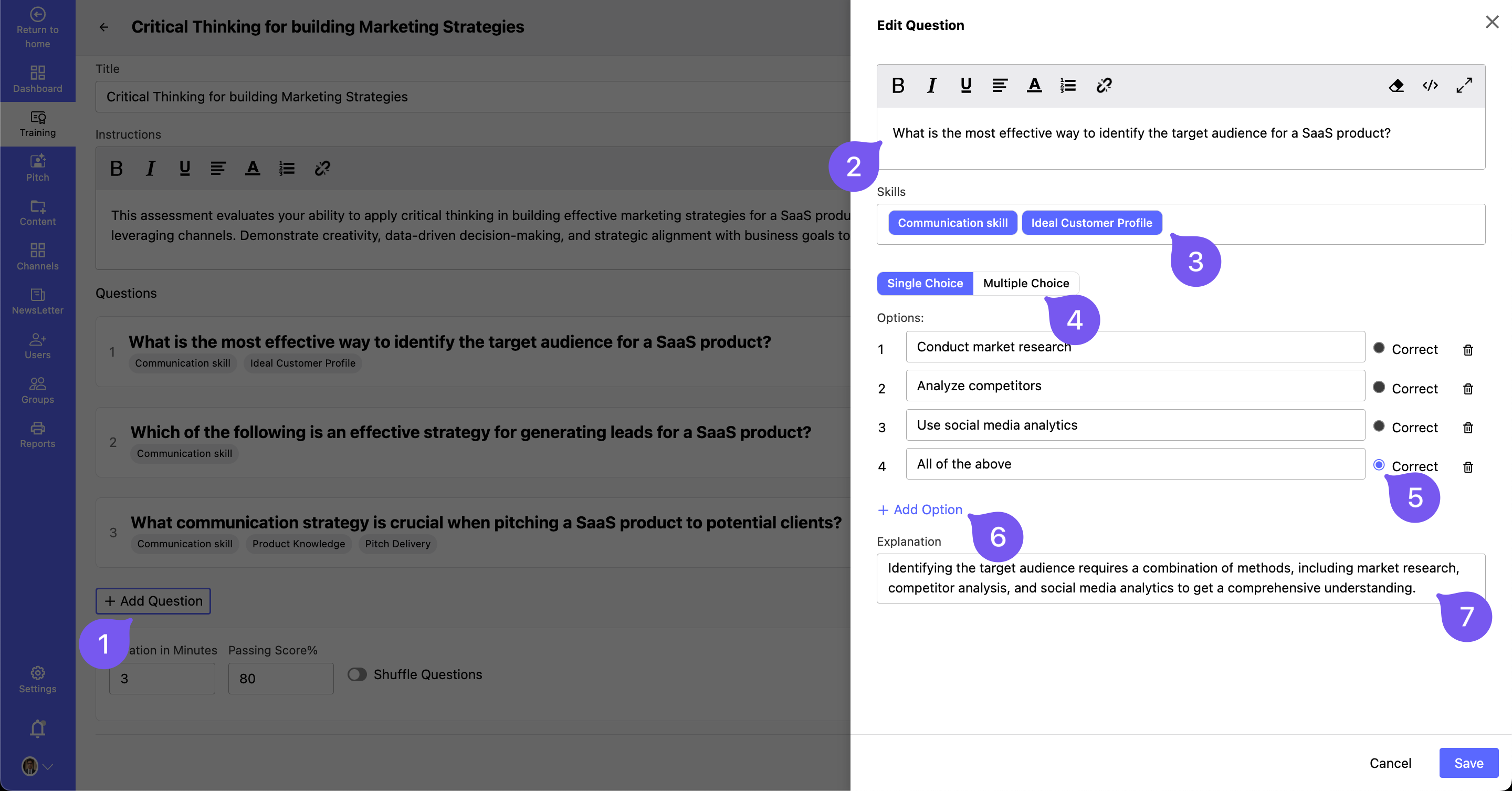
# Steps to Add a Question:
1️⃣ Click "Add Question".
2️⃣ Enter your question in the Edit Question section.
3️⃣ Assign Skills related to the question.
4️⃣ Select the Question Type:
- Single-Choice
- Multiple-Choice
5️⃣ Add answer choices and mark the Correct Option(s).
6️⃣ Add any additional Options if needed.
7️⃣ Provide an Explanation for the correct answer.
8️⃣ Click Save to finalize the question.
🔹 Repeat these steps to add more questions to the assessment.