
# Assigning an Assessment
Easily assign assessments to users by following these steps:
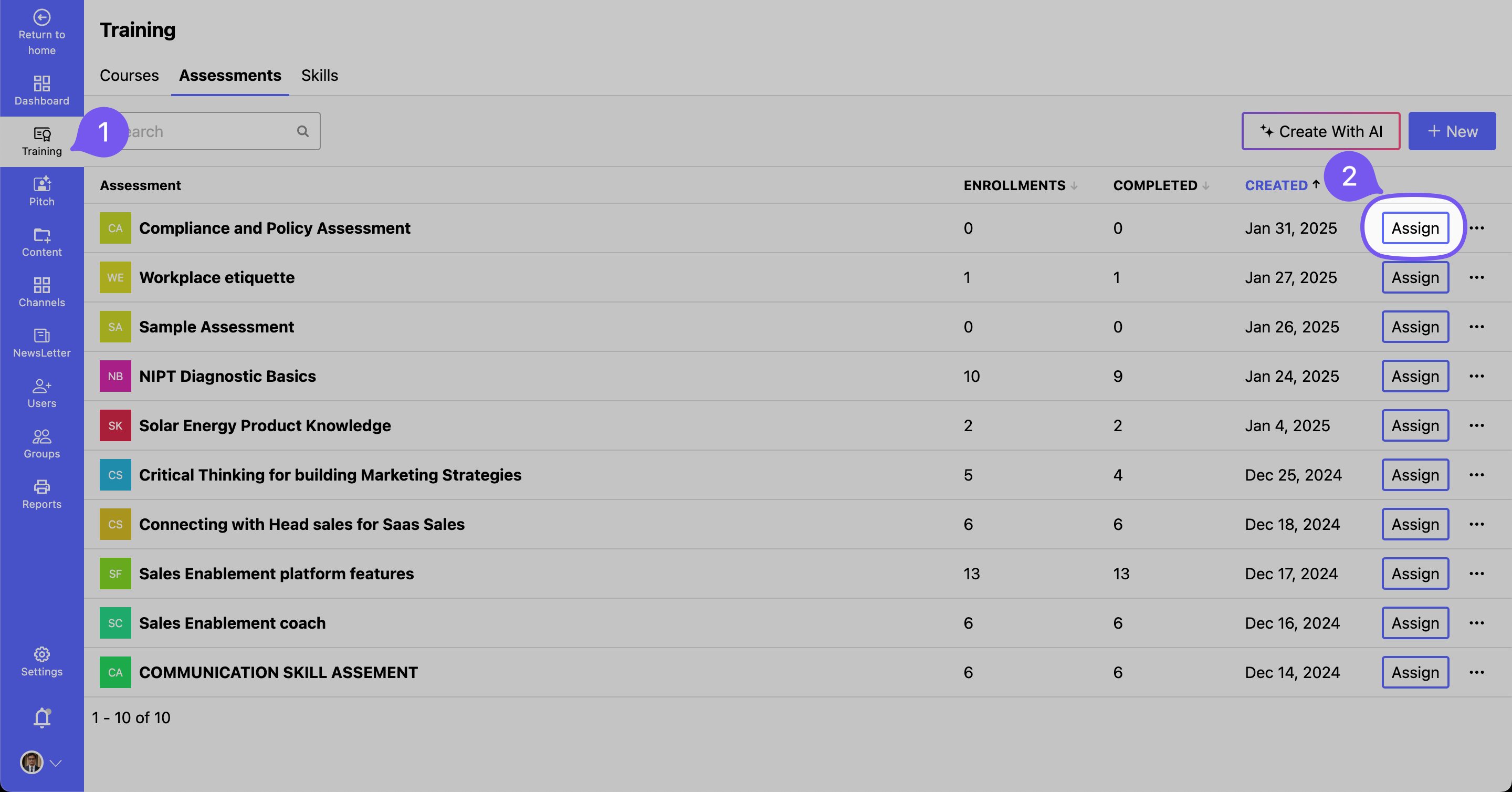
# Step 1: Open the Assessment Dashboard
- Navigate to Training > Courses.
- Click the Assign button next to the desired assessment.
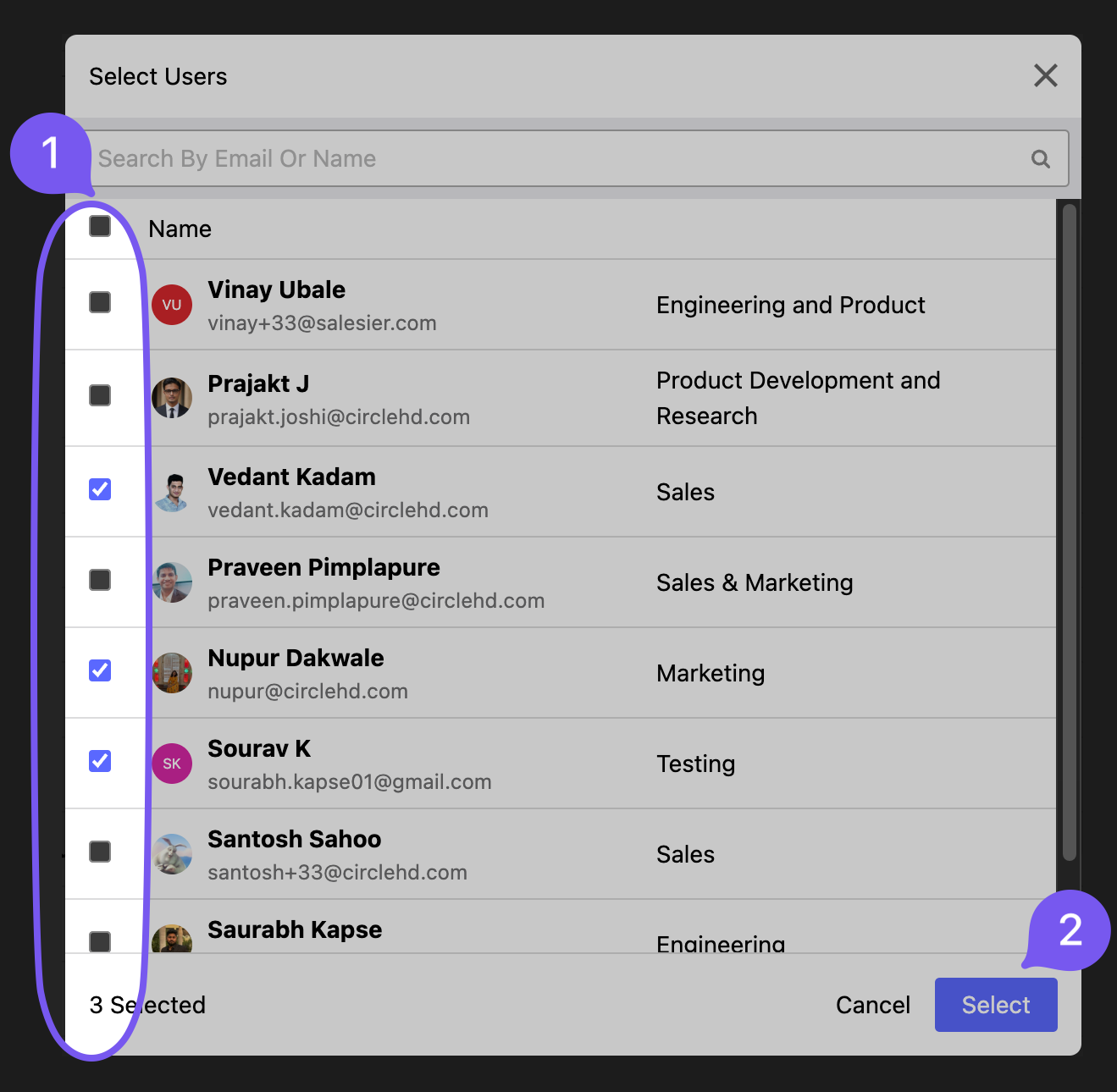
# Step 2: Select Users
- Choose users from the dropdown list.
# Step 3: Confirm Assignment
- Click Assign to finalize.
- (Optional) Set a Due Date for completion.
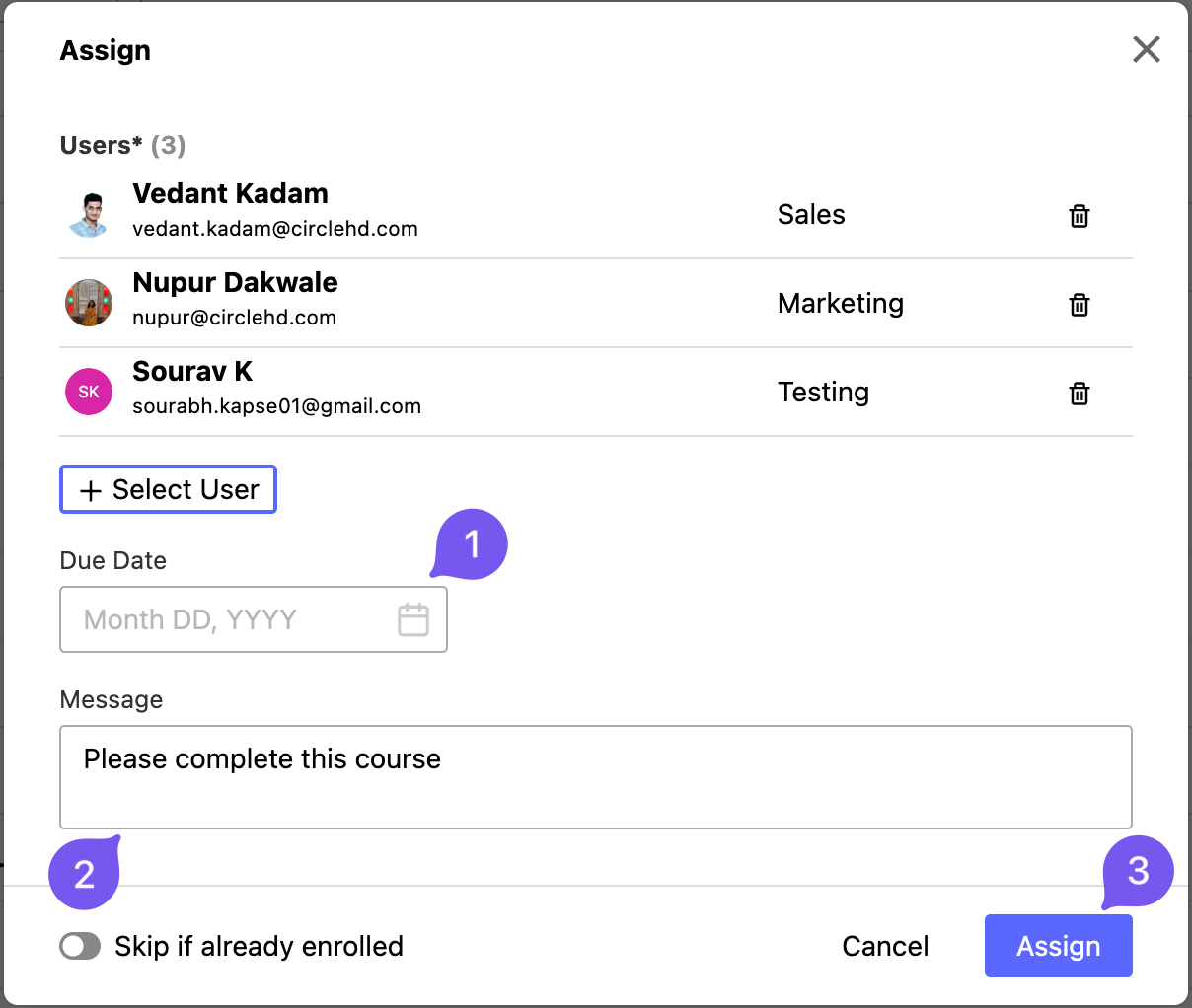
📌 Once assigned, the assessment will appear in the users' dashboards for completion.