
# Deleting an Assessment
Remove an assessment permanently when it's no longer needed.
# Steps to Delete an Assessment:
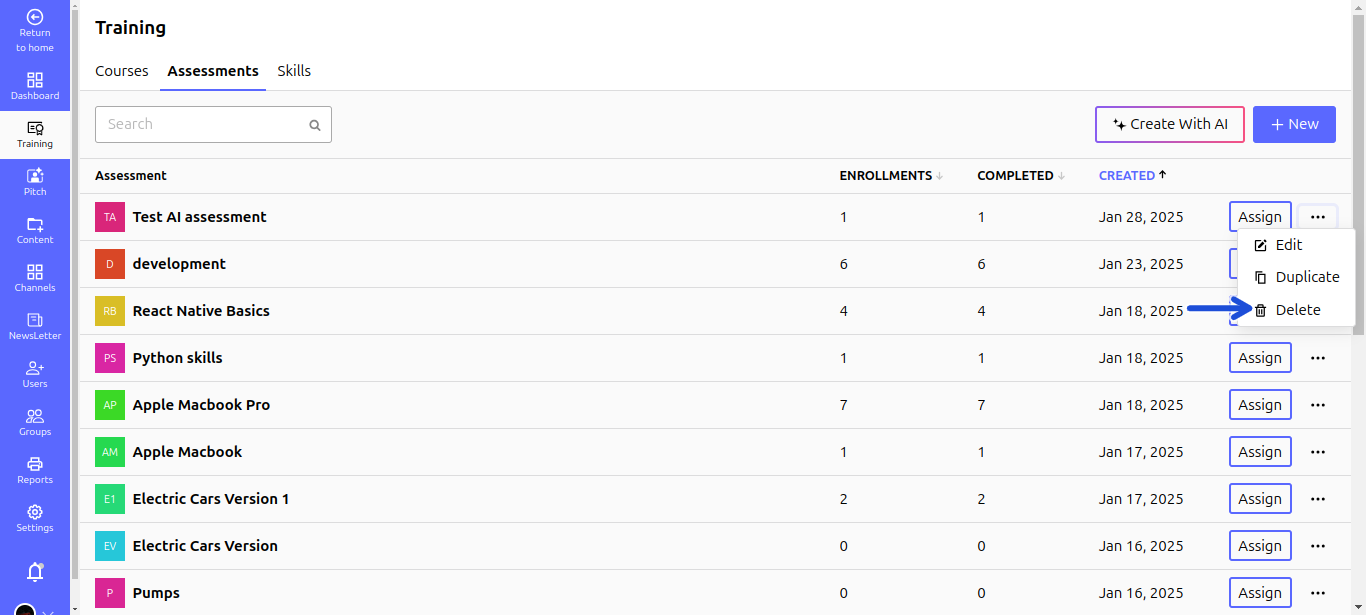
- Navigate to Training > Assessments.
- Locate the assessment you want to delete.
- Click the three dots (⋮) next to the assessment.
- Click the Delete button (trash icon).
- Confirm the deletion in the popup dialog.
⚠️ Warning: Deleted assessments cannot be recovered.