
# Skills & Competency Management
The Competency & Skills section allows admins or learning managers to organize and manage competencies and their associated skills within the learning portal. This helps in mapping skills to training, assessments, and performance analytics.
# ✨ Features
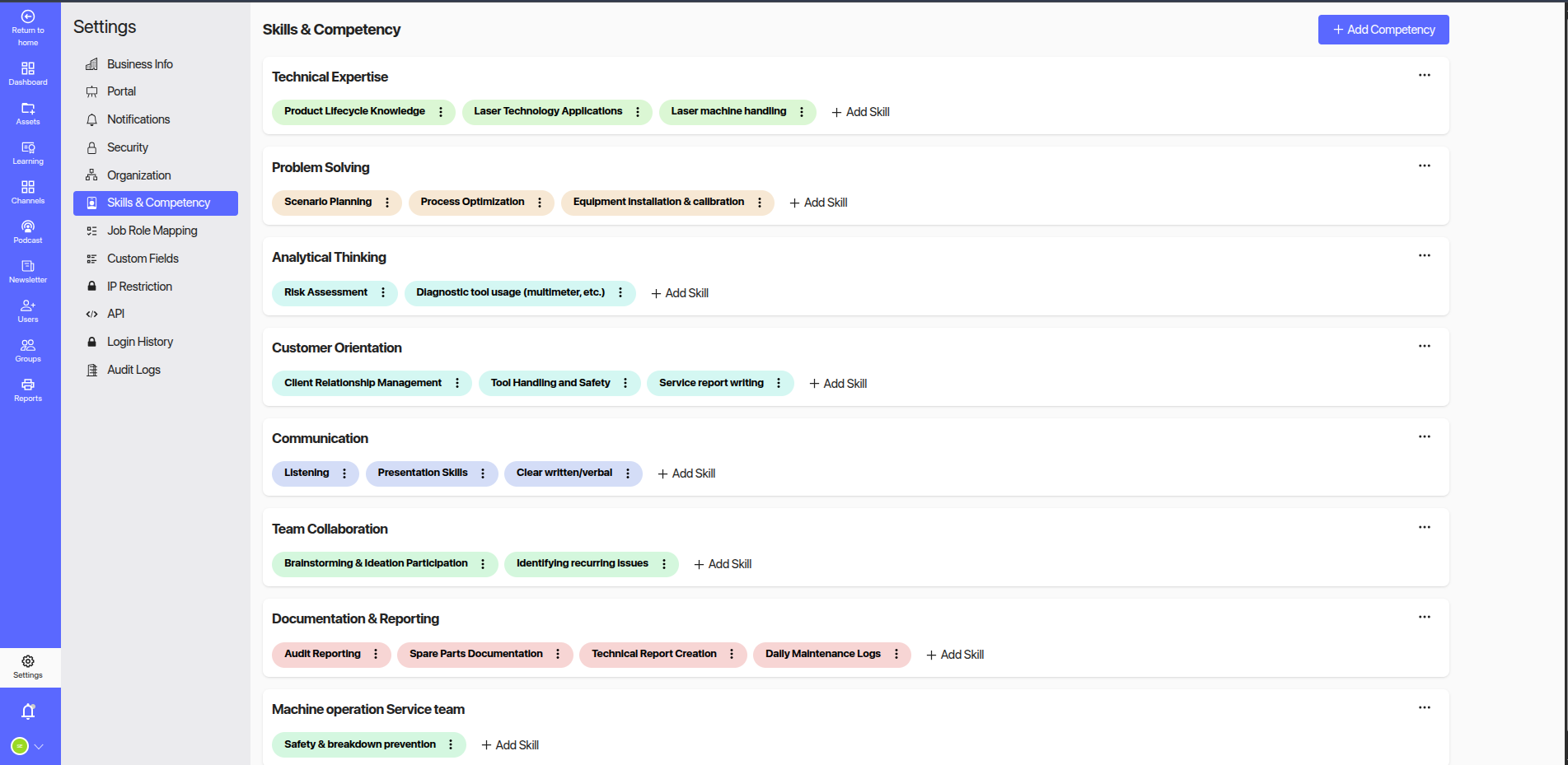
# 📍 Navigation Path:
Go to the bottom of the left sidebar in Administration Section and Click Settings.
Click on Competency & Skills
# ➕ Add Competency
Use the + Add Competency button (top-right corner) to create a new competency category under which specific skills can be grouped.
# ➕ Add Skill
Under each competency, click on + Add Skill to associate individual skills. Each skill is visually represented as a pill for quick reference and management.
# 🧠 Sample Competency Categories and Skills
Below are examples of how competencies and their associated skills may appear:
# 🛠️ Technical Expertise
- ✅ Product Lifecycle Knowledge
- ✅ Laser Technology Applications
- ✅ Laser Machine Handling
# 🧩 Problem Solving
- ✅ Scenario Planning
- ✅ Process Optimization
- ✅ Equipment Installation & Calibration
# 📊 Analytical Thinking
- ✅ Risk Assessment
- ✅ Diagnostic Tool Usage (Multimeter, etc.)
# ⚙️ Machine Operation Service Team
- ✅ Safety & Breakdown Prevention
# ⚙️ Actions
Each skill has a more options menu (⋮) to allow:
- Editing the skill name
- Deleting a skill
- Reordering within the competency
Each competency also has its own options menu (⋮) for editing or deleting the category.
# 🧩 Use Case
This module is essential for:
- Defining role-based skill frameworks
- Mapping learning paths
- Performing skill gap analysis
- Aligning assessments and training programs
For any issues or feedback related to the Skills & Competency section, please contact your LMS administrator or the support team.